User Manual
35
HTTPS Port Web GUI log on port via HTTPS, the default is 443
RTSP Port Port to connect Network Camera via RTSP protocol
Multicast Group Address Support multicast
RTP Size The size of the communication date, the default is 8000, with
higher size, it can support more channels connect
simultaneously
ONVIF PORT Port to connect Network Camera via ONVIF protocol
ONVIF RTSP Custom If you want to remote access the camera via ONVIF, you need to
enter your public IP here.
FTP Port The port of the FTP. Generally it is 21
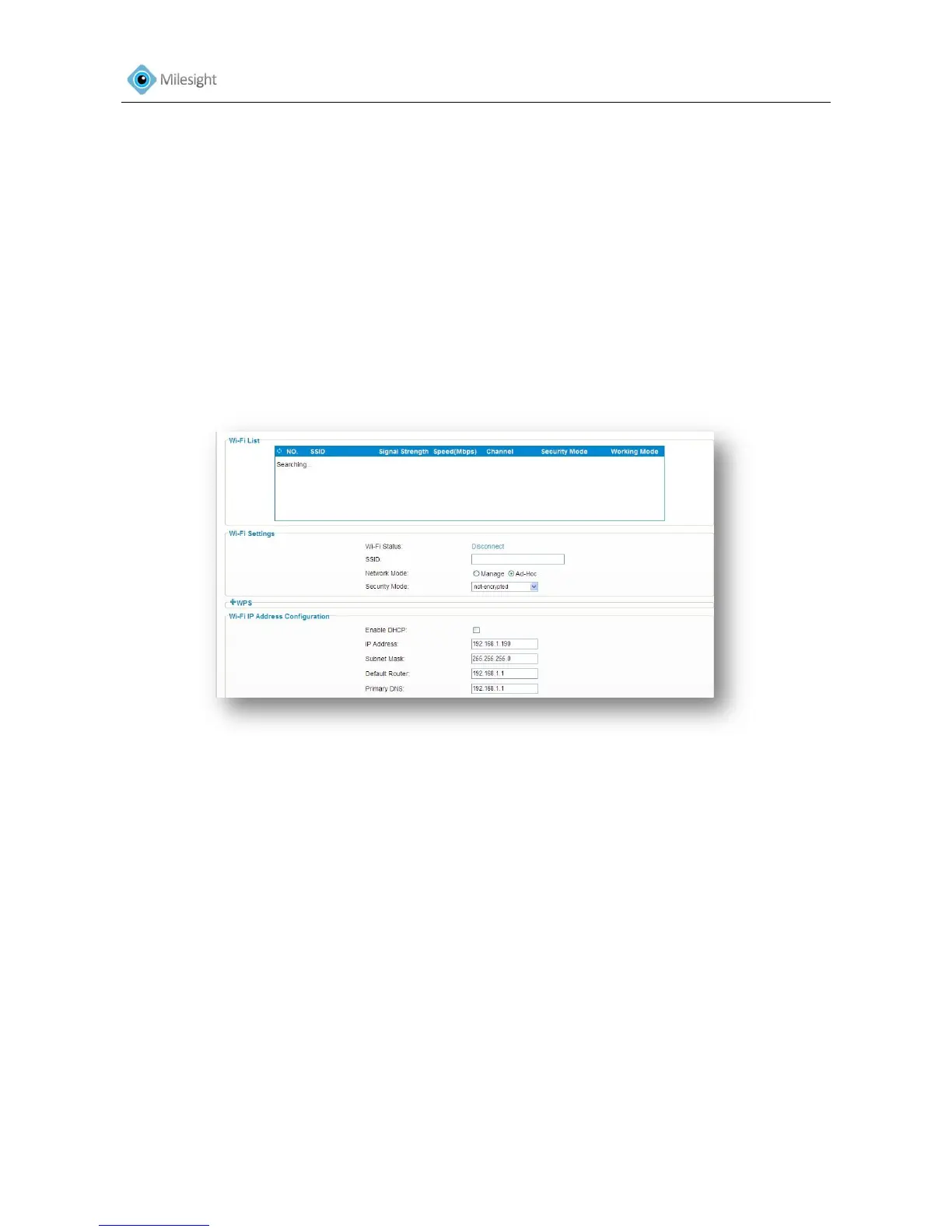
4.2.5 Wi-Fi*
Figure 4-10
WI-FI Settings*
Enable WI-FI Check the checkbox to enable WI-FI
SSID select WIFI source, click “scan” button can be scanned WI-FI
source
Network Mode WI-FI option for Manage and Ad-Hoc mode
Key Enter the password of WI-FI connection
Security Mode Select WI-FI connection security mode
WIFI IP Address Configuration Pre-set an IP address which is corresponding to WI-FI wireless
router, and then access to the camera via this address
Note:
WI-FI function is only applicable for box and cube cameras if purchased.











 To Next Page