User Manual
47
System
Device Name The device name can be customized. It will be seen in file names
of video files
Product Model The product model of the camera
Hardware Version The hardware version of the camera
Software Version The software version of the camera can be upgraded
Kernal Version The kernel version
MAC Address Media Access Control address
System Up Time Since The elapsed time since the device was last restarted
4.5 Maintenance
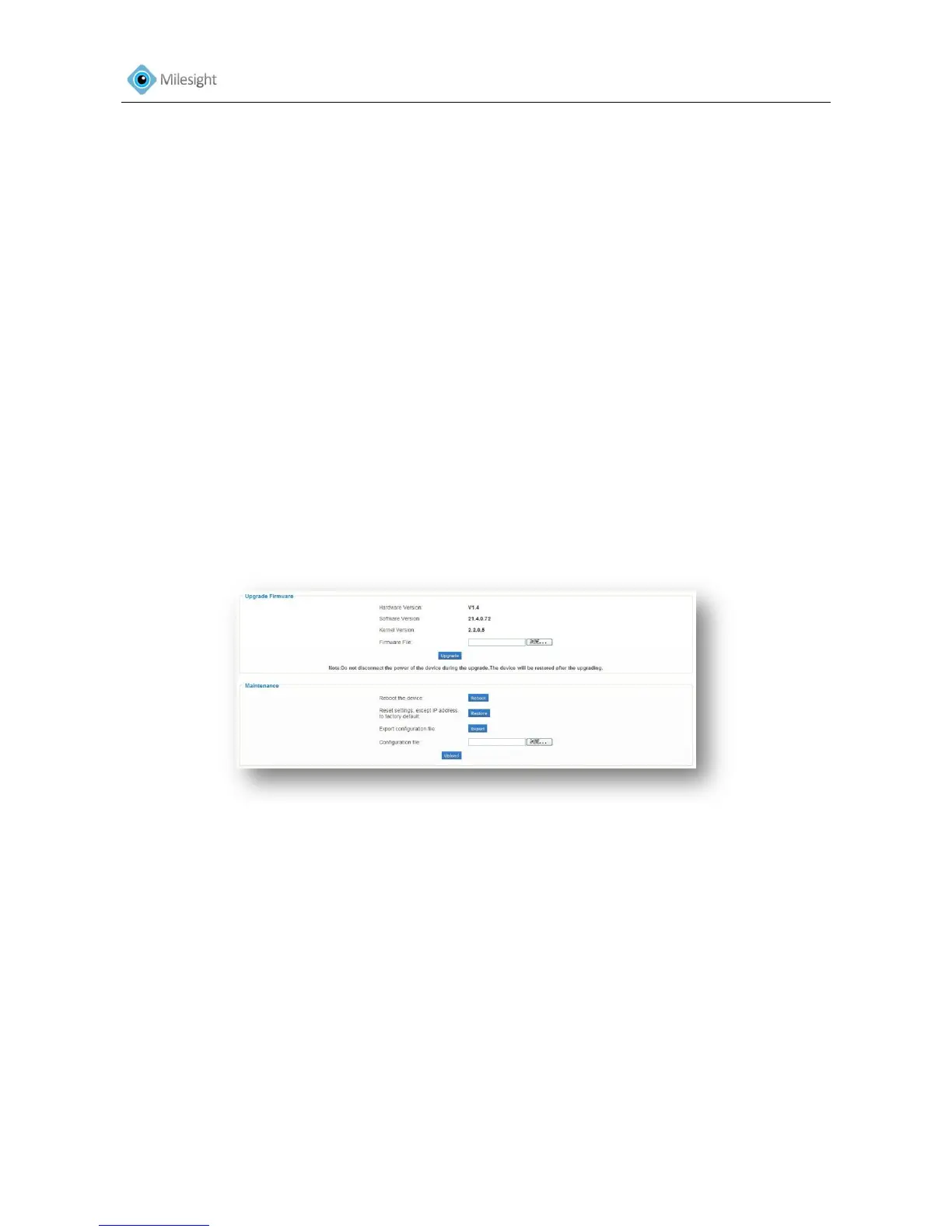
The software can be upgraded by the following steps
1. Browse and select the upgrading file.
2. Click the 'update' button after it prompts upload file successfully. After the system reboots
successfully, the update is done.
Note: Do not disconnect the power of the device during the update. The device will be restarted to complete
the upgrading.
Figure 4-32
Upgrade Firmware
Hardware Version The hardware version of the camera
Software Version The software version of the camera
Kernal Version The kernel version
Firmware File Select the firmware used to upgrade
Maintenance
Restart the device Click 'restart' button to restart the device immediately
Restore settings, except IP address to Factory Default Click 'Restore' button to restore the
camera to factory default settings
Export configuration file Click this button to export the configuration file
Configuration file Click this button to import the old configuration file











 To Next Page