User Manual
30
4.2 Basic Settings
4.2.1 Video
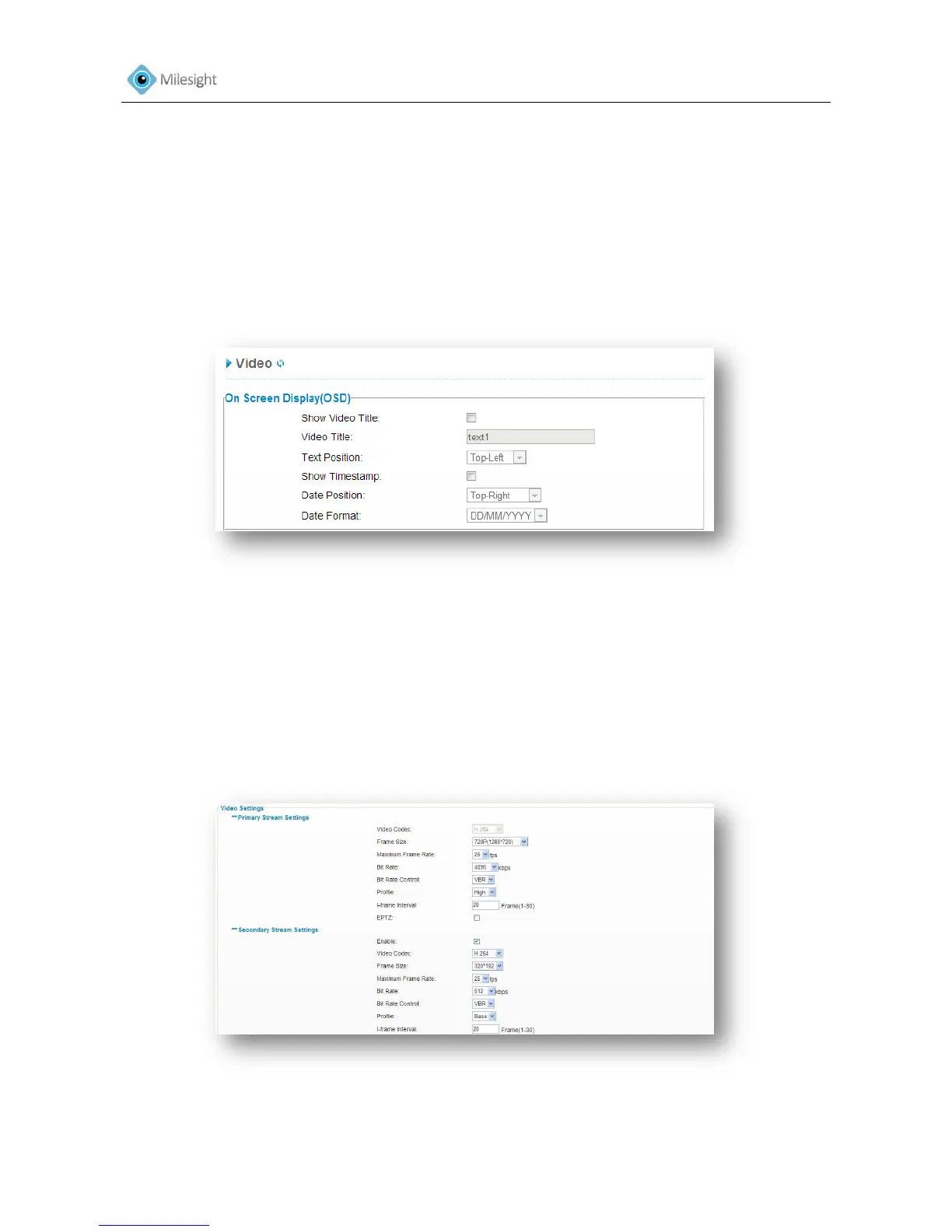
OSD (On Screen Display) content and video time can be displayed to rich the video information.
Stream parameters can also be set on this page, to adapt to different network environments and
demands.
Figure4-2
On Screen Display (OSD)
Show Video Title Check the checkbox to show video title
Video Title OSD content customized
Text Position OSD display position on the image
Show Timestamp Check the checkbox to display date on the image
Date Position Date display position on the image
Date Format The format of date
Figure 4-3











 To Next Page