EasyManua.ls Logo

Milesight Network camera - 1.3 Hardware Overview

Milesight Network camera
49 pages
Print Icon
To Next Page IconTo Next Page
To Previous Page IconTo Previous Page
Loading...
User Manual
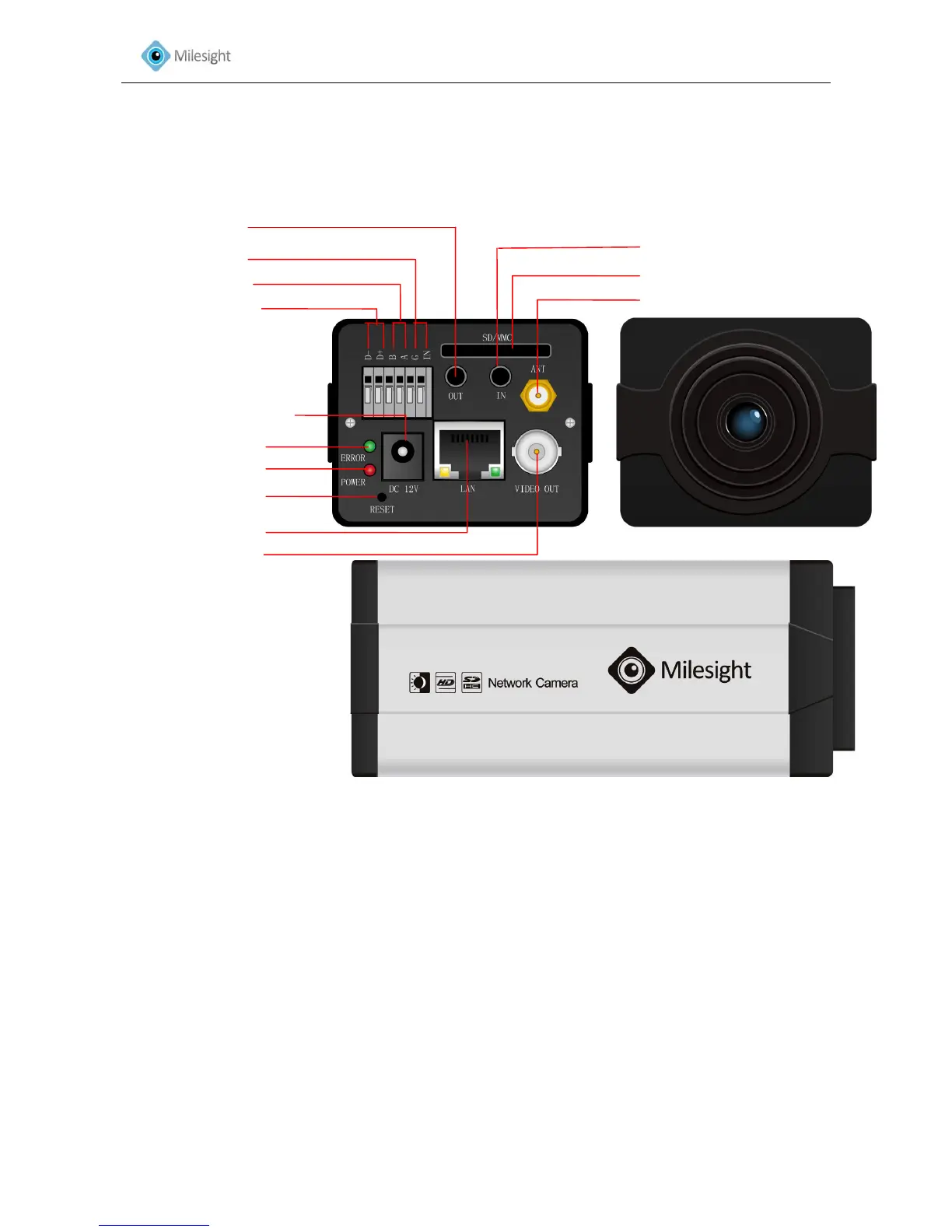
1.3 Hardware Overview
1. Box Camera
Figure1-1
*Note:
1) Error LED: Error LED is on when the device starts up or runs error.
2) Reset Button: Press ‘Reset’ button for 5 seconds, the device will be restored to factory default.
3) The network camera provides a general I/O terminal block which is used to connect external
input/output devices. Please refer to the following instruction for the connection method.
*Error LED
Power LED
*Reset Button
BNC Video Out
Power Connector (DC12V)
Alarm Output
RS-485 PTZ control
Alarm Input
Antenna for WIFI (Optional)
Audio Input
SD/SDHC Card Slot
Audio Output

Other manuals for Milesight Network camera

Related product manuals