User Manual
9
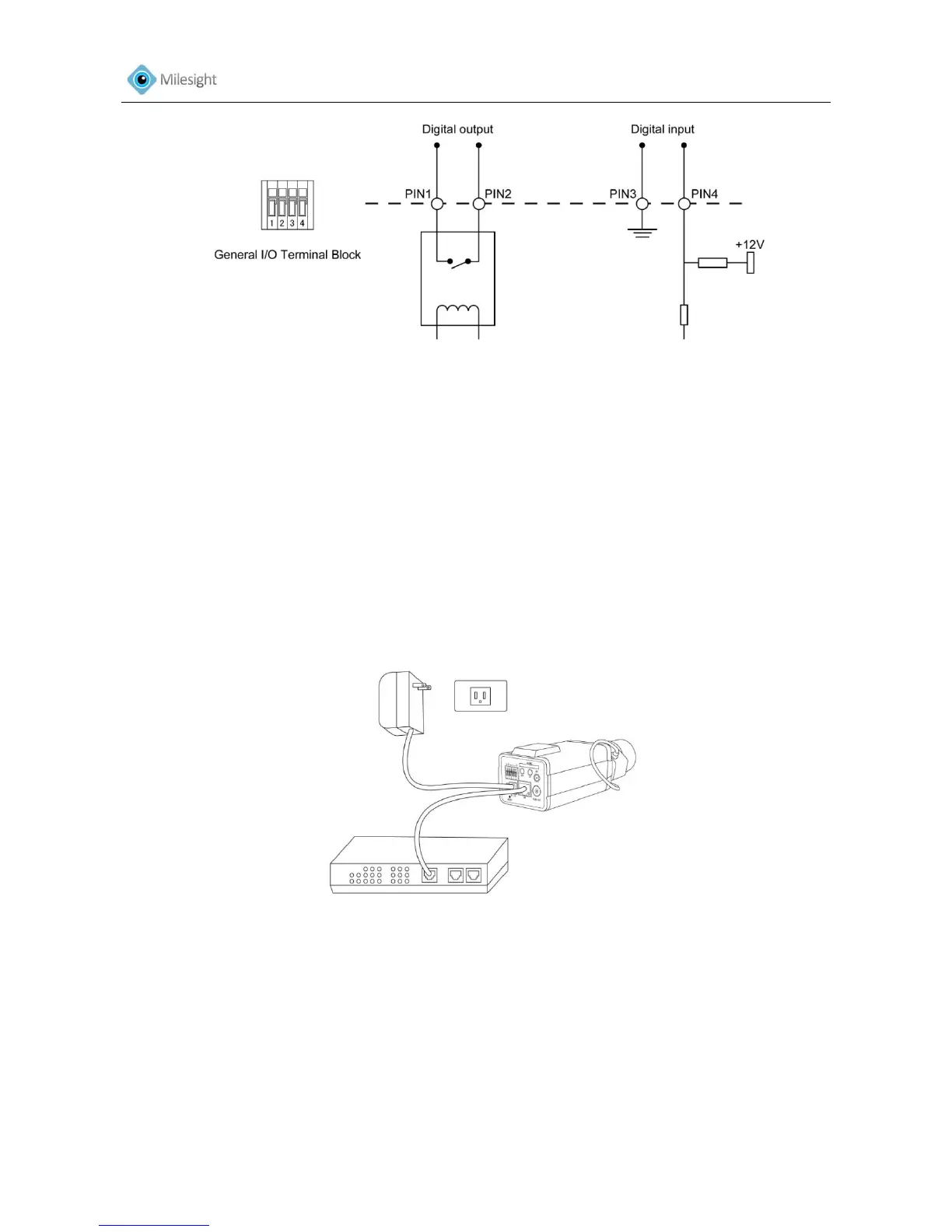
Figure 1-6
1.4 Hardware Installation
1. Connect the camera to the network and power using one of the methods listed below:
1) Basic connection (without PoE):
Step 1: connect the DC 12V end of the power adapter to the power port of the camera and
connect the other end to a wall outlet;
Step 2: connect the camera to a switch using an Ethernet cable.
Figure 1-7 Box Camera











 To Next Page