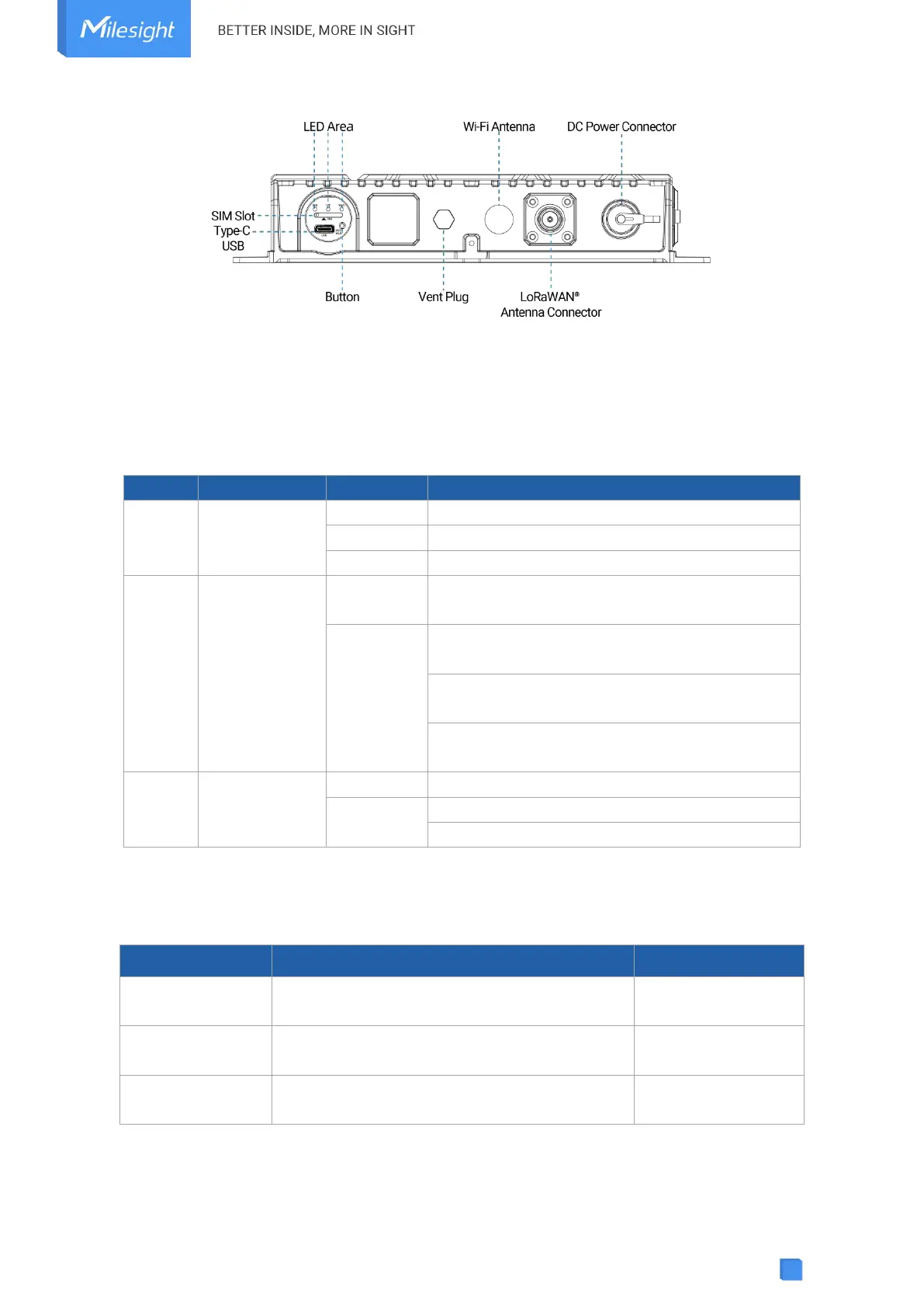
2.3 Button and LED Indicator
LED Indicators
The system is running properly
SIM card is registering or failed to register
(or there are no SIM cards inserted)
Blinking slowly: SIM card has been registered
and is ready for dial-up
Blinking rapidly: SIM card has been registered
and is dialing up now
Static: SIM card has been registered and dialed
up successfully
Blinking slowly: Wi-Fi is starting
Wi-Fi/Reset Button
When Wi-Fi is disabled, quickly press the button
once to turn on Wi-Fi for 10 minutes.
When Wi-Fi is enabled, quickly press the button
once to turn off Wi-Fi for 10 minutes.
Press and hold the button for more than 5
seconds



 To Next Page