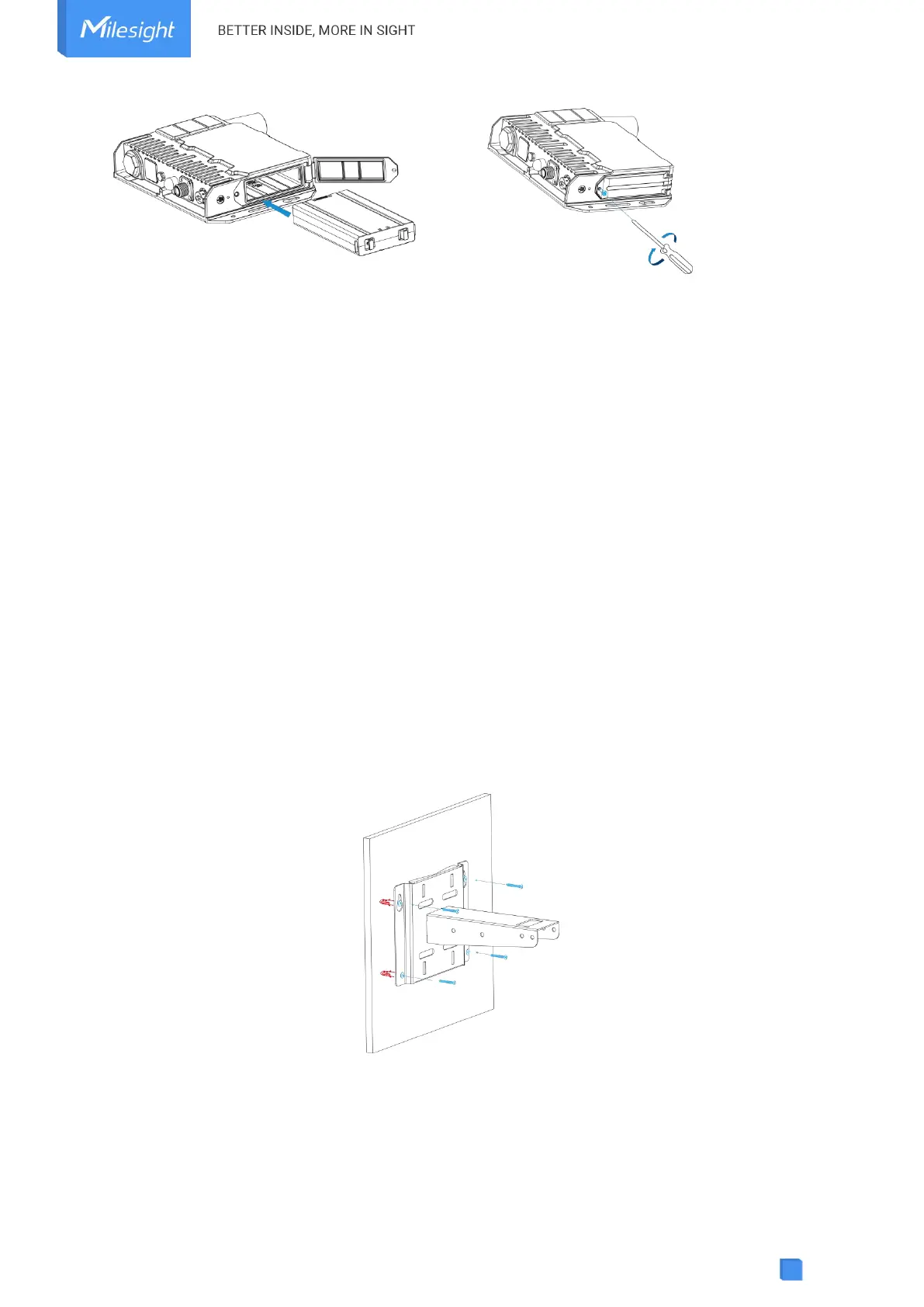
Note:
After installing the battery, the device will not power on automatically. Please connect the
power cable of the solar panel to the device to turn it on. When the power cable is
disconnected, the device will power off.
The device can not be charged when its temperature is more than 50°C. Please avoid direct
exposure of the device to sunlight.
When the device detects the temperature is lower than 0°C and solar panel power is enough
(more than 7W), the device will heat the battery until the temperature reaches to 10°C, then
charge the battery if the battery level is not full.
The battery should be removed from the device if it will not be used for an extended period.
3.3 Gateway Installation
SG50 with solar panel can be mounted either to a wall or pole. It is suggested to install the
device on sunny days for solar panel adjustment and charging.
3.3.1 Mounting Bracket Installation
Wall Mounting:
Drill 4 holes on the wall according to the mounting bracket and insert the wall plugs into these
holes. Then fix the mounting bracket to the wall by fixing the wall mounting screws into the wall
plugs.
Pole Mounting:
Straighten the hose clamps and slide them through the rectangular rings in the mounting
bracket. Wrap the hose clamps around the pole, then use a screwdriver to tighten the locking
mechanism by turning it clockwise.



 To Next Page