Page 19 of 113
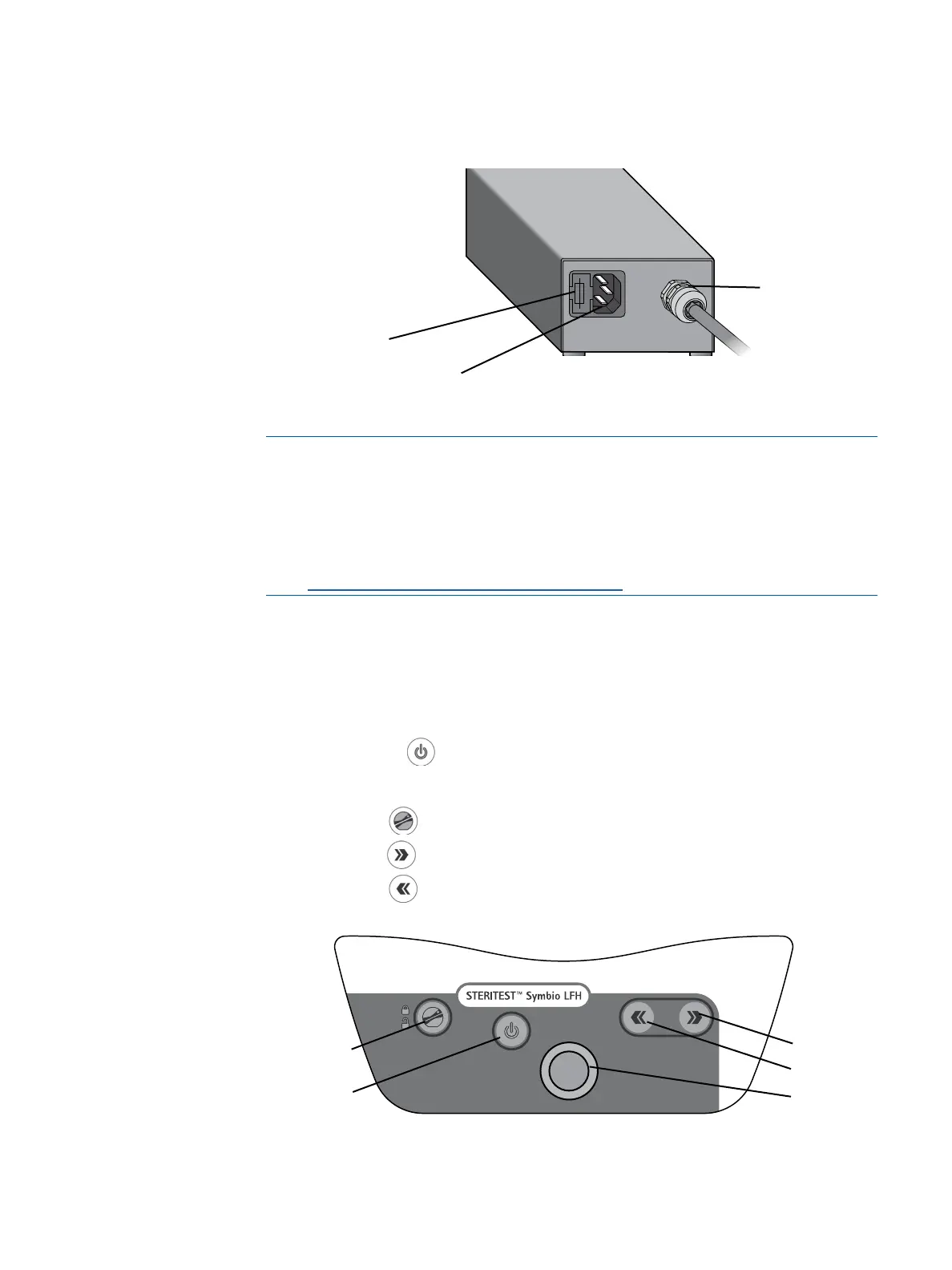
Communication hub ― rear view:
NOTE
To use the pump in Test Method Mode, it is necessary to previously create
test methods and transfer them from the computer to the pump using the
Steritest
®
Symbio Software.
To access this software and the software user guide, go to
www.millipore.com/steritest-software.
Overview of the Pump Control Panel
Use the control panel to start, operate, and stop the pump. The control panel
consists of the following components:
• An on/off button
that is used to switch the pump on and off.
• A control knob that can be rotated and pressed to perform various operations.
• An open/close
button that is used to open and close the pump head.
• A next button
that is used to perform various operations.
• A back button
that is used to perform various operations.
Fuse slot
Power inlet
Pump connection
cable
T 3.15A L 250V
Open/close button
On/off button
Next button
Back button
Control knob



 To Next Page