Page 45 of 113
Starting the Filtration of a Sample
From the main screen, turn and press the control knob to select either Standard
Mode or Test Method Mode.
Installing the Steritest
®
Device
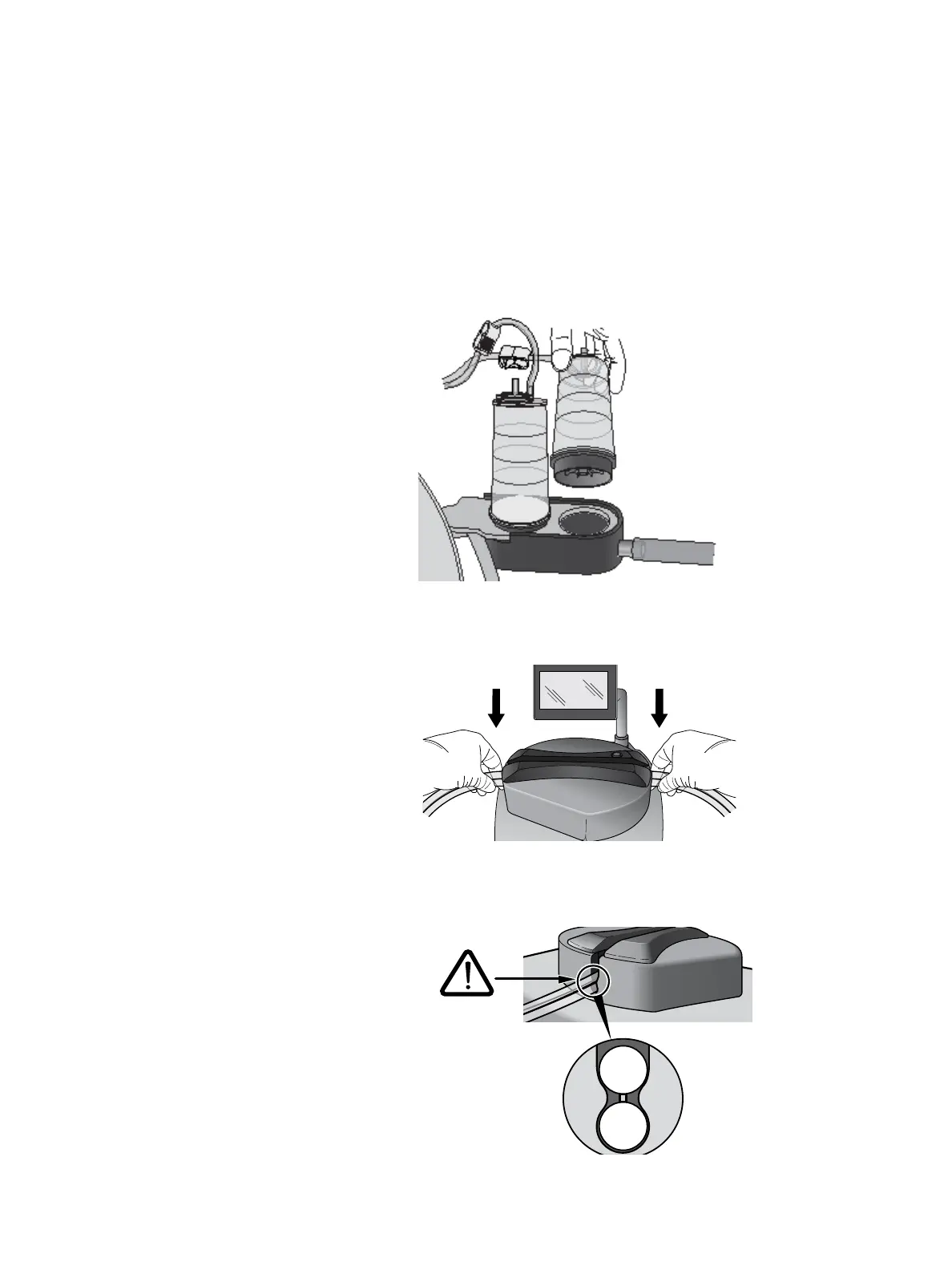
1. Remove the Steritest
®
device from its packaging and place the two canisters
on the drain tray.
2. Install the tubing in the pump head. At the same time, gently pull the tubing
and engage it fully in the cover.
3. Ensure that the two tubing hoses are positioned on either side of the bosses
on the right and left sides of the cover.



 To Next Page