Page 51 of 113
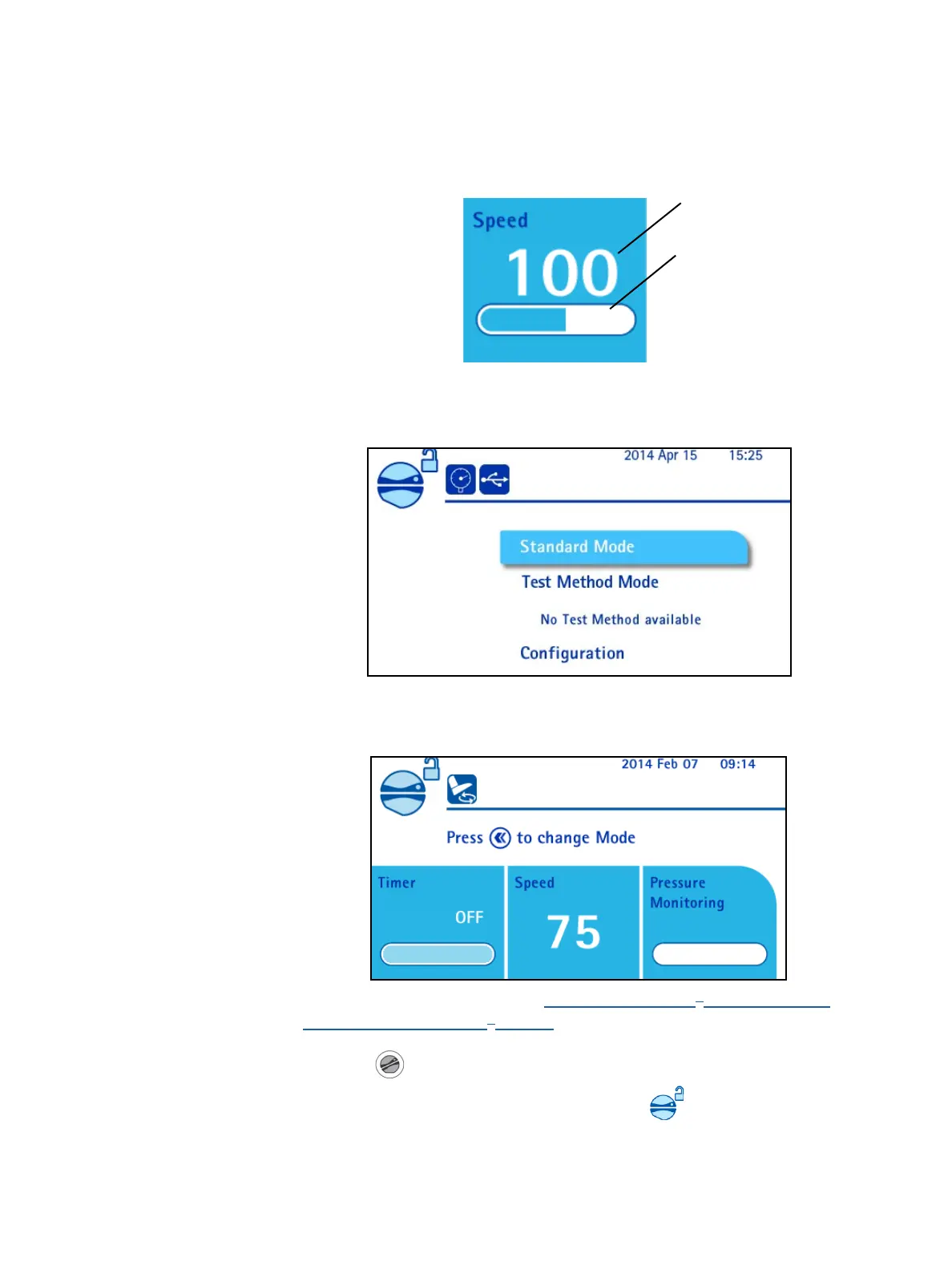
The speed value adjustment is represented by a color bar below the speed set
point. If the bar is not completely filled with blue, the pump is reducing speed to
reduce the pressure level in the canisters. The speed value blinks until the pump
speed returns to the set value.
Using the Pump in Standard Mode
1. Access the main screen:
2. Turn and press the control knob to select Standard Mode. The Standard
Mode screen displays:
3. Install the Steritest
®
device (see Using the Steritest
®
Symbio Pump,
Installing the Steritest
®
Device).
4. Press the
button to close the pump head.
During the locking procedure of the pump head, the
icon blinks.
Speed setpoint
Adjustment of the
speed



 To Next Page