Page 50 of 113
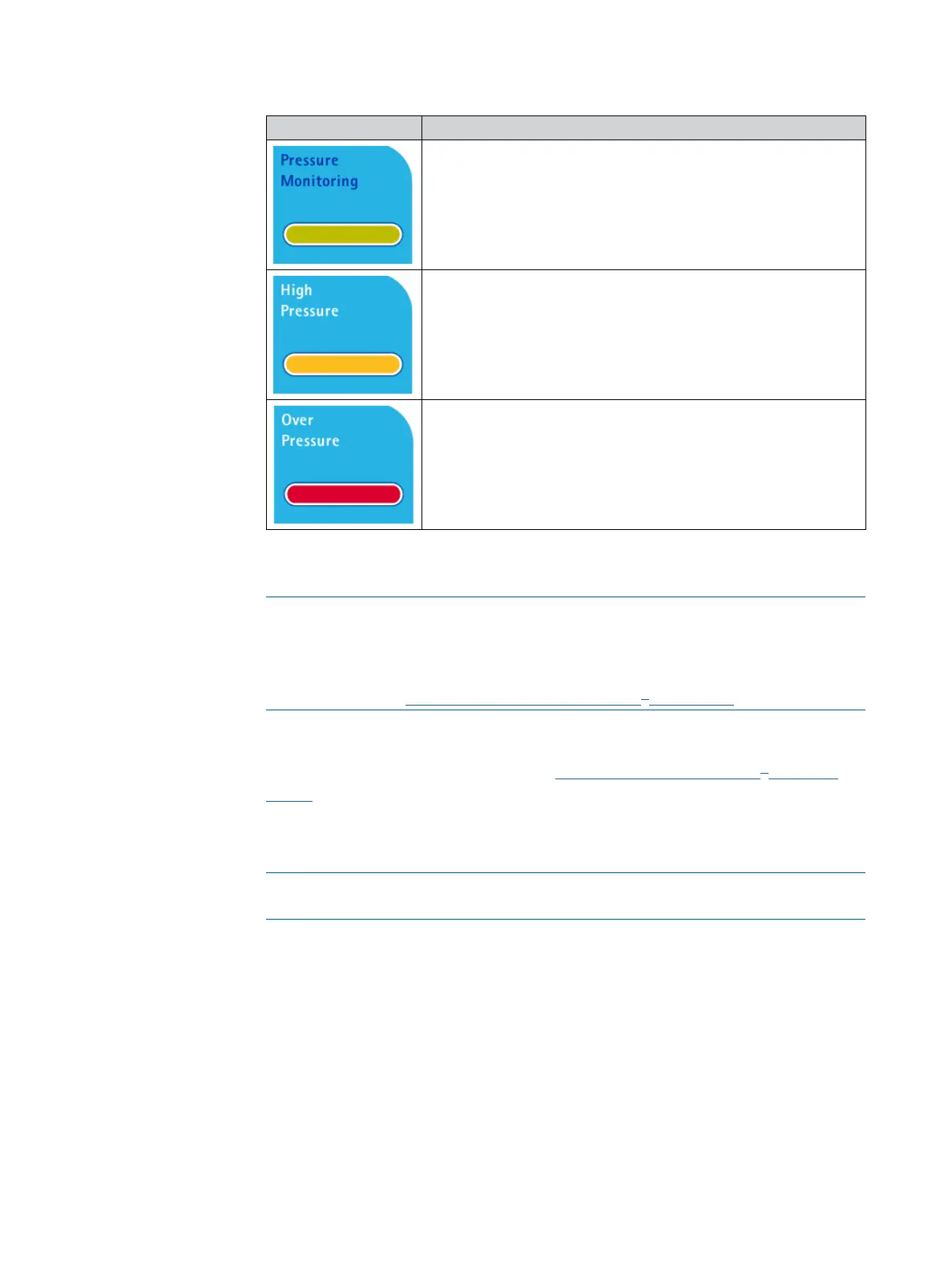
Symbol Pump pressure
When the pump is running and the pressure in the
canisters is lower than the high pressure alert level, the
color bar is green.
When the pressure in the canisters reaches the high
pressure alert level:
• A beep sounds.
• The color bar becomes orange.
• The display reads High Pressure.
When the pressure in the canisters reaches the canister
maximum guaranteed pressure:
• A second beep sounds; it is higher and louder.
• The color bar becomes red.
• The display reads Over Pressure.
As soon as the pressure returns to the normal operating range, the color bar
returns to green.
NOTE
This pressure alarm works with but does not replace the Steritest
®
red plugs
safety function. Operation of the Steritest
®
device should never prevent the
red safety plugs from popping off in the event of overpressure inside the
canister. See Safety Mechanisms, Steritest
®
Red Plugs.
There are two pressure measurement modes. Select a pressure measurement
mode in the Configuration menu (see Configuring the Steritest
®
Symbio
Pump):
• Pressure monitoring mode: The pump indicates the pressure level in the
canisters. Warnings indicate if the pressure is too high.
WARNING
In this mode, when over pressure is reached, stop the pump manually.
• Pressure regulation mode: The pump indicates the pressure level in the
canisters. When the pressure level is too high, the pump automatically reduces
the speed to stabilize the pressure at a normal level.



 To Next Page