Page 37 of 113
Using the Steritest
®
Symbio Pump
Making Selections Using the Control Knob
Turn the control knob to highlight selections. Push the control knob in to confirm
the selection.
NOTE
A
symbol indicates a currently activated value.
The
and symbols indicate that the list continues below or above.
Turn the knob to scroll through the list.
Starting the Pump for the First Time and Activating the Pump Certificate
The pump has been calibrated at the factory. Once the pump is installed in its
working environment and is ready to be qualified, activate the pump certificate.
This resets the countdown to the next calibration to 12 months.
It is possible to activate the pump certificate within one year after the date of
factory calibration. After this period, the countdown can be reset only during a
standard maintenance performed by a certified technician.
Until the pump certificate is activated, the countdown before the next calibration
remains based on the date of the factory calibration.
By default, the calibration countdown is 12 months. It can be changed to between
6 and 12 months. See Configuring the Steritest
®
Symbio Pump, Pump
Information. It is recommended that preventive maintenance, including the
calibration of the pressure sensors, be performed on a yearly basis. Contact our
local representative or Technical Service for more information.
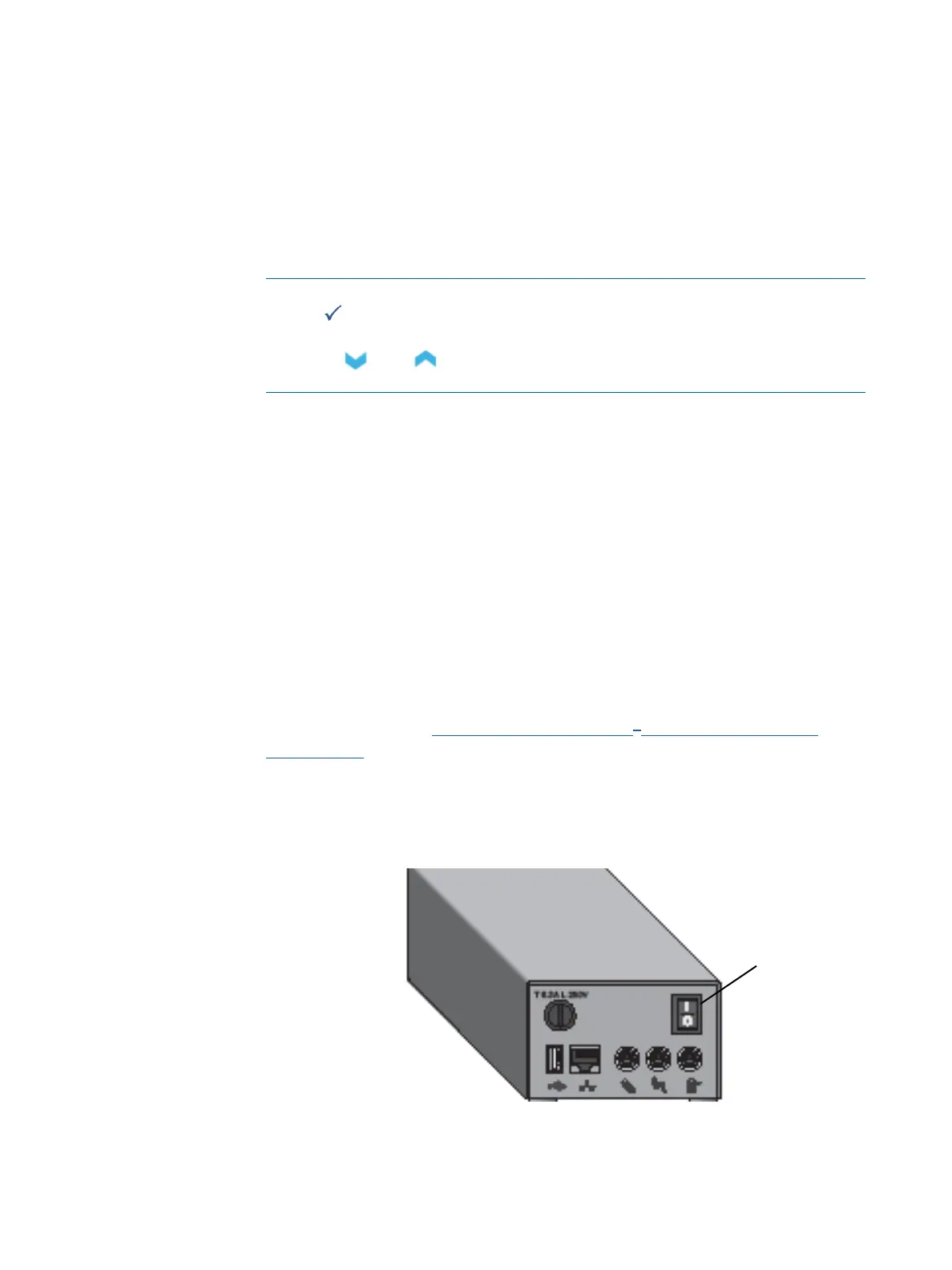
1. Switch on the communication hub by pressing the on/off switch (position l ).
Main on/off switch



 To Next Page