EasyManua.ls Logo

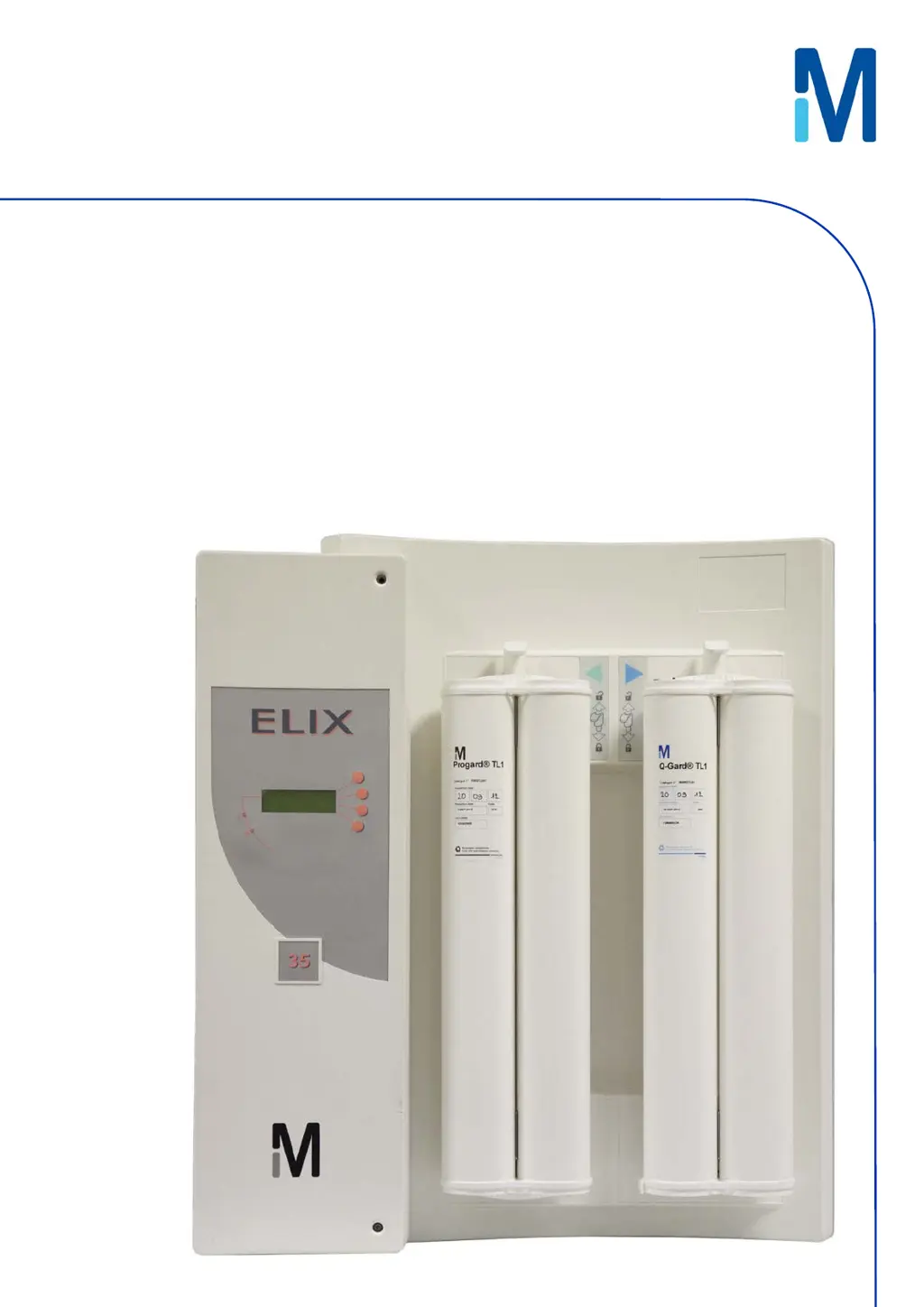
Millipore Elix 35 - User Manual

Millipore Elix 35
71 pages
Print Icon
To Next Page IconTo Next Page
Loading...
User Manual
Elix® 20, 35, 70 and 100

Table of Contents

Questions and Answers

  • H
    hamptonmichaelSep 7, 2025
    How to resolve low pump pressure on Millipore Elix 35 Water Filtration Systems?
    • M
      michaeldownsSep 7, 2025
      If your Millipore Water Filtration System is showing 'LOW PUMP PRESSURE', try increasing the pump pressure. If the issue continues, contact Millipore SAS for assistance.
  • J
    Jessica HallAug 22, 2025
    How to clear EXCH. ASM UV lamp in XX days message on Millipore Elix 35?
    • A
      Anthony GallegosAug 22, 2025
      The message 'EXCH. ASM UV LAMP IN XX DAYS' on your Millipore Water Filtration System will disappear after you install a new ASM UV Lamp and reset its software timer.
  • R
    rcurrySep 4, 2025
    How to fix QGard TL polisher not in place error on Millipore Elix 35 Water Filtration Systems?
    • J
      James EricksonSep 4, 2025
      To resolve the 'QGARD TL POLISHER NOT IN PLACE' error on your Millipore Water Filtration System, verify that the QGard TL Polisher is installed with its “TAG” Sensor at the top.
  • Z
    Zachary KleinSep 3, 2025
    How to fix Progard TL pack not in place error on Millipore Water Filtration Systems?
    • S
      sheilalesterSep 3, 2025
      To resolve the 'PROGARD TL PACK NOT IN PLACE' error on your Millipore Water Filtration System, make sure the Progard TL is installed with its “TAG” at the bottom.
  • H
    Heather ThomasSep 2, 2025
    What to do if product conductivity is less than mini on Millipore Elix 35 Water Filtration Systems?
    • S
      Scott MooreSep 2, 2025
      If the Millipore Water Filtration System displays 'PRODUCT CONDUCTIVITY < MINI', allow the Elix System to remain in PRODUCTION mode for a few minutes. This will help remove any trapped air in the Resistivity Sensor. For further assistance, contact Millipore SAS.
  • J
    Jason WilliamsAug 31, 2025
    How to clear EXCH. Progard TL in XX days message on Millipore Elix 35?
    • S
      Stephanie BoyerAug 31, 2025
      The 'EXCH. PROGARD TL IN XX DAYS' message on your Millipore Water Filtration System will disappear once you install a new Progard TL Pack.
  • C
    Carlos MarshallAug 30, 2025
    What to do if Millipore Water Filtration Systems says Progard TL pack exhausted?
    • B
      Bobby PriceAug 30, 2025
      If your Millipore Water Filtration System displays 'PROGARD TL PACK EXHAUSTED', you should replace the Progard TL pack. Alternatively, you can accept the used-up Progard until a new one becomes available.
  • L
    Leslie GravesAug 28, 2025
    How to fix % rejection < setpoint on Millipore Elix 35?
    • T
      Timothy RichardAug 29, 2025
      If the Millipore Water Filtration System is showing '% REJECTION < SETPOINT', verify that the RO % Rejection Setpoint is at 92%. Allow the Elix System to run for a few minutes, as this may increase the measured RO % Rejection.
  • R
    Ricardo ArellanoAug 27, 2025
    What to do if the Millipore Water Filtration Systems shows a low feed pressure?
    • R
      Richard CoxAug 27, 2025
      If the Millipore Water Filtration System displays 'LOW FEED PRESSURE', first ensure the feedwater supply is turned on. Next, check if the Progard TL Pack is clogged by observing the RO reject water in FLUSH mode. If the water pressure issue is resolved during FLUSH mode, the alarm will automatically reset.
  • J
    John Grant DDSAug 26, 2025
    What to do if distilled water conductivity is less than mini on Millipore Water Filtration Systems?
    • A
      Alexis MarshallAug 26, 2025
      If the Millipore Water Filtration System displays 'DIST WATER CONDUCTIVITY < MINI', keep the loop operating for a few minutes to remove any air that could be trapped in the Resistivity Sensor. If problems persist, contact Millipore SAS for assistance.

Summary

Safety Information

Safety Statement

General operating safety guidelines for the Elix System.

Safety Symbols

Explains various safety symbols and their meanings.

Product Information

Elix Product Water Specifications

Details the flow rates and quality parameters of the Elix system's product water.

Technical Specifications

Lists physical dimensions, weight, operating pressures, environmental, and electrical specs.

Using the Elix System

Normal Product Water Delivery

Explains how the Elix System delivers water automatically and manually.

Maintenance

Scheduled Maintenance Table

Provides a table outlining typical maintenance tasks, their frequency, and how to perform them.

Replacing the Progard TL

Step-by-step guide for removing and installing the Progard TL pretreatment pack.

Sanitising RO Cartridges

Explains automatic and manual methods for sanitising RO cartridges.

Cleaning RO Cartridges

Details how to clean RO cartridges using RoClean A or B, and when cleaning is needed.

Replacing the QGard TL1 Polisher Pack

Provides instructions for replacing the QGard TL1 polisher pack.

Troubleshooting

Message Types and Display

Explains the different types of messages (Maintenance, Alarm, Alarm Stop, Custom) and how they are displayed.

Interpreting Alarm;Maintenance Messages

Details specific LCD messages, their meanings, and recommended actions.

Millipore Elix 35 Specifications

General IconGeneral
Output Flow Rate35 l/h
TOC< 30 ppb
Bacteria< 1 CFU/mL
Feed Water Pressure1 - 6 bar
Feed Water Temperature5 - 35 °C
Product Water QualityType 2 Water
Purification TechnologyReverse osmosis
Resistivity> 5 MΩ·cm @ 25 °C
Conductivity< 0.2 µS/cm @ 25 °C
Particle Size< 0.2 µm
Feed WaterPotable water
Power Supply50/60 Hz

Related product manuals