Page 22 of 32
• Take the power supply out of its package
• Clean the power supply as described
previously
• Use the Milliflex Oasis
®
electrical
cable for connecting two pumps (item
MMCABLEMM) to connect one power port
of pump A to one power port of pump B.
Repeat for the third pump if applicable
• Push the connectors into the power ports
until a click is heard
• Plug the DC power cord in the free power
port, at the back of the Milliflex Oasis
®
pump A
• Connect the free power cord to the
power supply
• Connect the other end of the power supply
to a properly grounded power outlet
Optional: to arrange the tubing and the
electrical cable in your working area,
it is possible to use the Milliflex Oasis
®
guides for electrical cable and tubing
(item MMTUGUIDE).
Optional: attach the power supply outside the
working area with the two rubber fasteners.
Figure 46: the power supply can be attached
outside the working area with the rubber fasteners
• Clean the exterior of the pumps and the
tubing using a wipe moistened with with
one of the surface sanitizers listed in the
cleaning & maintenance section
• Place the pumps in the working area
When using the Milliflex Oasis
®
system
under a horizontal laminar flow hood (LFH),
the front of the pumps must be placed at
least at 160 mm (6.3 in.) from the front
edge of the LFH (see picture).
Figure 45: the front of the pump must be placed
at least at 160 mm (6.3 in.) from the front edge
of a horizontal LFH
• At the back of each pump, press the
metal latch and remove the white plug,
then connect the tubing
• Place the other end of the tubing into a
liquid waste container
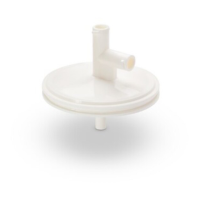
Optional: to save space, it is possible
to connect the tubing together using
the Milliflex Oasis
®
T connectors (item
MMTCNNECT). In this case cut the tubing to
the desired length and connect them.




 To Next Page