Page 23 of 32
• For each pump, remove the two pump
heads from their package and remove the
yellow covers
Optional: From the accessory bags, select
colored rings, clean them using a wipe
and one of the sanitizers recommended in
the cleaning & maintenance section, then
install them on the pump heads.
• Clean the pump heads using a wipe
moistened with a surface sanitizer listed
in the cleaning & maintenance section
• Install the pump heads on the pump
bodies
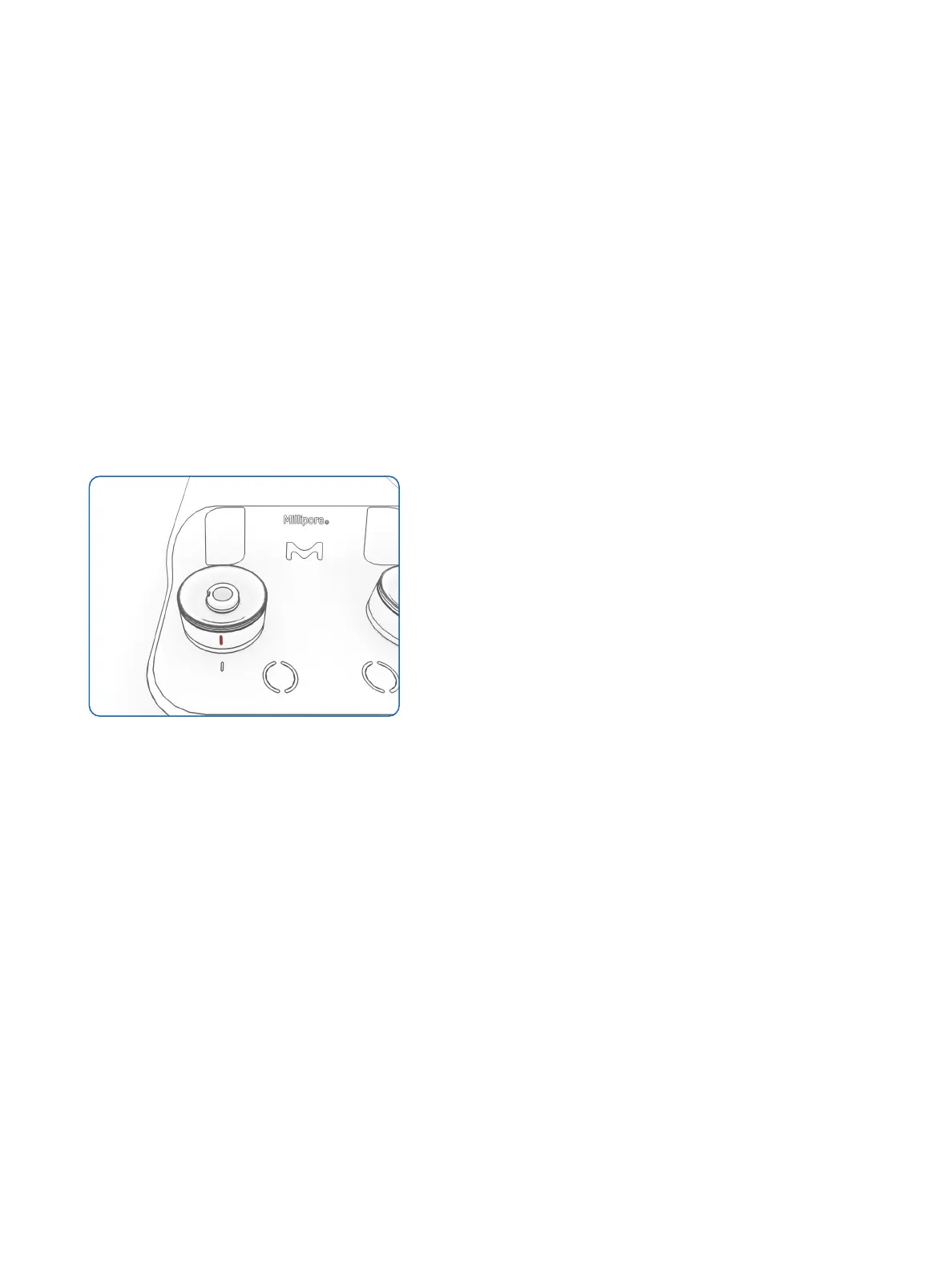
• Lock the pump heads by turning
clockwise until the sign on the head is
aligned with the one on the pump body
Figure 47: the sign on a locked head is aligned
with the one on the pump body
• Sanitize the internal flow path of the
pumps, please refer to the sanitization
procedure described in the cleaning &
maintenance section
The pumps are ready for testing.
To start multiple filtrations simultaneously
(daisy chain), touch the switch three times
within one second. Please refer to the
testing section of this manual for the other
steps of the testing.




 To Next Page