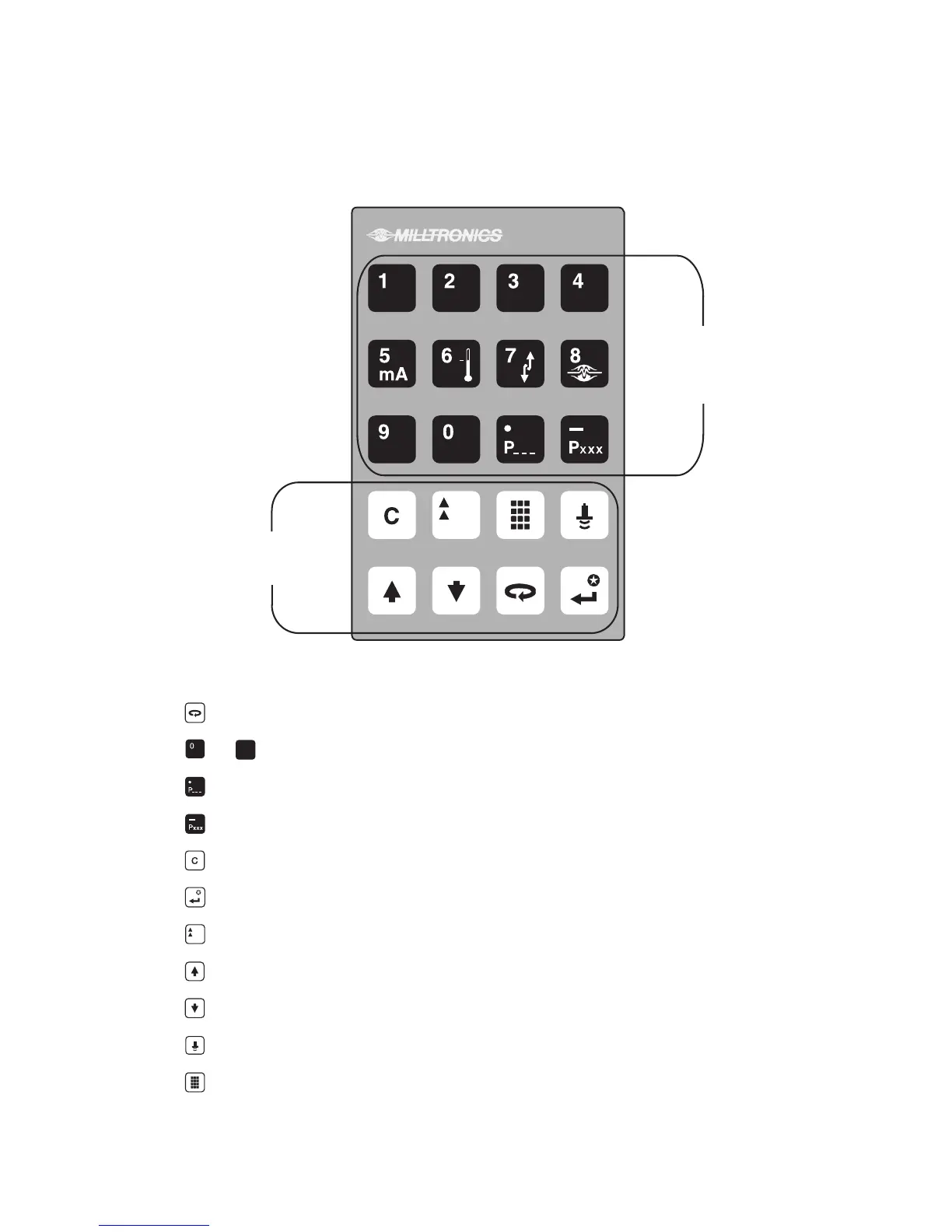
KEYPAD
In the program mode, use the XPL+ programmer keys to perform the identified functions.
shift access to the Point Number, Parameter Number, or Parameter Value display.
input a numeric value into the accessed display.
input a Parameter Value decimal point (moves Profile and TVT Pointers left).
input a negative Parameter Value (moves Profile and TVT Pointers right).
delete the current Parameter Value display (initiate a parameter reset).
store the current Parameter Value in memory (complete a parameter reset).
switch the Parameter Value to % or Units (access Auxiliary Parameter Function).
increase the accessed display value.
decrease the accessed display value.
take an ultrasonic measurement.
enter the RUN mode.
%
Numeric Value Keys
Function Keys
_
%
9
PL-532 20



 To Next Page