2
INSTALLATION
45
4 Connect the touchdisplay to the instrument. Connect the cable to the socket labeled DISPLAY on the rear
panel of the MultiMACS Cell24 Separator and fasten the plug with the screws. Attach the magnetic display at
a convenient place.
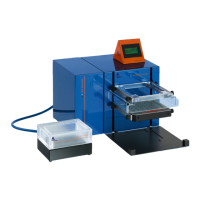
5 Place the MACS Elution Station next to the MultiMACS Cell24 Separator.
6 Connect the MACS Elution Station to the MultiMACS Cell24 Separator with the high power CAN cable.
Connect the cable to the socket labeled MULTIMACS on the rear side of the MACS Elution Station. Connect
the other side to the socket labeled MODULE 1 on the rear side of the MultiMACS Cell24 Separator. Fasten
the plugs with the screws.
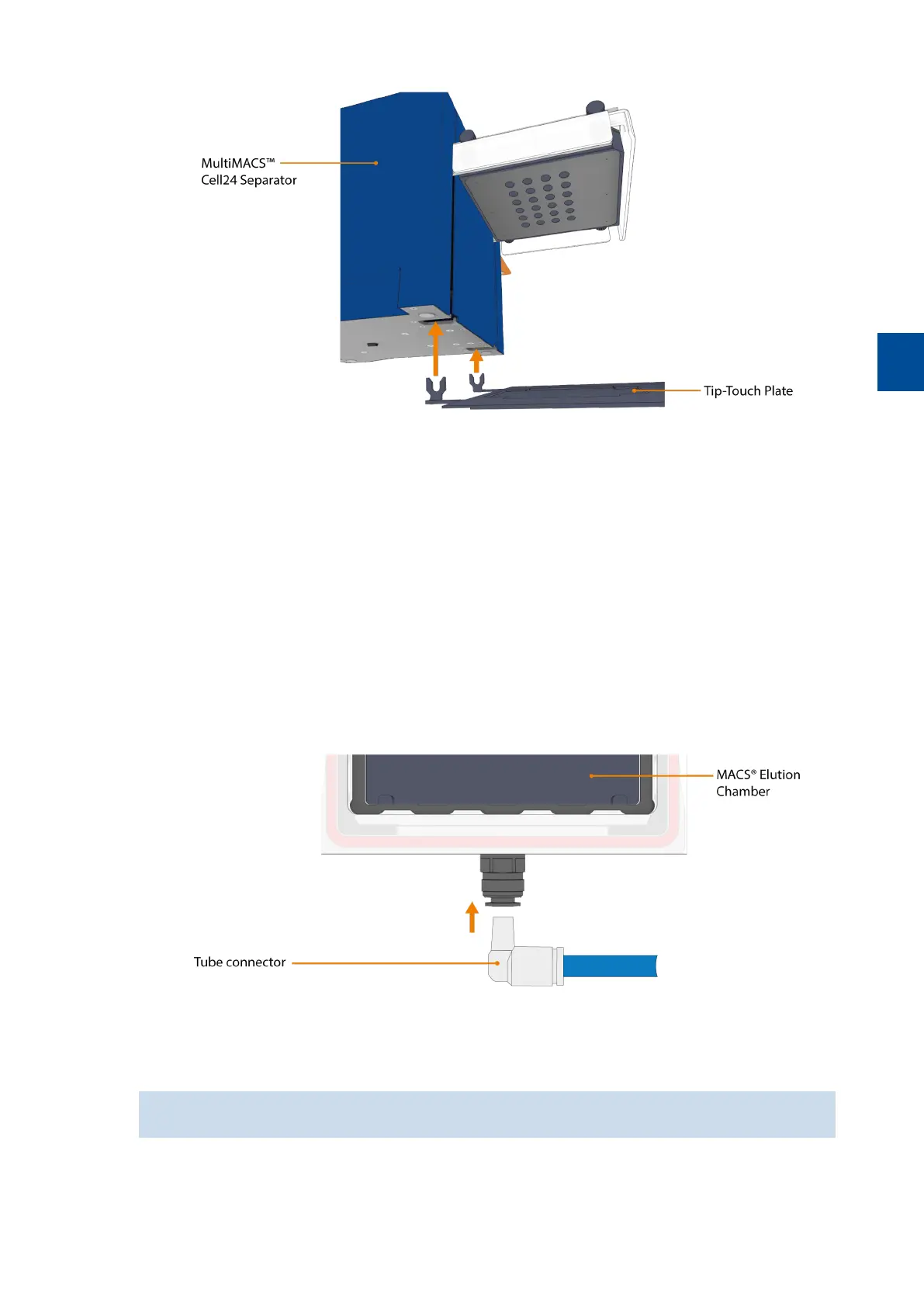
7 Connect the MACS Elution Chamber and the MACS Elution Station with the delivered tubing. The socket on
the rear panel of the MACS Elution Station is labeled ELUTION CHAMBER. Push the grey tube connector
(with tube) firmly into the connector of the MACS Elution Chamber.
8 Remove the blue caps from the filter. Screw the side with the imprint INLET into the connector labeled
FILTER/SILENCER on the rear side of the MACS Elution Station.
The filter can be only screwed in to half the length of the screw thread.
9 Connect the power cable to the outlet on the rear side of the MultiMACS Cell24 Separator and plug it into an
appropriate power socket.
10 Attach the magnetic Column Blank Holder to the MultiMACS Cell24 Separator Plus.


 To Next Page