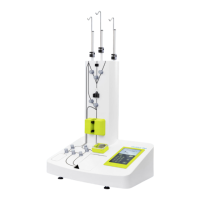
4 When using the MultiMACS Single-Column Adapter close unused positions with the respective number of
Column Blanks. All 12 positions of the MultiMACS Single-Column Adapter need to be closed to ensure
sufficient vacuum.
5 Apply the elution impulse.
3.6 Running a process
1 Go to the Process menu of the process you want to run.
2 Tap the Run button to start the process. The MultiMACS Cell24 Magnet will move to the start position.
3 Follow the instructions on the screen.
3.7 Viewing process parameters
1 Go to the Process menu of the desired process.
2 Tap VIEW. The selected parameters are shown in the lower left of the screen. Scroll down for further process
parameters.
3 Tap the Back button to return to the Process menu.
3
OPERATING THE INSTRUMENT
54


 To Next Page