5
PRE-DEFINED PROCESSES
59
5
Pre-defined processes
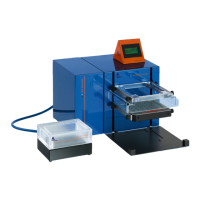
Do not place columns into the MultiMACS Cell24 Separator Plus until the prompt screen INSERT COLUMNS
appears to ensure that there are no moving parts when placing the columns. This will prevent injuries to
fingers that can otherwise become trapped between the MultiMACS Cell24 Magnet and the MultiMACS
Column Holder.
The following five processes are pre-defined on the MultiMACS Cell24 Separator Plus. The programs are suitable
for collection of the unlabeled fraction in 24-well deep well plates. For the collection in 5 mL tubes create a
customized process (refer to Creating a process on page65).
For equilibration, wash, and elution use the buffer volumes as indicated in Table 4.4.
5.1 DEPLETE
1 Select DEPLETE in the Start menu. The Process menu opens. Tap the Run button.
2 INSERT COLUMNS: Insert the Multi-24 Column Block into the MultiMACS Column Holder. If you use single
columns, place the MultiMACS Single-Column Adapter onto the MultiMACS Column Holder and insert the
columns. Tap OK.
Ensure that all columns are well fitted into the MultiMACS Single-Column Adapter after movement of the
MultiMACS Cell24 Magnet.
3 INSERT WASTE PLATE: Insert a deep well plate onto the Tip-Touch Plate. Tap OK.
4 APPLY EQUILIBRATION BUFFER: Apply degassed equilibration buffer onto each column and let the
buffer run through. Tap OK.
5 TIP-TOUCH COLUMNS IN PLATE: Move the Tip-Touch Plate firmly back and forth once. Tap OK.
6 INSERT PLATE TO COLLECT UNLABELED FRACTION: Remove the waste plate and insert a new deep
well plate onto the Tip-Touch Plate. Tap OK.
7 APPLY SAMPLE AND WASH: Apply the suspension of magnetically labeled cells onto each column and
let it run through.
8 Apply degassed wash buffer onto each column and let it run through. Ensure that the column reservoir is
empty before applying new wash buffer. Tap OK.
9 TIP-TOUCH COLUMNS IN PLATE: Move the Tip-Touch Plate firmly back and forth once. Tap OK. The
combined flow-through from the cell suspension and the washes represent the unlabeled target cell
fraction.
10 REMOVE PLATE WITH UNLABELED FRACTION: Remove the deep well plate and tap OK.


 To Next Page