5
PRE-DEFINED PROCESSES
61
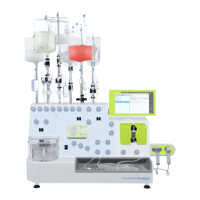
The MACS Elution Station will generate a vacuum. The status LED blinks green or red during this process.
When the vacuum has been established, the status LED lights up constantly green.
7 APPLY SAMPLE AND WASH: Apply the suspension of magnetically labeled cells onto each column and
let it run through.
8 Apply degassed wash buffer onto each column and let run through. Ensure that the column reservoir is
empty before applying new wash buffer. Tap OK.
9 TIP-TOUCH COLUMNS IN PLATE: Move the Tip-Touch Plate firmly back and forth once. Tap OK. The
combined flow-through from the cell suspension and the washes represent the unlabeled target cell
fraction.
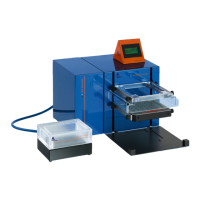
10 REMOVE PLATE. PLACE COLUMNS AND PLATE IN ELUTION STATION: Remove the deep well plate
from the Tip-Touch Plate. Insert a new deep well plate into the base of the MACS Elution Chamber to collect
the positive fraction from the columns.
The deep well plate can be inserted in two directions. To ensure the correct assignment of the samples, note
the orientation of the deep well plate to the columns.
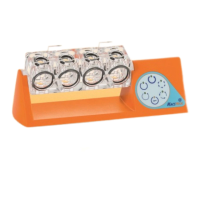
11 Place lid I on the base of the MACS Elution Chamber.
12 Remove the Multi-24 Column Block from the Column Holder and place it on lid I.
13 Tap OK to apply the elution impulse.
14 APPLY ELUTION BUFFER: Apply elution buffer onto each column to elute the labeled cells.
15 Let the elution buffer run through completely. Tap OK.
16 Tap the Multi-24 Column Block to the MACS Elution Chamber to collect drops from the column tips and
ensure complete recovery of the positive fraction.
17 REMOVE PLATE AND COLUMNS. TOUCH OK TO END PROCESS: Remove the Multi-24 Column Block
and the lid of the MACS Elution Chamber.
18 Tap OK and proceed to downstream applications with the labeled target cells in the deep well plate.
5.4 POSSEL_SCA
1 Select POSSEL_SCA in the Start menu. The Process menu opens. Tap the Run button.
2 INSERT COLUMNS: Place the MultiMACS Single-Column Adapter onto the MultiMACS Column Holder and
insert the columns. Tap OK.
Ensure that all columns are well fitted into the MultiMACS Single-Column Adapter after movement of the
MultiMACS Cell24 Magnet.
3 INSERT WASTE PLATE: Insert a deep well plate onto the Tip-Touch Plate. Tap OK.
The MACS Elution Station will generate a vacuum. The status LED blinks green or red during this process.
When the vacuum has been established, the status LED lights up constantly green.
4 APPLY EQUILIB. BUFFER, SAMPLE AND WASH: Apply degassed equilibration buffer onto each
column. Let the buffer run through.
5 Apply the suspension of magnetically labeled cells onto each column and let it run through.


 To Next Page