8
TROUBLESHOOTING
77
8
Troubleshooting
8.1 Cross contamination by drops at the column tips
Always perform a Tip-Touch before removing the columns from the MultiMACS Column Holder. The columns
must move slightly by the contact.
1 Ensure that all drops at the column tips have been removed after the Tip-Touch. If drops are still present, tap
MOVE BACK and repeat the Tip-Touch.
2 Tap OK.
Clean the feet of the MultiMACS Cell24 Separator Plus if the instrument moves during Tip-Touch (refer to
Cleaning the instrument on page71.
8.2 Collision detection
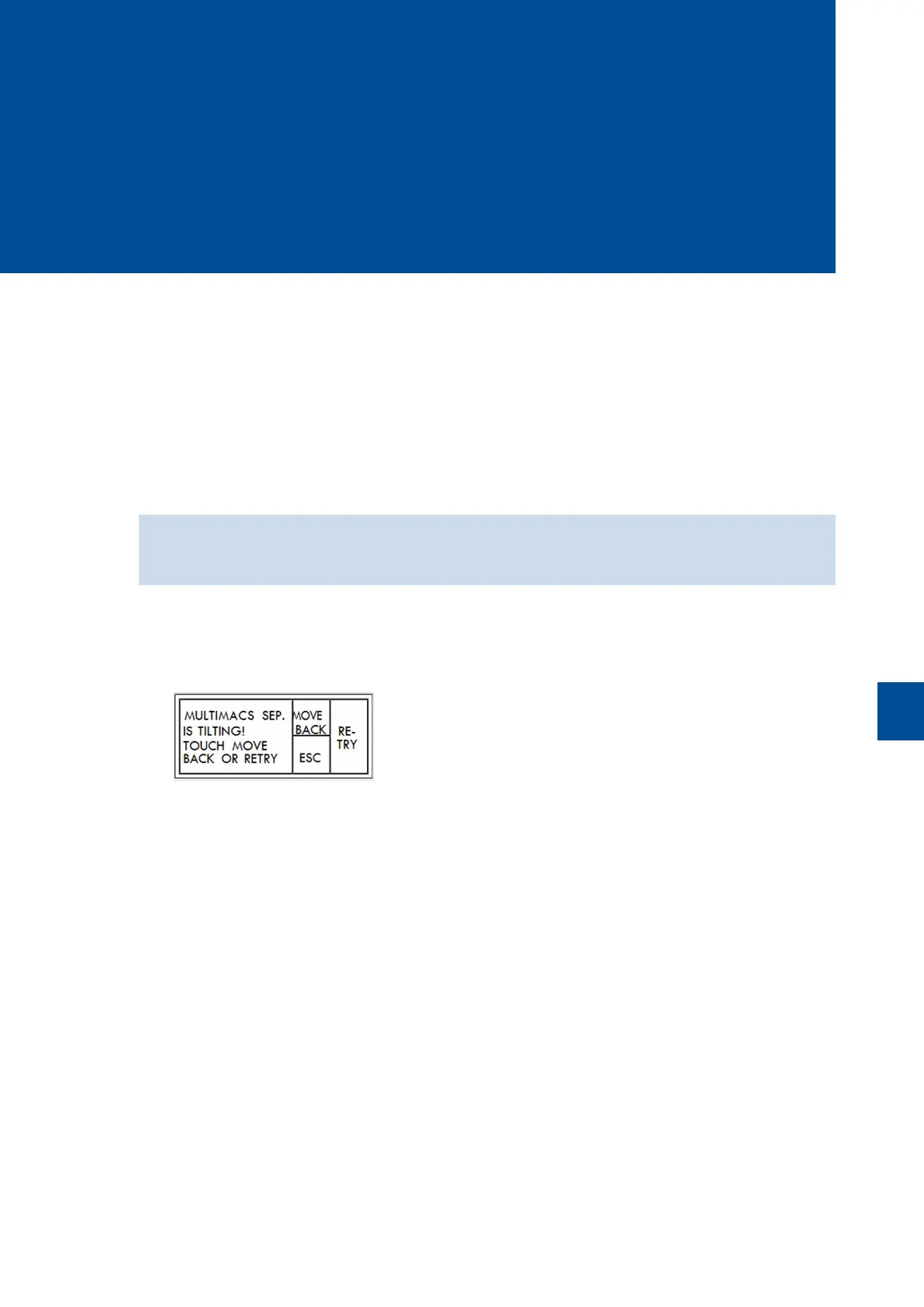
If a tilting of the MultiMACS Cell24 Separator Plus is registered while the MultiMACS Cell24 Magnet is moving,
the movement stops and the following screen is shown.
1 If no blocking objects are visible, tap RETRY.
2 If a blocking object is visible, tap MOVE BACK to set back the MultiMACS Cell24 Magnet to its former
position.
3 Take out any objects causing the stop of the movement.
4 Tap OK to restart the move.
8.3 Vacuum failure
During generation of the vacuum the status LED of the MACS Elution Station blinks green or red. When the
vacuum is established, the blinking stops and the LED lights up constantly green.
A constant red status LED of the MACS Elution Station indicates a failure of function. Contact Miltenyi Biotec
Technical Support if red blinking of the LED persists or the LED lights up constantly red.


 To Next Page