Back
Go to the last screen without execution of the indicated step on the screen. The MultiMACS Cell24 Magnet will
not move during this step.
Run
Start a process.
MOVE BACK
Go to the last screen without execution of the step. CAUTION! If the previous step had magnet movement, the
MultiMACS Cell24 Magnet will move during this step.
OK
Perform the indicated step and go to the next screen.
ESC
Return to the Start menu without execution of the indicated step. CAUTION! If ESC is tapped during a process,
the magnet might move and instructions will be given to remove any plates and columns.
YES
Confirm a change.
NO
Abort a change.
DEL
Delete a customized process.
RETRY
Retry moving the MultiMACS Cell24 Magnet when the movement of the magnet has been stopped due to a
blockage. Tap this button after the blocking object has been removed.
TEST
Test the plate height.
SKIP
Skip the vacuum elution step.
3.5 Instructions for use
The following illustrations show how to use the columns, deep well plates, and samples with the instrument.
3.5.1 Placing columns into the MultiMACS Column Holder
Do not place columns into the MultiMACS Cell24 Separator Plus until the prompt screen INSERT COLUMNS
appears to ensure that there are no moving parts when placing the columns. This will prevent injuries to
fingers that can otherwise become trapped between the MultiMACS Cell24 Magnet and the MultiMACS
Column Holder.
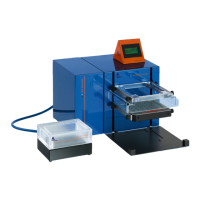
The MultiMACS Cell24 Magnet moves up and down together or independent from the MultiMACS Column
Holder. This allows for insertion of the columns into the magnetic field as well as for removal of the columns.
3
OPERATING THE INSTRUMENT
50


 To Next Page