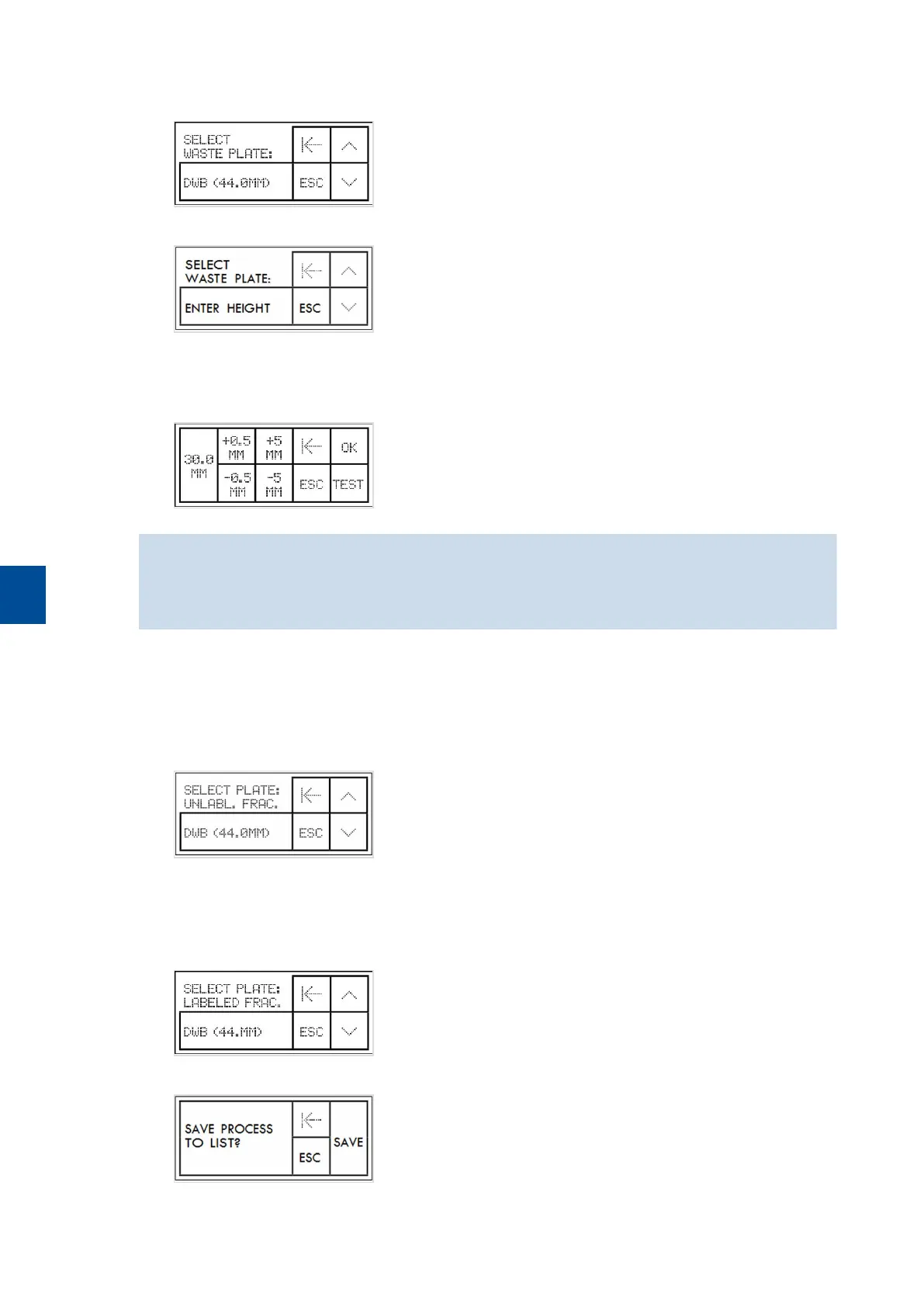
7 Select a waste plate. The waste will be collected in a deep well plate. The default height of the waste plate is
44.0 mm. Tap DWB (44.0 mm) to select the default height.
8 Option: Scroll down and tap ENTER HEIGHT to enter a different plate height in the next screen.
9 To adjust the plate height tap +0.5 MM or +5 MM to increase and -0.5 MM or -5 MM to decrease the
value. The minimum plate height is 8.0 mm, the maximum plate height is 90.0 mm.
10 Tap OK to confirm the value or tap TEST to test the plate height.
When creating a custom process, ensure that column tips are inserted about 1mm deep into the wells. It is
highly recommended to test the plate height before proceeding to cell separation. For details, refer to
chapter Testing plate height and distance for plate removal on page68.
11 Select a container for the unlabeled fraction. This parameter is only available when the target fraction is the
negative fraction or the negative and the positive fraction (both). The unlabeled fraction can be collected in
deep well plates or in 5 mL tubes. The default height of the deep well plate is 44.0 mm. Tap DWB (44.0
mm), 5 ML FLOW TUBE, or ENTER HEIGHT to enter a different height for the deep well plate. Scroll down
for all options.
12 Select a container for the labeled fraction. This parameter is only available when the positive fraction or the
negative and the positive fraction have been selected as target fraction. The labeled fraction can be collected
in deep well plates or in 5 mL tubes. Tap DWB (44.0 mm) or 5 ML FLOW TUBE. Scroll down for all
options.
13 Tap SAVE to store the process.
6
CUSTOM PROCESSES
66


 To Next Page