10
2 Introduction to installation
2-1 Installing a USB HID keyboard wired terminal
Note: The default interface of the terminal is Bluetooth/Wi-Fi. Please change the interface to USB HID
Keyboard (See 5-2 Data Transfer).
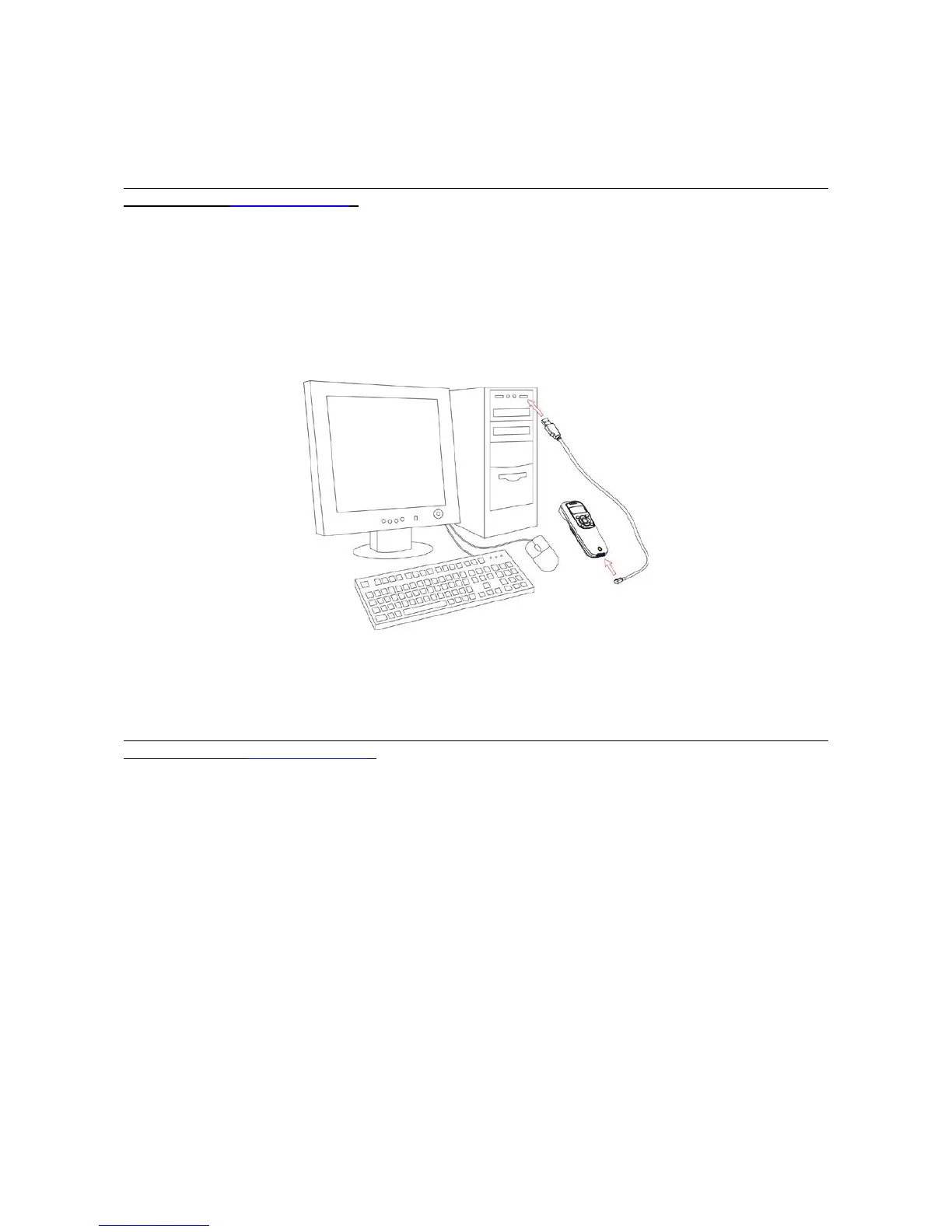
1. Refer to Figure 2-1, plug one end of the USB cable to the terminal. Plug the other end into the USB
port of the computer.
2. For example: Using Microsoft Windows operation system, the system gives message on “new
hardware found – USB HID input device found”, then driver will be installed on request.
3. After successfully installing the new hardware, message will be given: “hardware installed
successfully and ready to use”.
4. If any problem is encountered during the installation process, unplug the USB cable from the
computer and repeat step 1-2.
Figure 2-1 Diagram of connecting the terminal to PC
2-2 Installing a USB virtual COM wired terminal
Note: The default interface of the terminal is BT HID Keyboard. Please change the interface to USB
Virtual COM (See 5-2 Data Transfer).
1. Refer to Figure 2-1, plug one end of the USB cable to the terminal. Plug the other end into the USB
port of the computer.
2. For example: Using Microsoft Windows operation system, the system gives message on “new
hardware found – USB Virtual COM found” for USB virtual COM, then driver will be installed on
request.
3. After successfully installing the new hardware, message will be given: “hardware installed
successfully and ready to use”.
4. If any problem is encountered during the installation process, unplug the USB cable from the
computer and repeat step 1 to step 2.
2-3 Replacing the Lithium-ion battery
1. Remove the 3 screws from the battery cover (one at a time).
2. Refer to Figure 2-3, load the battery while sliding it with the connection on the battery pack on the
terminal body.
3. Re-place the battery cover, screw in the 3 screws to tighten the terminal and the battery cover.



 To Next Page