12
3 Getting started
3-1 Power on/off terminal
Power on terminal: Press the Power/Sleep key for two seconds.
Power off terminal: Press the Power/Sleep key for two seconds.
3-2 Charge terminal
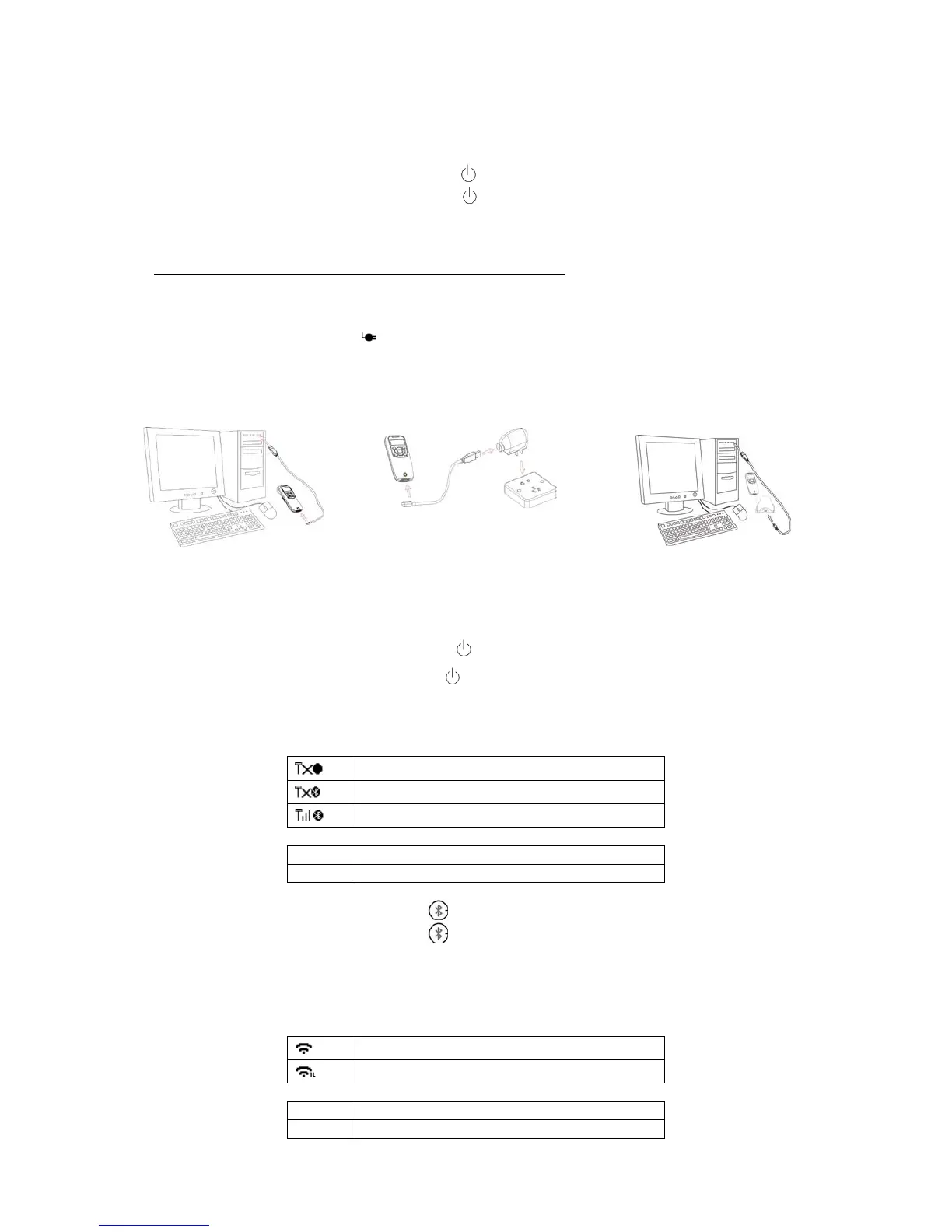
1. Please charge the terminal before the first time of use. There are three methods of charging
battery as demonstrated in Figure 3-1. The charging indicator (red LED) on the terminal is turned on
when the charging is in process. When the charging process completes, the red LED is turned off.
2. Charging time: 3.5 hours for fully charged.
3. In scanning status, the icon
is seen at the top of the screen display when the terminal is
connected to a PC with the USB cable.
Method I
Figure 3-1 Diagram of charging battery
3-3 Enter/Exit sleep mode
Enter sleep mode: Press the Power/Sleep key (see 1-4 Parts of the terminal
○
12 ) for 0.5 seconds.
Exit sleep mode: Press the Power/Sleep key
for 0.5 seconds.
3-4 Power on/off Bluetooth
Bluetooth indicator: In scanning status, the status of the Bluetooth is shown by icons.
Communicating with a Bluetooth device
The status of the Bluetooth is also indicated by the blue LED.
Power off Bluetooth: Press the Bluetooth key
.
Power on Bluetooth: Press the Bluetooth key
.
3-5 Power on/off Wi-Fi
Wi-Fi indicator: In scanning status, the status of the Wi-Fi is shown by icons.
Communicating with a Wi-Fi network
The status of the Wi-Fi is also indicated by the blue LED.



 To Next Page