1. Please establish a Bluetooth/Wi-Fi network and hold the terminal in the range of the network before
the first time of scanning barcodes (See 5-3-1 Bluetooth and 5-3-2 Wi-Fi
).
2. The terminal can perform a barcode scan operation even though no Bluetooth/Wi-Fi network is
available. However, the terminal may react in a way that differs from what is described here if no
5-1 Scan
Steps:
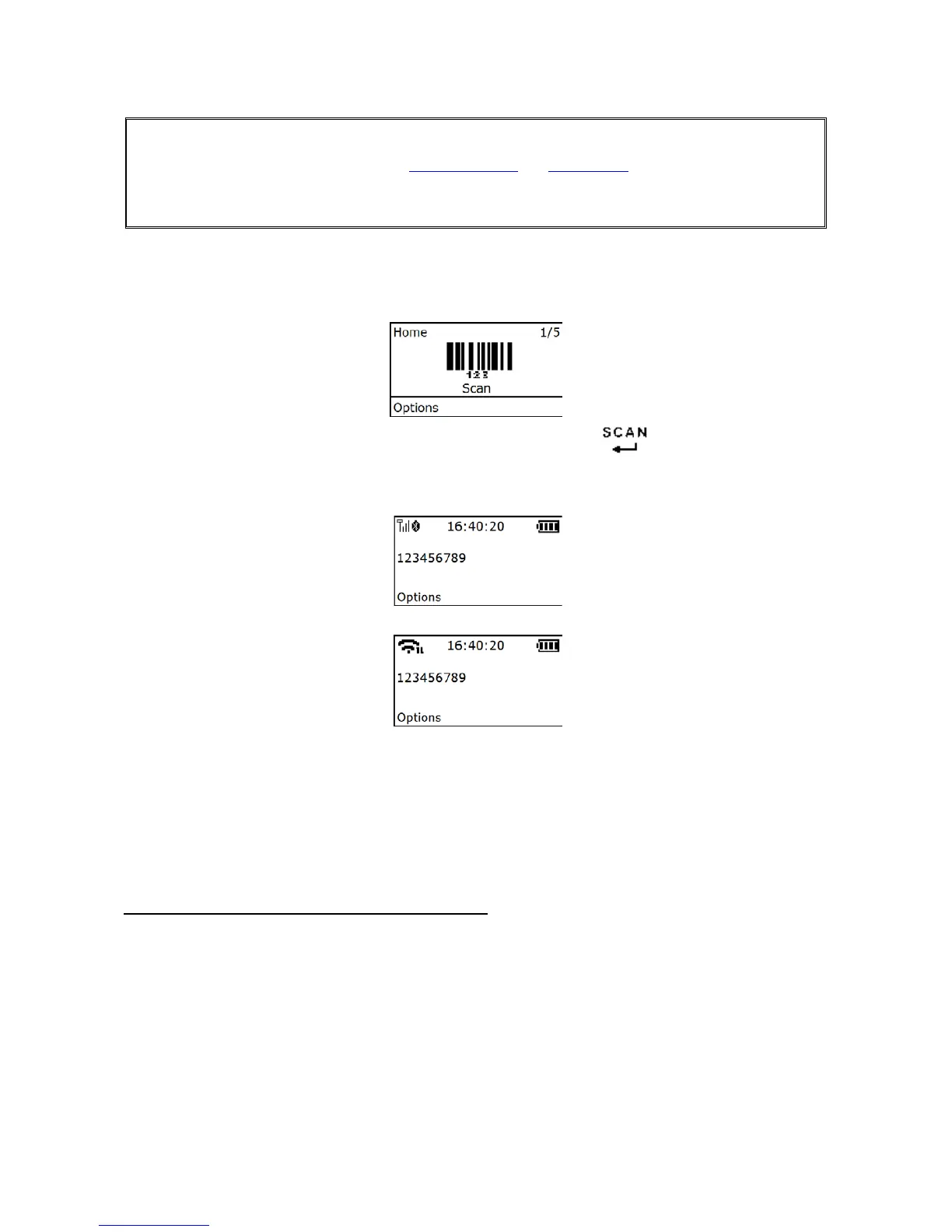
Step 1: When the terminal is powered on, the OLED screen is displayed as below.
Step 2: Hold the terminal close to the barcode and press the Scan Key
.
Step 3: The terminal port emits a laser to scan the barcode. The decode success indicator lights green
when the scan is successful. The window will show as below.
5-1-1 Scan Mode
Good-read off - The Scan key must be pressed once to activate scanning. The light source of terminal
stops scanning when there is a successful reading or no code is decoded after the Stand-by duration
elapsed.
Momentary - The Scan key acts as a switch. Press the key to activate scanning and release the key to
stop scanning. The light source of terminal stops scanning when there is a successful reading or no code
is decoded after the Stand-by duration elapsed.
Continuous - The terminal always keeps scanning, and it does not matter when the Scan key is
released or duration is elapsed.
Note: MS3690-2D do not support “Continuous” mode.
5-1-2 Input Data Manually
Using the virtual keypad, user can input a barcode manually, and then send the barcode to the host or
store in the terminal.(The maximum length of barcode is 20.)
Make sure a communication link (Bluetooth/Wi-Fi network or USB cable) is working.
5-1-3 Quantity Enter
User can disable the Quantity Enter and select Repeat Output mode or Output Quantity mode. When
Quantity Enter is enabled, user can set the number (0 to 9999) of barcode transmissions. For example, a
barcode “123456789” is read. When user select Repeat Output mode, Five “123456789” will be received
by the host, given that the quantity is 5. When user selects Output Quantity mode, “123456789*5” will be
received by the host, given that the quantity is 5. The quantity decides how many identify barcodes a
host receives upon a single successful read.
The following steps demonstrate the procedure to set a quantity.



 To Next Page