EasyManua.ls Logo

Mindeo MS3690 - 8 Barcode Representing Non-Printable Character

Mindeo MS3690
105 pages
Print Icon
To Next Page IconTo Next Page
To Previous Page IconTo Previous Page
Loading...
92
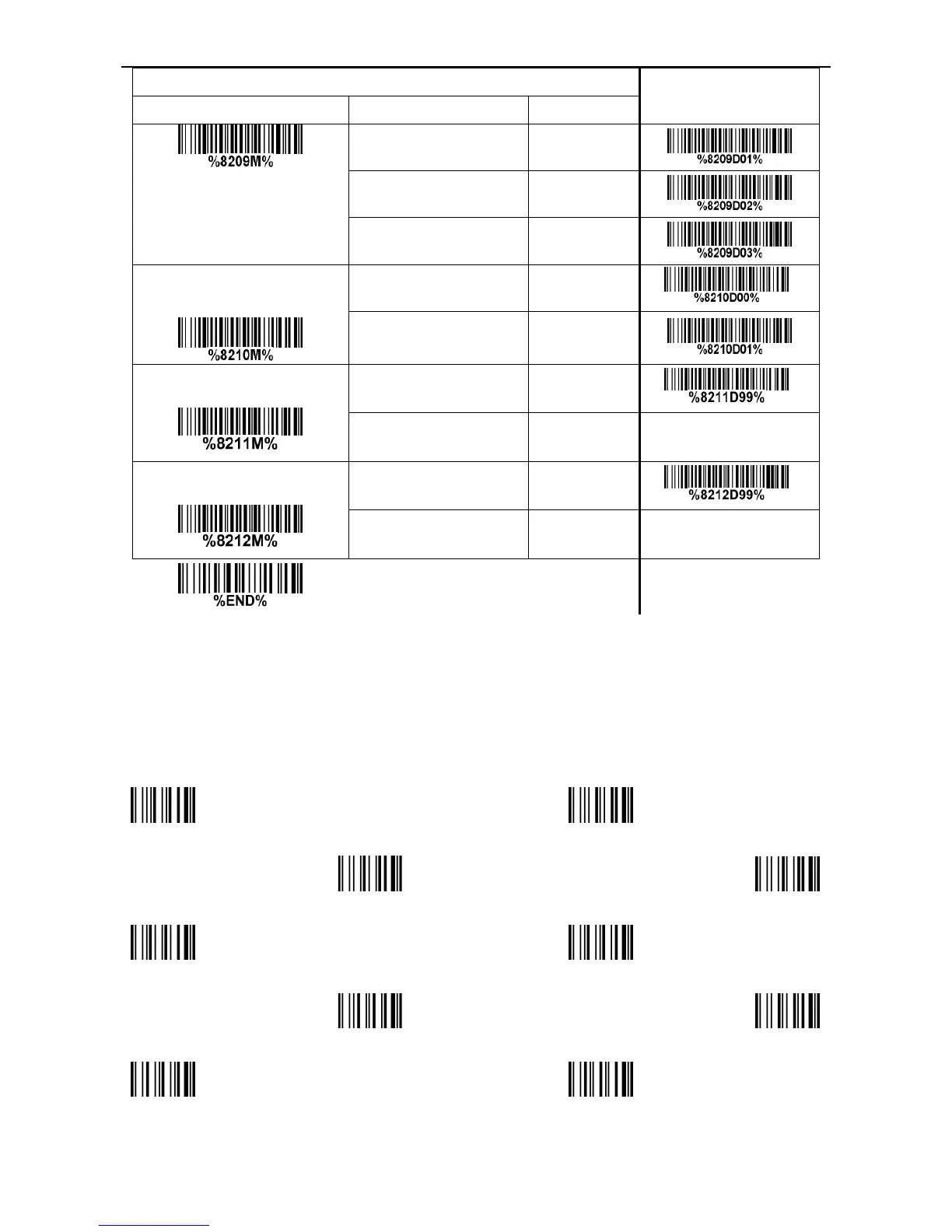
Multiple-scan setting
Single-scan setting
Option barcode Option Alpha. entry
Keyboard wedge/USB 01
RS-232 02
Keyboard wedge
/ USB/RS-232
03
All-non-printable-character
string transmission with
string setting
Disable 00*
*
Enable 01
Transmit the first N data
characters only
All 99*
*
01-99
Transmit the last N data
characters only
All 99*
*
01-99
8 Barcode representing non-printable character
Notes to make the following barcode:
1. According to different barcode printing software, the method of printing following barcode is different.
2. If using CODESOFT software, firstly read the information through HelpIndexCode128Special
input syntax”. Also refer to ASCII table. For example, if we wish to make F1 barcode, select
“Code128, then select CODE Atype, and input {DC1}as data.
Up ↑
Down ↓
Left ←
Right →
Page Up
Page Down
Backspace
Tab
Home
End

Table of Contents

Other manuals for Mindeo MS3690