84
7-34 G1-G6 & C1-C3 & FN1 substitution string setting
Format of barcode data transmission:
Suffix string setting: The <enter > key is represented in different ASCII when it is applied by different
OS. For a Windows/DOS OS, <enter> is represented as <CR><LF> (0x0D 0x0A); for an Apple MAC
OS, <enter> is represented as <CR> (0x0D); for a Linux/Unix OS, <enter> is represented as <LF>
(0x0A).
Prefix/Suffix/Preamble/Postamble string setting:
They are appended to the data automatically when a barcode is decoded.
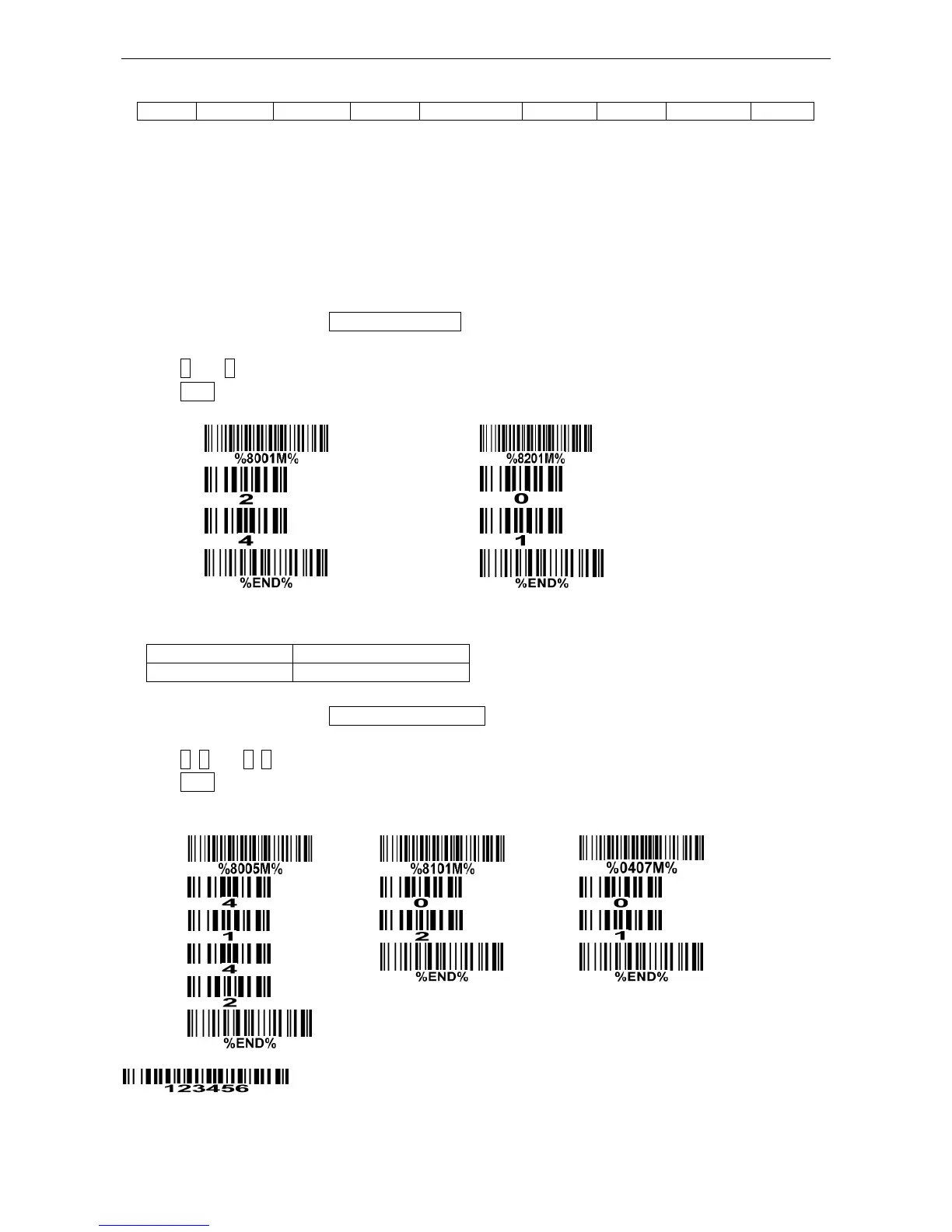
Example: Add a symbol of “$” as a prefix for all symbols.
Steps:
1) Scan the option barcode of Prefix string setting.
2) Use the ASCII table to find the value of $→24.
3) Scan 2 and 4 from the barcode on the last page.
4) Scan END barcode.
Scanning steps: Scan the following barcodes in order.
Insert G1/G2/G3/G4 string setting: The terminal offers 4 positions and 4 character strings to insert
among the symbol.
Example: Set G1 string to be “AB”.
Steps:
1) Scan the option barcode of Insert G1 string setting.
2) Use the ASCII table to find the value of A→41, B→42.
3) Scan 4, 1 and 4, 2 from the barcode on the last page.
4) Scan END barcode.
5) Refer to 7-35 G1-G4 string position & Code ID position.
6) Refer to 7-4 Scanning mode and some global settings.
Testing barcode:
FN1 substitution string setting: The FN1 character (0x1D) in an UCC/EAN128 barcode, or a Code
128 barcode, or a GS1 DataBar barcode can be substituted with a defined string.



 To Next Page