28
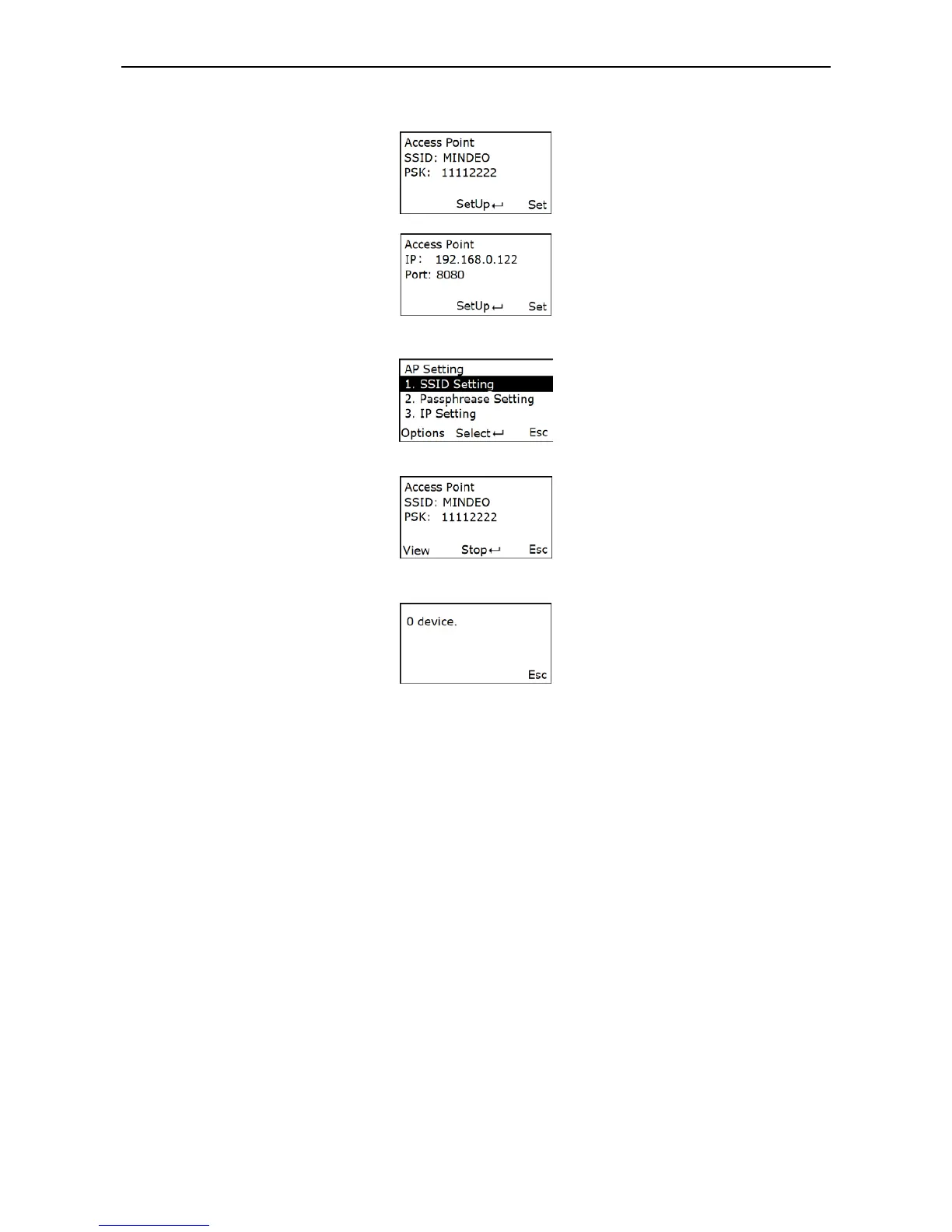
Set Wi-Fi Access Point Mode for data communication. The steps are as follows.
Step 1: When enter the Access Point Setting Menu. The screen shows as follow:
Press Up-Soft Key to get IP and port.
Step 2: Press Set to change SSID, Passphrase, IP and Port.
Step 3: Press SetUp to Set up a hot point.
Step 4: Press View to view the connected device. If no device connected, it will show “0 device”. The
screen shows as follow:
5-3-3 USB HID Keyboard
Keyboard layout – supports different national keyboard layouts.
5-3-4 Language
This option is used to select a language for menu display.
5-3-5 Character Encoding
A character encoding system consists of a code that pairs each character from a given repertoire.
Common examples include Morse code, Baudot code, ASCII, UTF_8 and Unicode. If the data received
does not display with the proper characters, it may be because the barcode being scanned was created
using a character encoding system that is different from the one the host program is expecting. Try
alternate options to find the proper one.
5-3-6 Sound
Volume - This option is used to control the beeper volume.
Keystone - This option is used to turn on/off the Keystone
5-3-7 Vibration
This option is used to turn on/off the vibrator indicator of a good read.
5-3-8 Screen
Backlight Time - The terminal will switch off the backlight if time of no operation exceeds Backlight
timeout.
Screen Luminance - This option is used to set screen luminance.
5-3-9 Sleep
The terminal will enter sleep mode if time of no operation exceeds Sleeping timeout. User can set the
terminal to sleep mode by press Power/Sleep key (see 3-3 Enter/exit sleep mode).
5-3-10 Time and Date
The option is used to set the time and the date of the terminal.



 To Next Page