5-3-2 Wi-Fi
The terminal can be configured to send data to a PC, Notebook, PDA, and other instrument which
equipped with an integrated Wi-Fi module or receive data from these instruments under the same WLAN.
Two wireless operating modes have been provided: Station Mode and Access Point Mode.
5-3-2-1 Station Mode
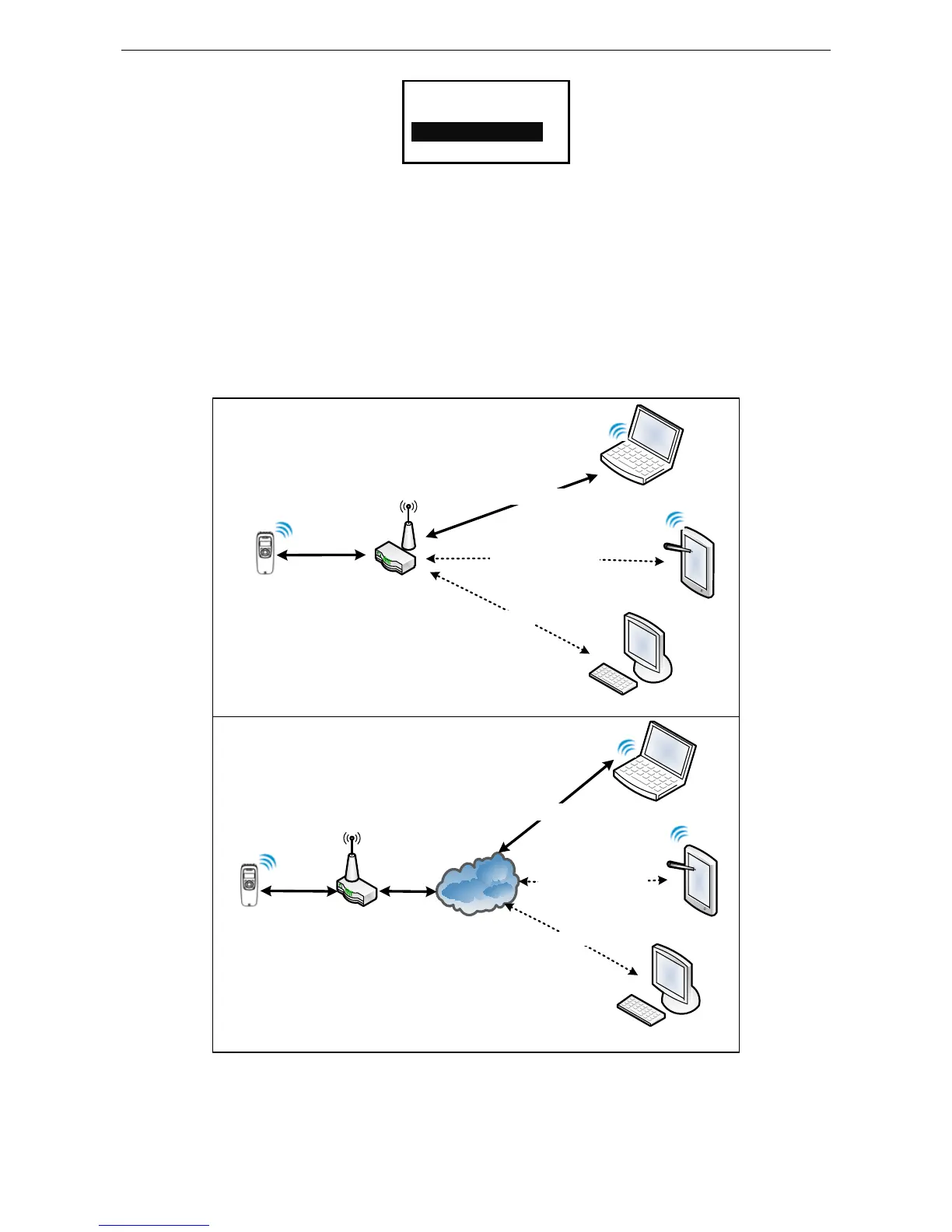
1) The terminal is used as a client and the other devices are used as servers in the same WLAN.
2) The terminal can connect to WLAN by wireless router and communicate with other devices that
connect to the same WLAN.
3) The terminal initiates a connection to the servers and it can support up to 8 connections.
4) The terminal can only set up one communication channel with host at a time. It also can switch to
another channel for communicating with another host.
Figure 5-1 Station Mode
Set Wi-Fi Station Mode for data communication. The steps are as follows.
Step 1: Search for WLAN and bond with devices in Station Mode. Enter the Station Mode setting menu.
When there has no connection record, the terminal will show information as follow:



 To Next Page