System Introduction
1-10
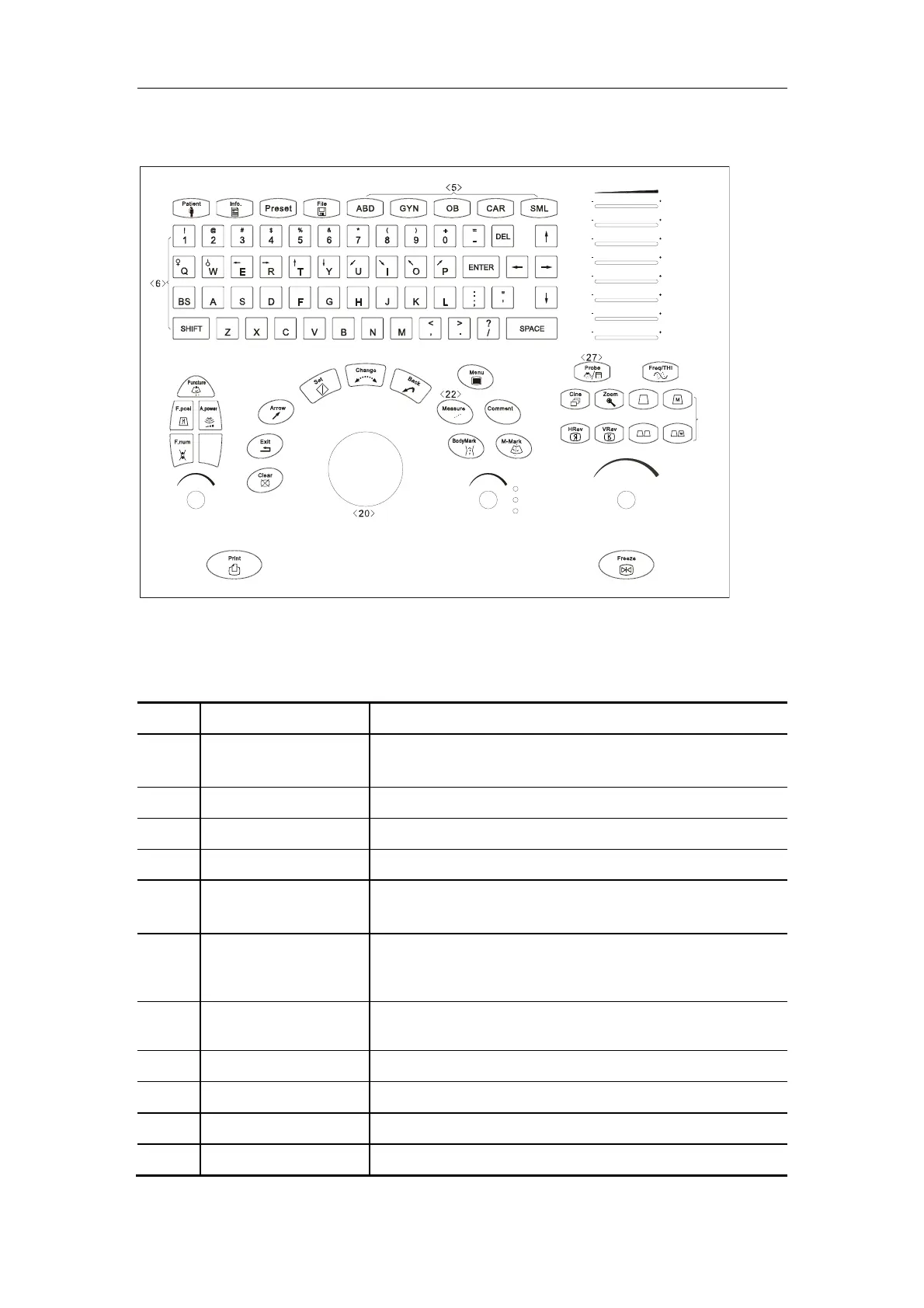
1.2.3. Control Panel
TGC
Gain
Depth
Zoom
Rotation
()()
()()
()()
()()
()()
()()
()()
()()
IP
A B C
+
+
<1> <2> <3> <4>
<8>
<>
7
<>
9
<>
10
<>
11
<>
12
<>
13
<>
14
<>
15
<>
16
<>
17
<>
18
<>
19
<>
21
<>
23
<>
24
<>
25
<>
26
<>
28
<>
29
<30>
<>
31
<>
32
<>
33
<>
34
<>
35
Control Panel
NO. Key Function
<1> Patient Delete the data for the previous patient, including the ID
and measured values, and begin with a new patient.
<2> Info The patient information screen appears.
<3> Preset Invoke the registered initial settings (presets).
<4> File Activate the stored or loaded file system
<5> ABD/GYN/OB/CAR/S
ML
Select the exam mode
<6> Character Key
Used to enter characters and symbols
When the backlight indicator of SHIFT key is on, the
symbols on the upper row of the keys can be entered.
<7> TGC Adjust the ultrasound echo reception sensitivity according
to the depth.
<8> Puncture Enter/exit the biopsy status
<9> F.Posi Adjust the focus position.
<10> F.Num Adjust the focus number.
<11> A.power Adjust the acoustic power



 To Next Page