33
15.5 Hour counter
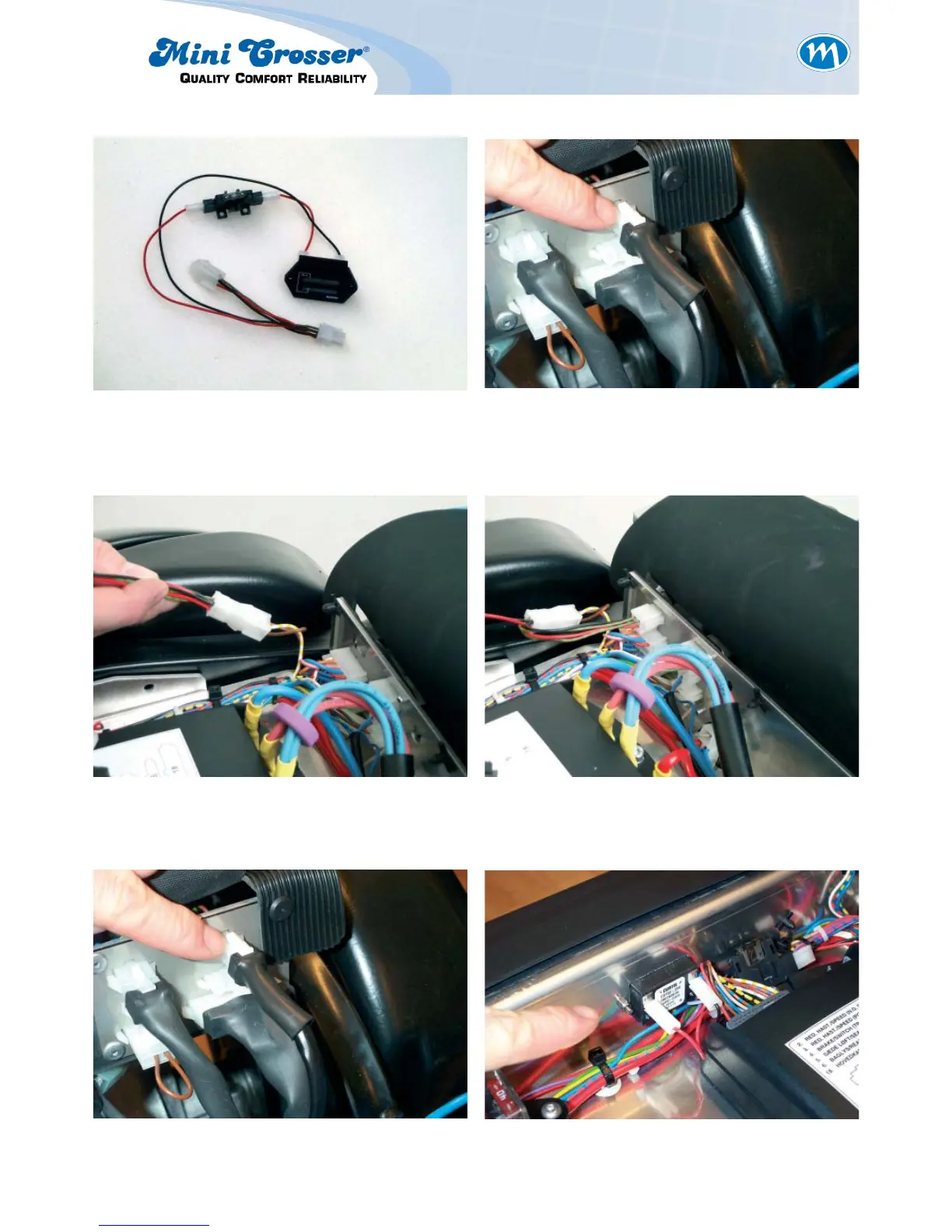
Figure 1: Hour counter kit. To be installed as
an intermediate cable to the
connection to the solenoid brake.
Figure 2: The four-pin plug is located above
the socket area on the PCB above
the motor.
Figure 3: Remove the existing four-pin plug
from the PCB. Attach one of the
plugs from the hour counter.
Figure 4: Attach the other plug from the hour
counter to the PCB.
Figure 5: Replace the brake plug from the
motor.
Figure 6: Install the hour counter in the pre-
drilled hole in the PCB. Cut a hole in
the plastic fi lm with a retractable
knife.



 To Next Page