35
15.6 Parent key
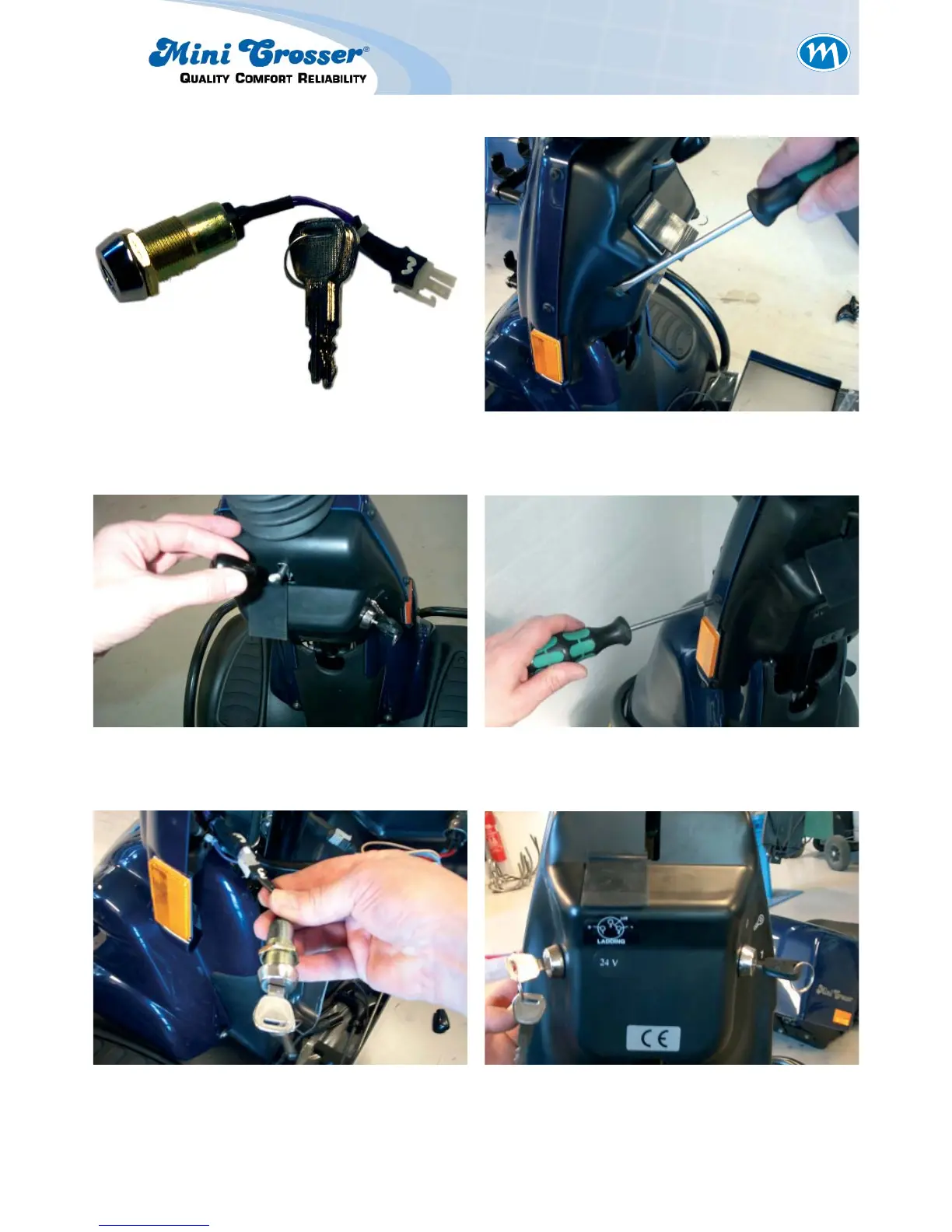
Figure 1: The set comprises these parts. Figure 2: Remove the rubber plug from the
plastic cover.
Figure 3: Remove the plastic handle. Figure 4: Remove the rear plastic shroud by
removing the six plastic screws.
Figure 5: Insert the key in socket no. 3. Figure 6: Replace the plastic shroud. Switch
on the scooter and check that the
solenoid brake clicks when the throt-
tle is activated. When the throttle is
released it should not be possible to
push the scooter.



 To Next Page