7372 A
PPENDIX
Pentium 166MHz or later processor.
A High Color (16bit) 640 x 480 pixel monitor
is required.
1024 x 768 pixels are recommended.
PC / AT compatible computers
Operation is not guarantied for custom or home-built machines.
The scanner cannot be used with notebook computers.
Windows 98, 98 Second Edition, Me, 2000
Professional, NT 4.0, XP.
Mac OS 8.6 to 9.2.2, and
OS X 10.1.3 to 10.1.5.
A 640 x 480 pixel monitor capable of display-
ing 32,000 colors is required.
1024 x 768 pixels are recommended.
PowerPC G3 or later.
90 MB (Multi) or 600 MB (Multi II) of available hard disk space is required. 200 MB (Multi) or
1.2 GB (Multi II) or more of available hard disk space is needed when scanning with 16-bit
color depth.
Macintosh
Recommended SCSI boards: Adaptec SCSI
Card 19160, 29160, 29160N,
and AVA-2903B
.
The following system requirements are for the Dimage Scan Multi and Multi II scanners. Refer to
the hardware manual for the requirements of other model scanners. The computer and the
operating system must be guarantied by the manufacturer to support SCSI interface. Check the
Minolta web site for the latest compatibility information:
Europe: http://www.minoltaeurope.com/pe/digital/languages_stage.html
North America: http://www.minoltausa.com
TWAIN driver (Windows) and Plug in (Macintosh) compatible with
Photoshop 6.0.1 and 7.0.1, and Photoshop Elements 2.0.
Dimage Scan Multi and Multi II system requirements
Recommended SCSI board: Adaptec Power
Domain 2930U, 29160N, 2940UW, and
2940U2W as well as the built-in SCSI inter-
face supplied by Apple Computer
.
A minimum of 64 MB (Multi) or 96 MB (Multi
II) of RAM in addition to the requirements for
the operating system and applications is
required. 96 MB is needed when scanning
with 16-bit color depth.
SCSI board must be guarantied by the manufacturer
to work with the computer and operating system.
Pentium II or later processor. Pentium III or
later when scanning with 16-bit color depth.
A minimum of 128 MB of RAM.
256 MB or more is recommended
.
Required hard disk space: 300MB (35mm), 600MB (Multi-format 35mm), 1.2GB (6X9).
With 16-bit color depth: 500MB (35mm), 1GB (Multi-format 35mm), 2GB (6X9).
Recommended hard disk space: 600MB (35mm), 1GB (Multi-format 35mm), 2GB (6X9).
With16-bit color depth: 1GB (35mm), 2GB (Multi-format 35mm), 4GB (6X9).
A minimum of 128 MB of RAM.
192 MB or more is recommended
.
PowerPC G3 or later. PowerPC G4 proces-
sor when scanning with 16-bit color depth
.
Digital ROC and GEM system requirements for the Dimage Scan Multi II
A minimum of 64 MB (Multi) or 96 MB (Multi
II) of RAM is required. 128MB is required
with Windows XP. 96 MB is needed when
scanning with 16-bit color depth.
About the Dimage Scan Multi and Multi II
The DiMAGE Scan Utility can be used with the Dimage Scan Multi and Multi II model
scanners. However, certain functions are not available:
The input-resolution range for the Dimage Multi is 176 dpi to 2810 dpi for 35mm film
and 70 dpi to 1128 dpi with medium-format film. After completing the registration
routine with the serial-number button in the preferences window (p 30), the input-
resolution range for the Dimage Multi II is 176 dpi to 2810 dpi for 35mm film and 70
dpi to 2810 dpi with medium-format film.
When the DiMAGE Scan Utility is installed, the scanner profiles listed below are
automatically installed for these model scanners, see page 68 for the location. These
profiles have been included for advanced color matching with profile-to-profile
conversions in sophisticated image-processing or DTP applications.
When using these
profiles, the color reproduced may not be the same as the color matching system in
the utility software.
MLTF3100.icc - used with positive film at any color depth other than 16-bit linear.
MLTF3100p.icc - used with positive film with 16-bit linear color depth.
Record keeping
Keeping records when scanning is important. It allows for results to be reproduced as
well as a good reference for settings when new images are scanned. Records are also
a useful learning tool; they document both successes and failures.
The data sheet on the following page may be copied and used to record scanner
settings. Details on the film, exposure, and any special filters or processing used can
be noted.
Manual Focus Dial
DiMAGE Scan Launcher
Batch Scan Utility
Easy Scan Utility
Prescan-size list box (Preference window)
Holder-type list box
Digital ICE, ROC, and GEM
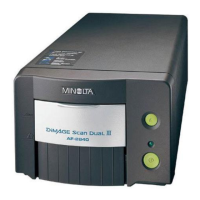
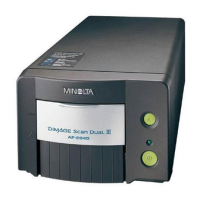
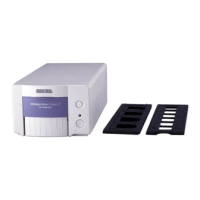
DiMAGE Scan Multi
Digital ICE
Grain Dissolver
Pixel Polish
DiMAGE Scan Multi II








 To Next Page