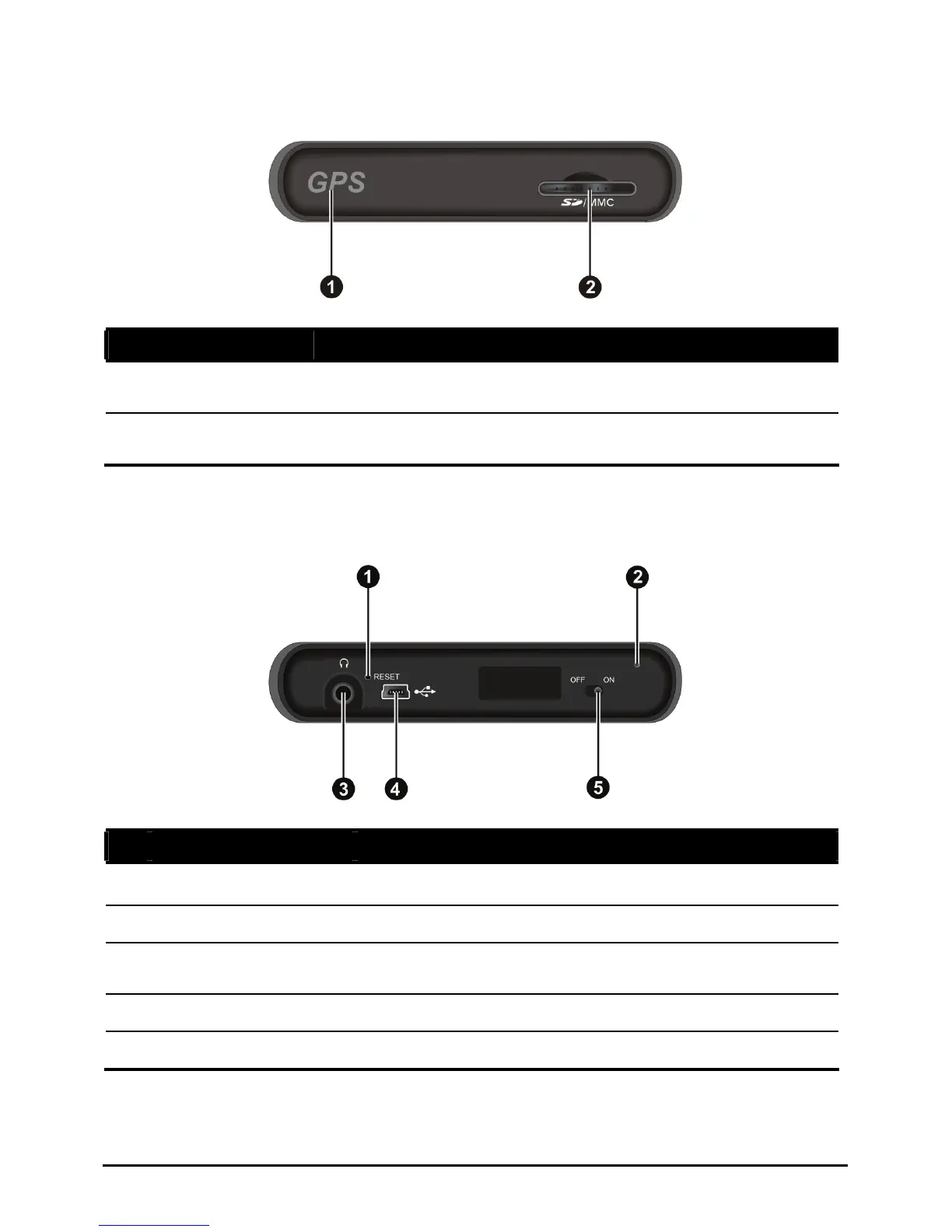
Top C s omponent
Ref Component Description
n
GPS antenn rhead. Make sure a Receives signals from the GPS satellites ove
that it has a clear view of the sky.
o
SD/MMC Sl ultiMediaCard) ot Accepts a SD (Secure Digital) or MMC (M
card for accessing data such as MP3 music.
Bottom Components
Ref Component Description
n
Reset Button Restarts your device (soft reset).
o
Microphone For Bluetooth hands-free calling.
p
Headphone
Connector
Connects to stereo headphones.
Mini-USB Connector Connects to the charger or USB cable.
q
r
ON/OFF Switch The main power/battery cutoff switch.
3















 To Next Page