1.2
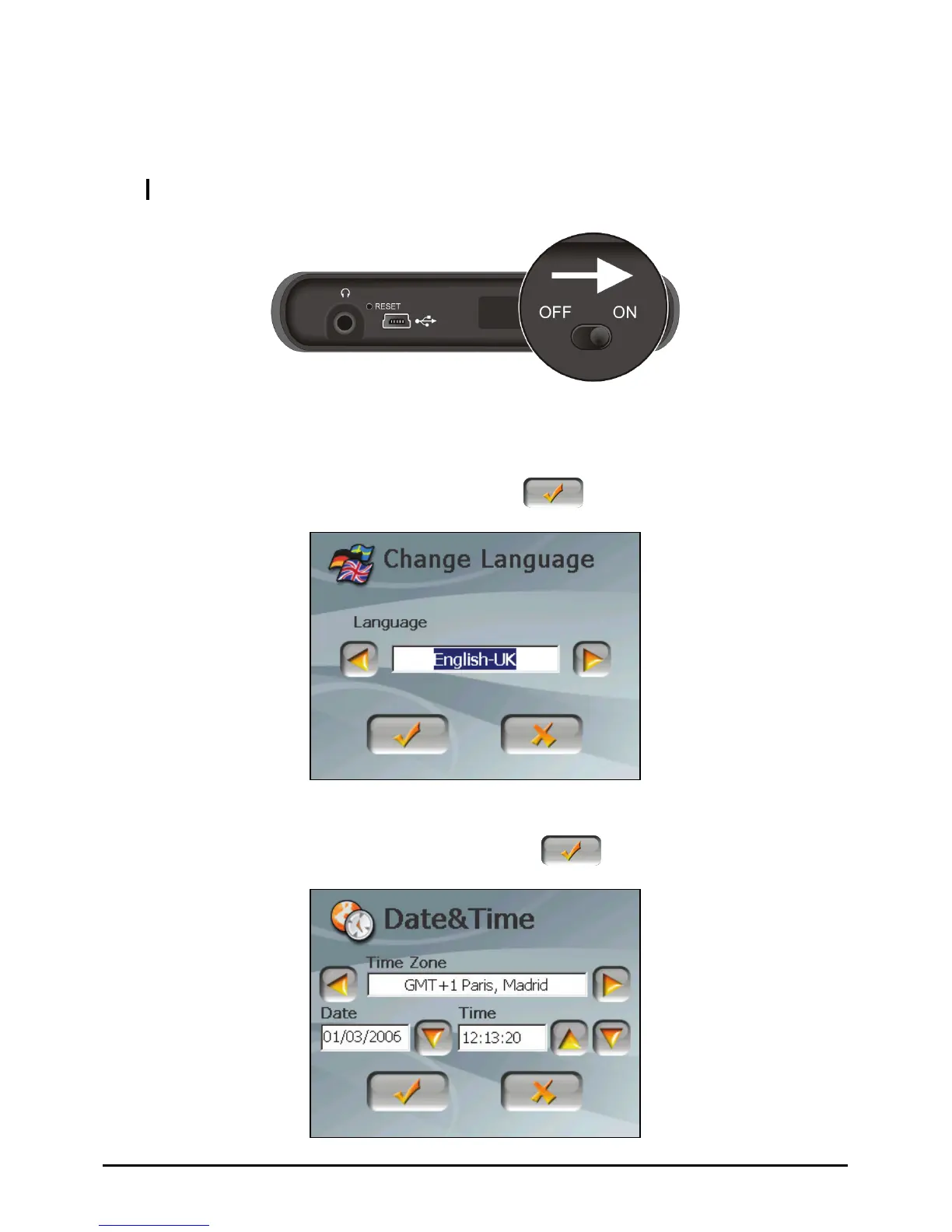
1. Using a point ON position.
CAUTION: Alwa on.
Performing the Initial Start Up
ed pen, slide the ON/OFF switch to the
ys leave the ON/OFF switch in the ON position for normal operati
2. Your device turns on.
3. ton to
The “Change Language” screen appears. Tap the left/right arrow but
select the desired language. Then, tap the
button.
e” screen appears. Tap the appropriate arrow button to select
me. Then, tap the
4. The “Date&Tim
the time zone, date, and ti
button.
4















 To Next Page