9 Troubleshooting and Maintenance
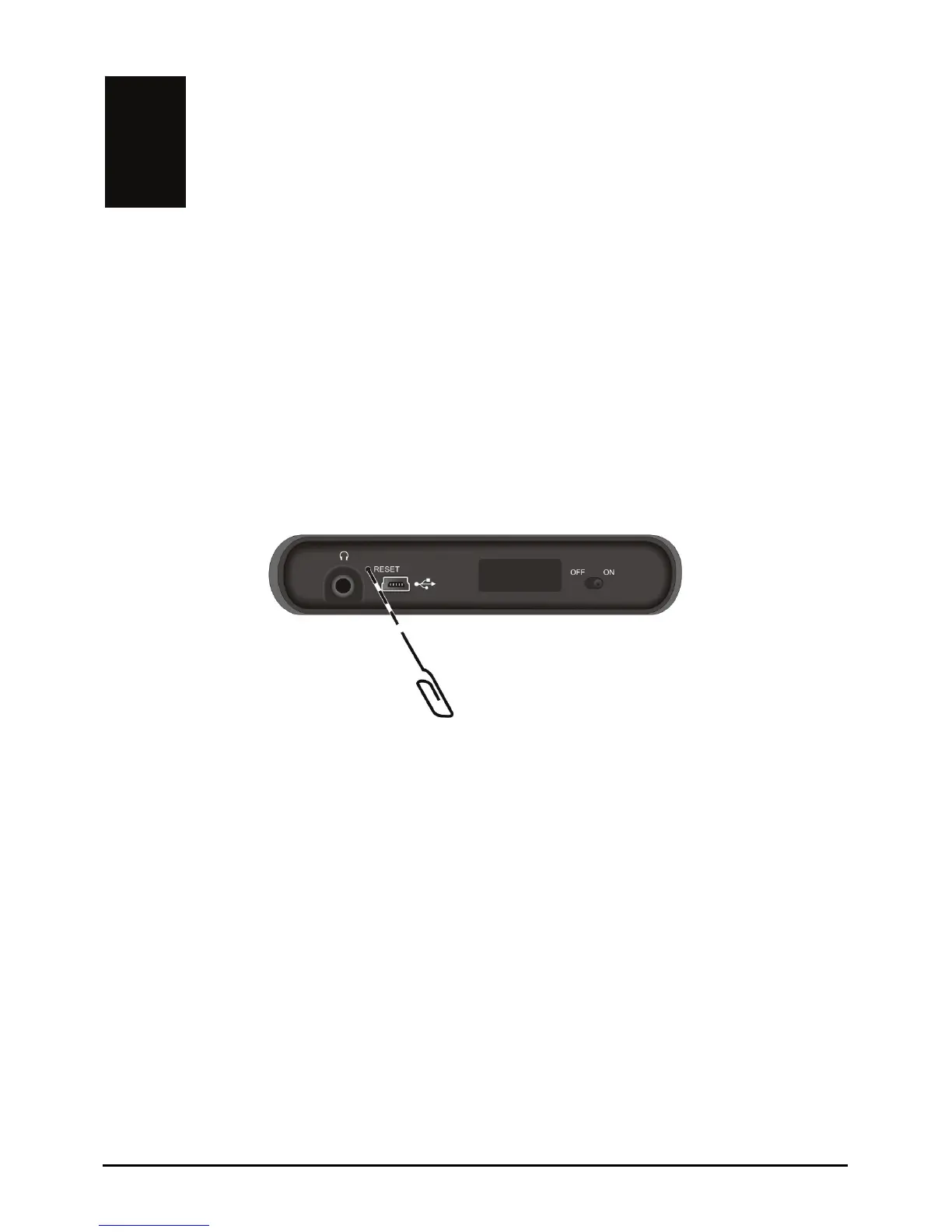
soft reset.” The Home screen should appear after a soft
reset.
Troubleshooting and
Maintenance
9.1 Resetting Your System
Occasionally, you may need to reset your device. For example, you should reset
your system when it stops responding; or appears to be “frozen” or “locked up.”
Insert a small rod, such as a straightened paperclip, into the reset button of your
device. This is called a “
If your device still does not respond after a soft reset,
you can use the following
3. Wait for 1 minute and then slide the switch back to the ON position.
steps to perform a “hard reset.”
1. Disconnect all cables, including the charger, from your device.
2. Use a pointed pen to slide the ON/OFF switch to the OFF position.
71















 To Next Page