51
NOTE:
The files are sorted by file names in the list.
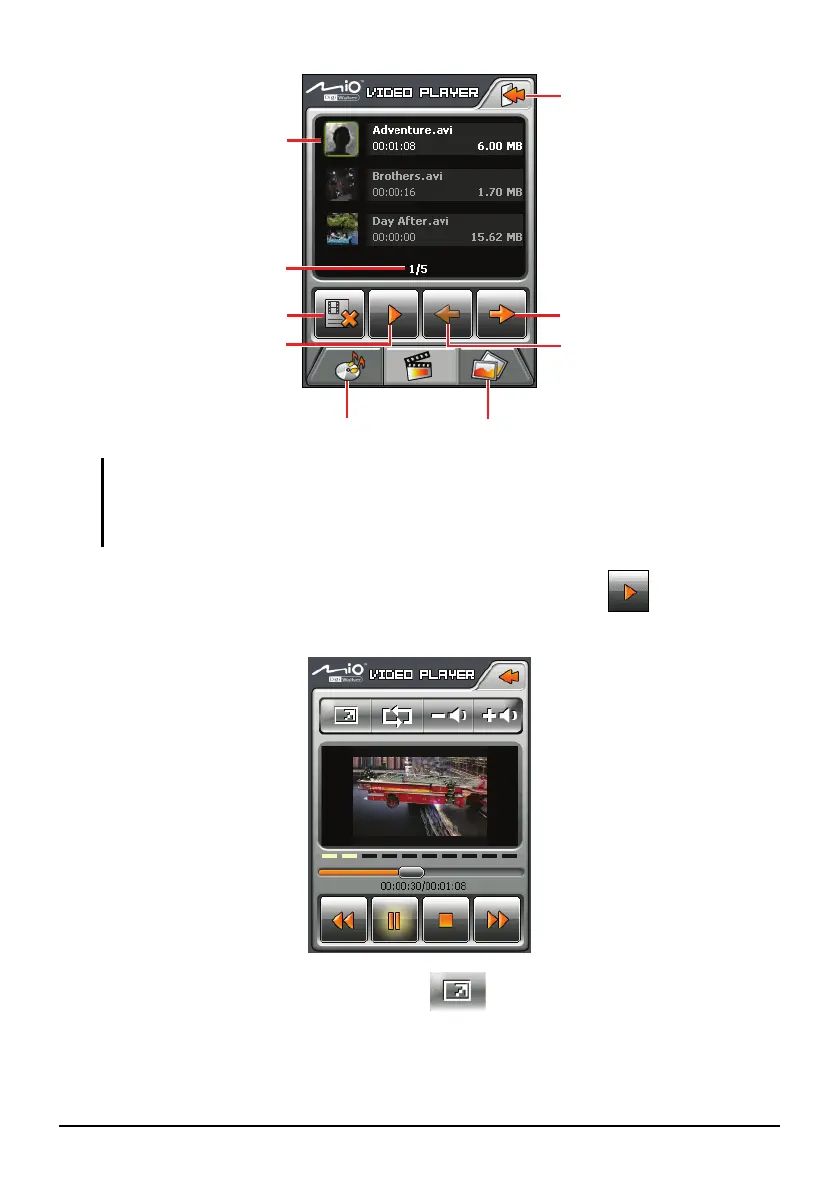
The file information such as the length of the video and file size is displayed together with
the file name.
4. To play a video file, tap the desired file in the list and tap . (See the next
section for descriptions of the onscreen control buttons.
5. To watch the video in full screen, tap
. To go back to the control panel,
tap anywhere on the screen.
Pa
e down
Play the selected file.
Selected file/
Total number of files
A frame indicates the
file is selected
Exit
Pa
e u
Delete the selected file
Switch to the Photo Viewer.
Switch to the MP3 Player.


 To Next Page