55
7.5 On-Screen Control Buttons
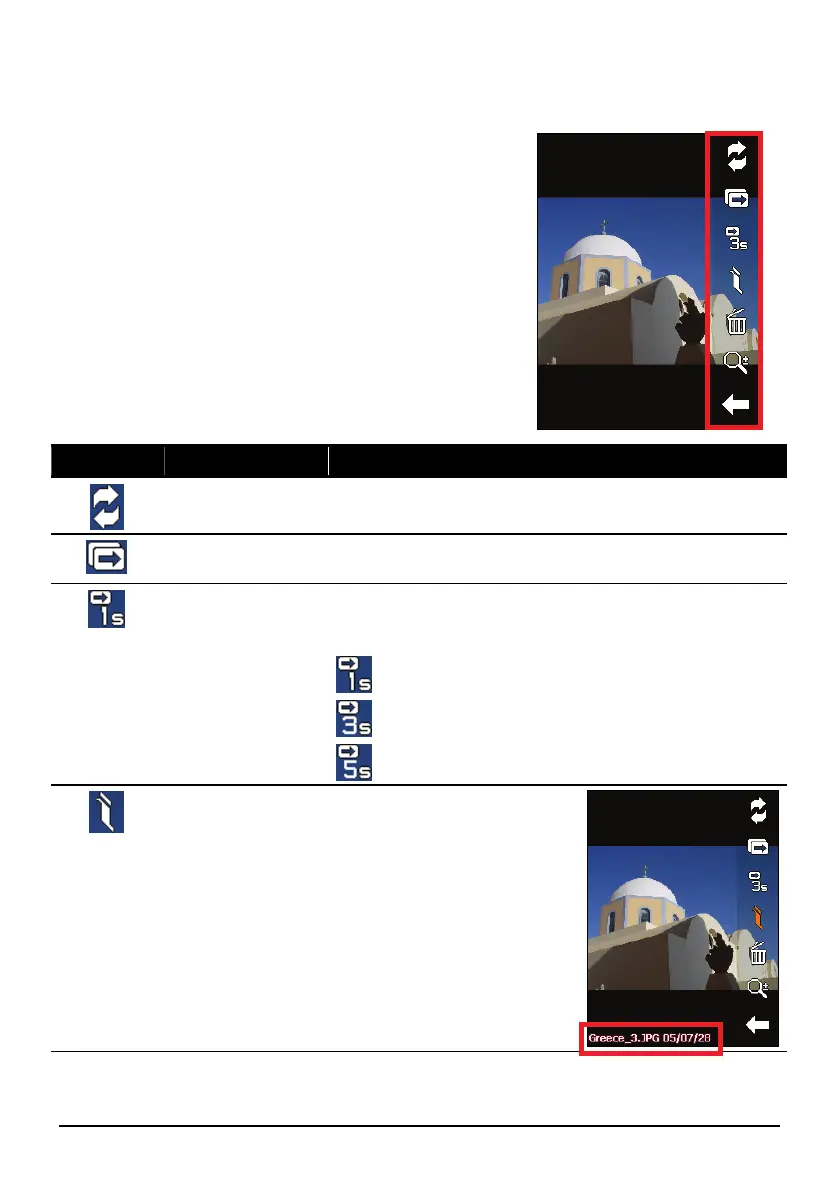
On-screen control buttons provide various
functions and settings. Tap anywhere on the
picture to display the buttons as shown. To close
the buttons, tap the picture again.
Button Name Description
Transfer Transfers pictures between the device and the storage
card. (See section 7.7 for detailed information.)
Slideshow Starts the slideshow. (See section 7.6 for detailed
information.)
Interval Sets the length of time each slide is displayed before
moving on to the next slide. Tap the button to switch to
the next available option.
1 second
3 seconds
5 seconds
Information Enables or disables the
displaying of the name and
date of the file.



 To Next Page