82
11.4 Four Steps to Create a Video File
Step 1: Determine Video Output Setting
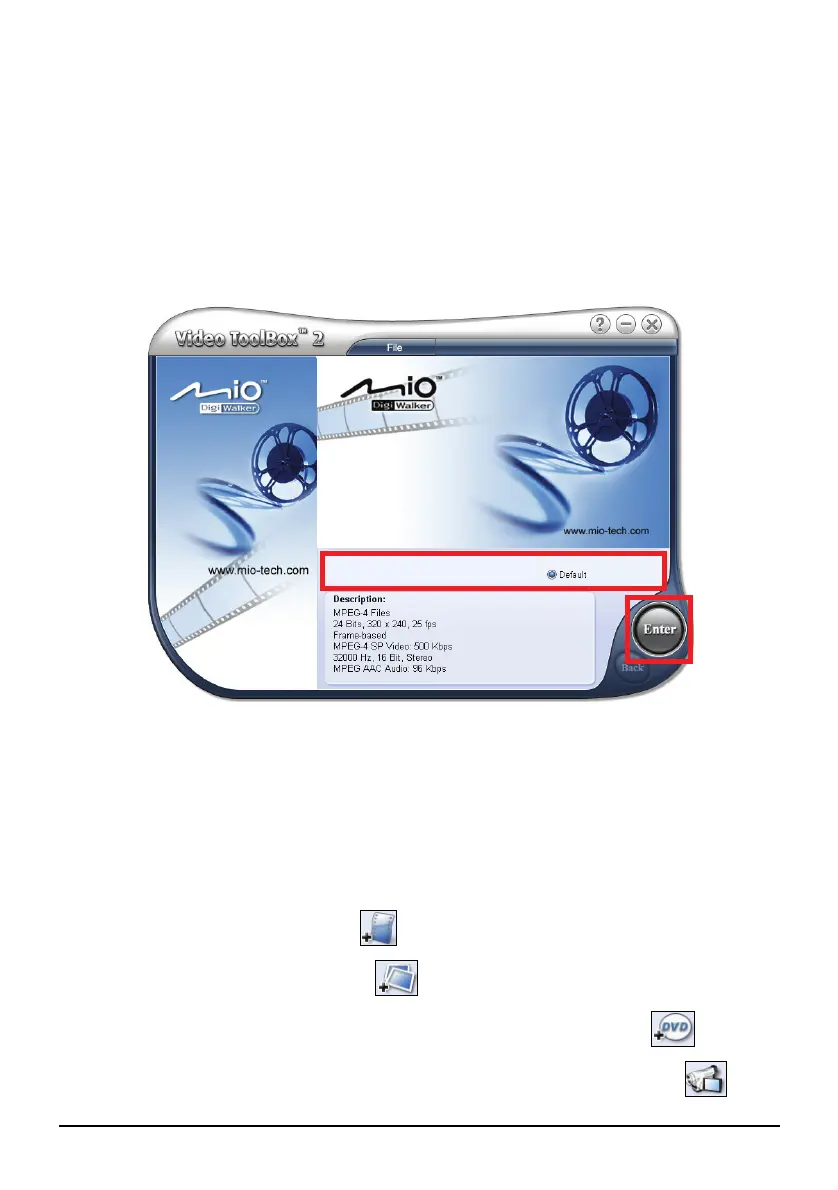
1. On Windows desktop, click Start Programs Video ToolBox 2.0 Home Edition
Video ToolBox 2.0 Home Edition.
2. On the first screen, select
Default (MP4) as the output format.
3. Click
Enter.
Step 2: Add/Edit Media Clip
4. Click one of the Add Media buttons depending on your media source. (For
detailed information, see sections 11.5 to 11.7.)
To add a video file, click .
To add an image file, click .
To add video from a DVD-Video or DVD-VR discs, click .
To add video from a digital source (e.g. DV camcorder), click .


 To Next Page