59
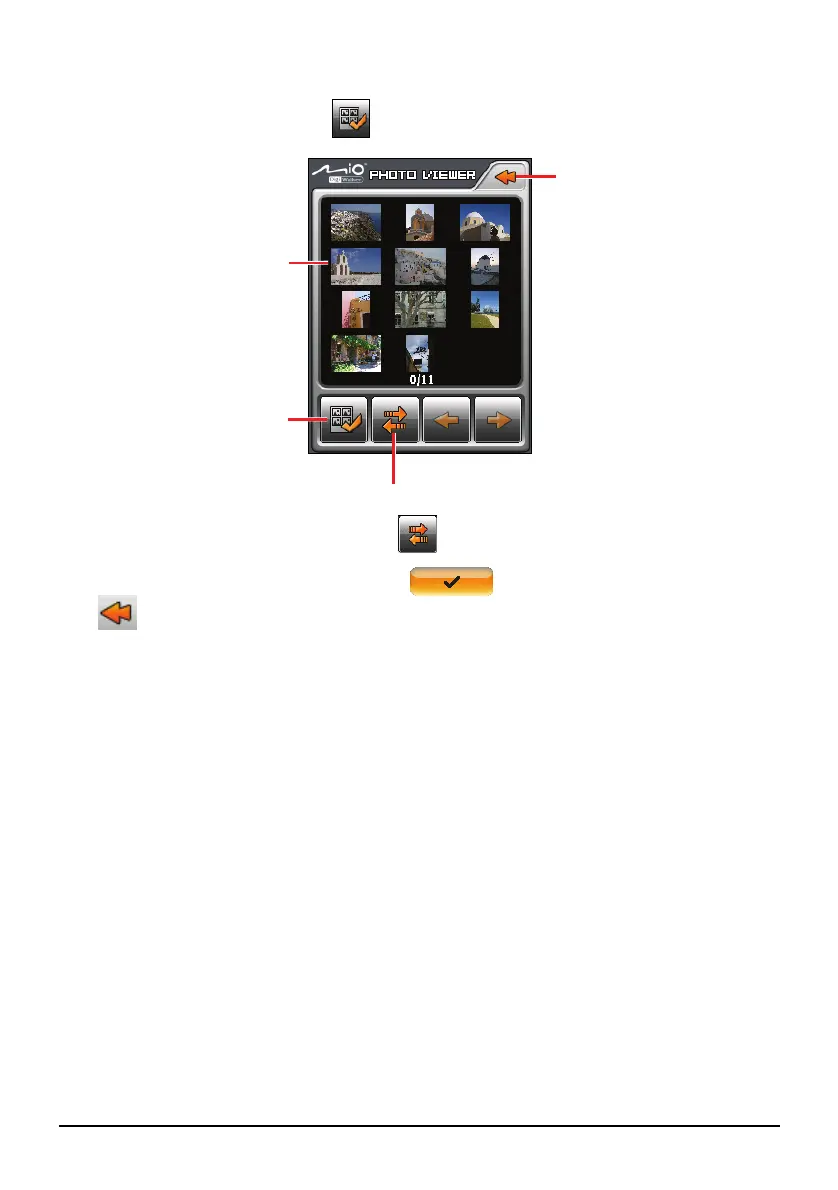
4. The preview screen appears. You can tap to select a picture or several
pictures. You can also tap
to select all pictures in the source folder.
5. After selecting the picture(s), tap
to start the file transfer.
6. Once the transfer is completed, tap
to end the transfer. Then tap
to go back to the preview screen.
Back
Transfer
Select all.
A frame indicates
that the picture is
selected.


 To Next Page