Otherwise, the user is requested to repeat the calibration procedure.
The procedure cannot be cancelled once started, so the user must carry perform the procedure correctly to return to the
service menu.
In event the touch screen doesn’t work correctly, it is possible to follow the following procedure to reset this function:
Switch off the device pressing the ON/OFF key until the device is
switched off.
Now, open the device as described in point 4.2.1 in order to remove
the battery pack.
Press the ON/OFF key 3 or 4 times to discharge capacitors.
Re-connect the battery pack.
Close and switch on the device.
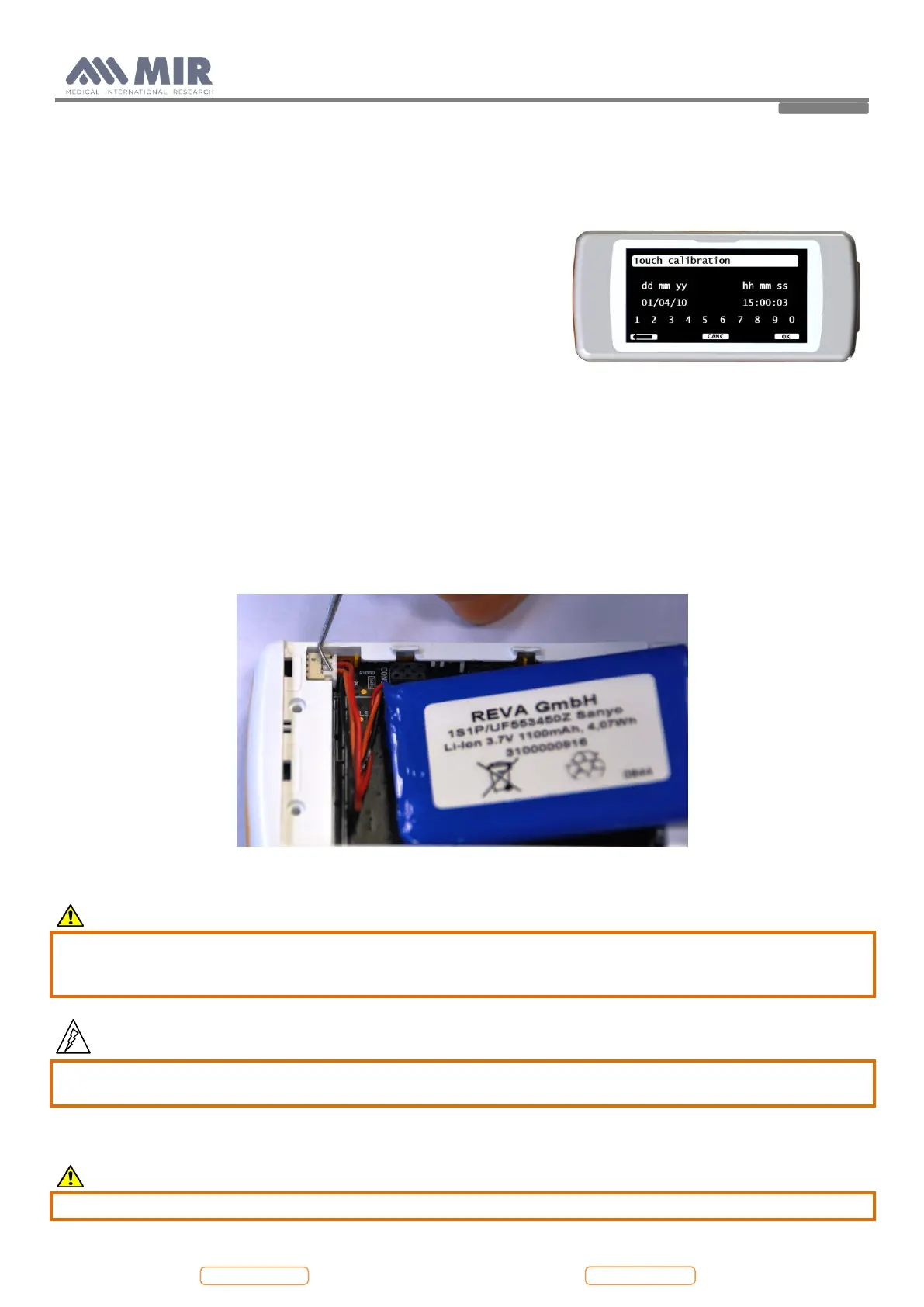
The first display will appear as the screen on the right.
Touch for at least 4 times the icon “touch calibration” at the top of the display and follow the directions; the
procedure is the same described above. This procedure allows to enter in the touch calibration even if the display is
not calibrated or broken.
4.3.3. Removing and replacing the internal battery pack
Open spirodoc as described in Paragraph 4.2.1 up to point 3.
Remove the battery pack, only after the device is switched off, by dropping the connector using a screwdriver or a
tweezers.
Replace the battery with a new one.
Caution
Insert the connector in the correct position all the way to the stop. Do not force the connector.
Place the cable of the battery bended as shown in the image above; the cable must be blocked between the
battery and the upper casing.
Warning
Handle battery pack with care. Contact between battery poles with the circuit board can cause permanent
damage to the circuit board itself.
Close the device as described in point 4.2.1.
Caution
Inserting the battery cover do not crush the battery cable.


 To Next Page