The unit must be returned in its original packaging.
MIR reserves the right to modify the instrument if required, and a description of any modification made will be
sent along with the returned goods.
Note
Any instrument of accessory returned must be accompanied by a clear and detailed explanation of the
defect or issue found.
6. TROUBLESHOOTING
Note
Where not indicated, voltages are measured versus the ground (i.e. the negative pole of the battery
pack).
Where not indicated, voltages are measured while the unit is switched on.
Where not indicated, the values to be measured can vary by about 2%.
WARNING
Be careful not to short-circuit any contacts while measuring voltages.
Batteries may explode if defective or damaged or disposed of in fire.
Do not short-circuit the batteries!
6.1. The device does not switch on
Check the voltage of the internal battery pack.
– Open the spirodoc (see paragraph 4.2.1)
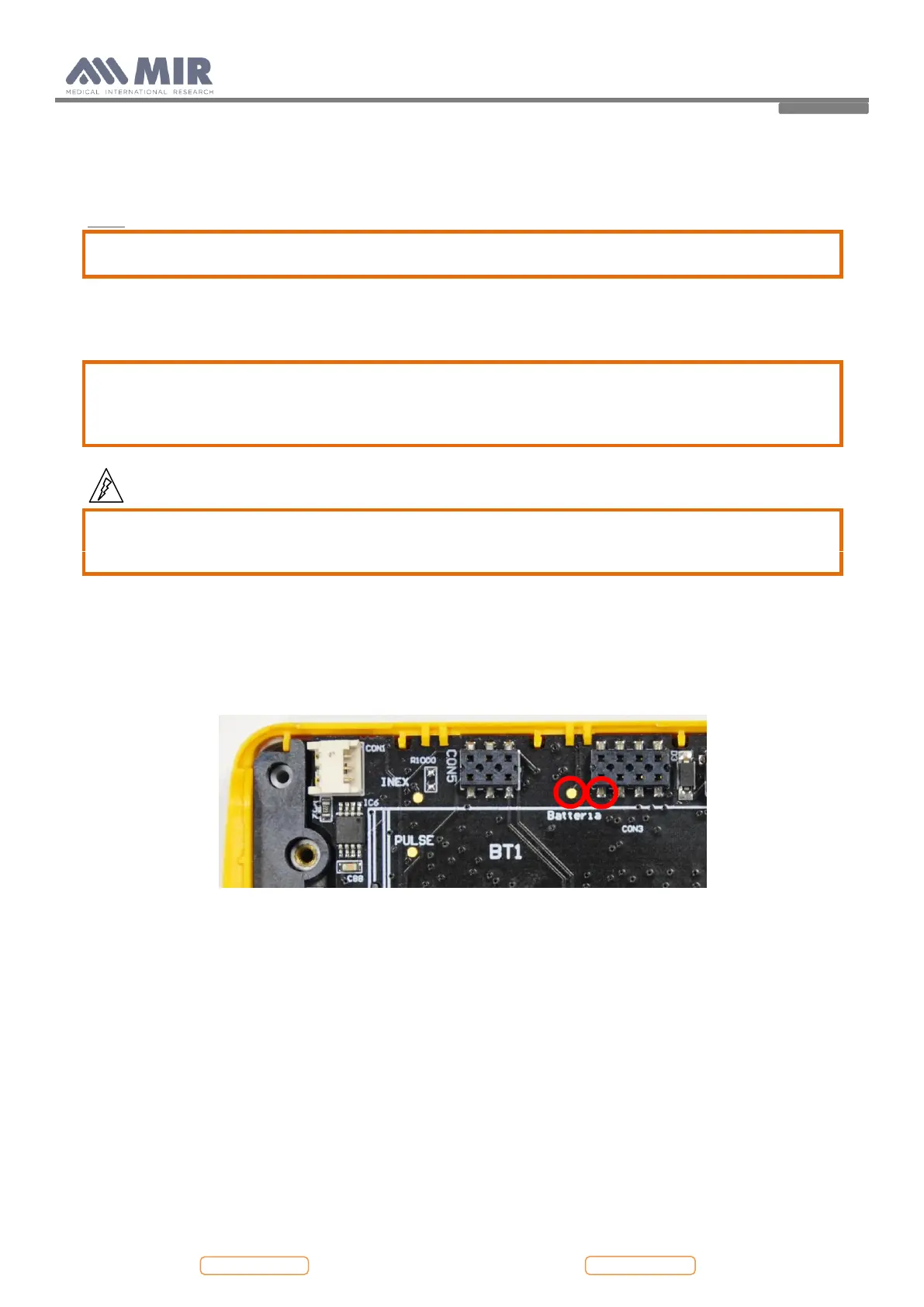
– Measure the voltage between the point shown in the following image near the battery pack connector:
The value must be between 2,7 V (battery low) and 4,2 V (battery full). If the Voltage is under 2,5 V the battery
is compromised and must be replaced.
If the device is connected to the battery charger or via USB and the battery pack is disconnected or
compromised, the display shows the message:
Battery failure
If the battery charger is connected:
Check the battery charger:
– Make sure that the connector is fully inserted to the plug.
– Check the cable for visible damage.
Recharge battery pack
– Connect power cable to the device using the micro USB connector
– Check that the device turns on
– Check that the battery indicator on the display shows the correct charging phase
– When the charging is completed the battery indicator on the display stops blinking


 To Next Page