6.2. The LCD does not display
Check that the two flat connectors of the display are integral:
– Open the spirodoc (see Paragraph 4.2.1)
– Check that the two connector are fully connected to the PCB
– Check that the flats are integral and not excessively bent.
6.3. The battery pack is not working correctly
Check the battery charger
– Make sure that the main power supply’s connector is correctly attached to the plug.
– Check the cable for visible damage.
Check the internal power supply
– Open the spirodoc (see Paragraph 4.2.1).
– Measure the voltage at the output of the battery pack. It must be approximately between 3 V and 4,2 V.
6.4. The Bluetooth printer does not print
Ensure that the printer is switched on
Check that the Bluetooth system is installed and enabled on the printer
Check that the printer appears on the list of enabled printers
– Switch on spirodoc
– Enter the service menu, “Bluetooth settings”
– Select “options printer” and check if the printer is inserted in the list as default, otherwise search for
enabled printers and set it in the list of printers
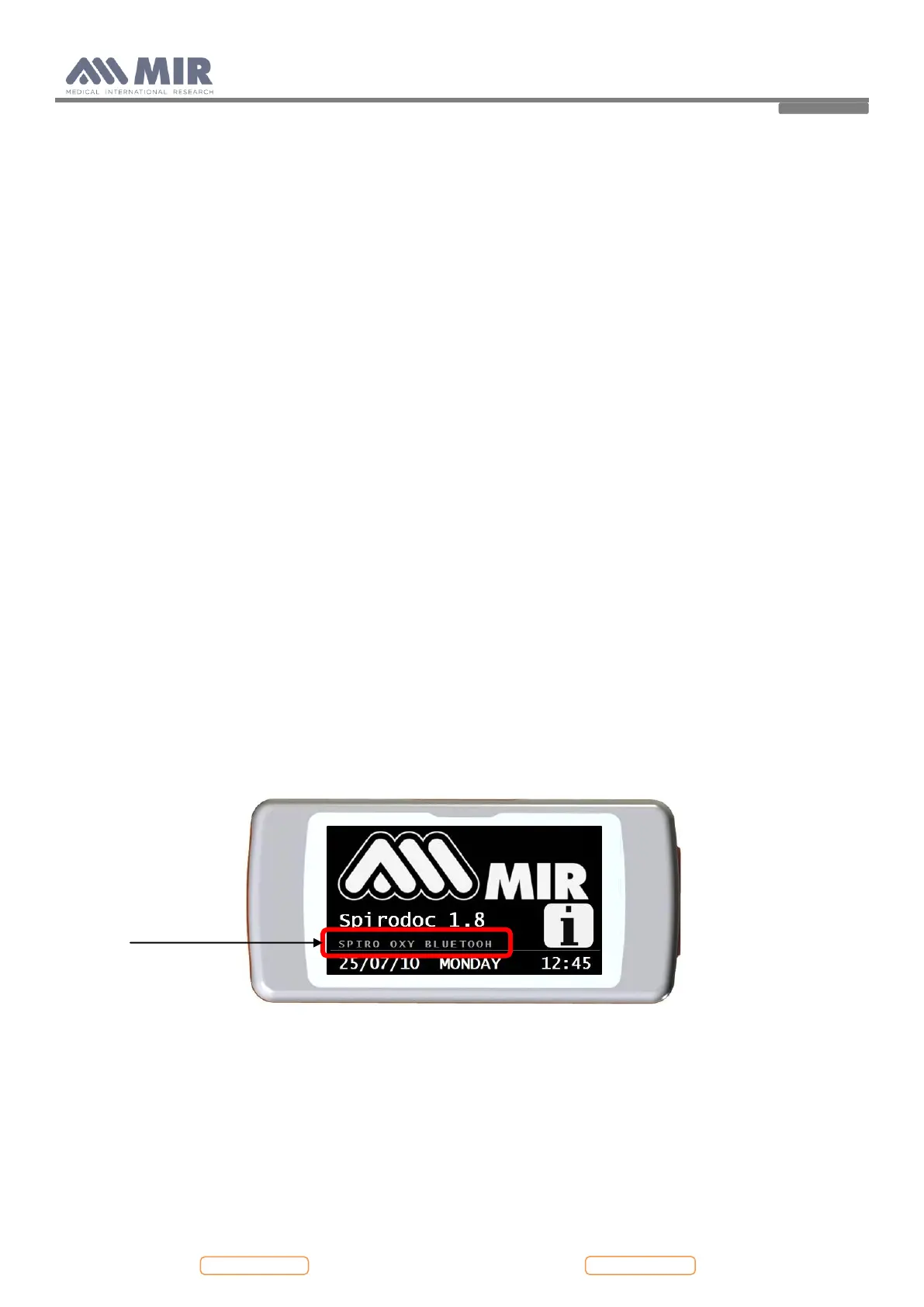
Check if the devices is provided with the Bluetooth function or not
– Check the internal software version the correct version must be 1.8 or higher
– If the version less than 1.8 , upgrade the software following the instruction on point 4.3.4 of this manual
– Disconnect the device from the PC
– Switch off the device
– Switch on the device
– Wait for the first screen
In the part pointed out in the above image it is possible to check if the device is provided with the
Bluetooth function or not.
6.5. The device does not measure spirometry at all
Check if any obstacle is blocking the free rotation of the turbine
For information about maintenance cleaning please refer to paragraph 4.3.3 of this manual.
The VC and MVV tests does not measure
– Control if in service menu the standard is set up on NANHES III, in this case the VC and MVV tests
does not work; thus set standard on ATS/ERS to make VC and MVV tests work


 To Next Page