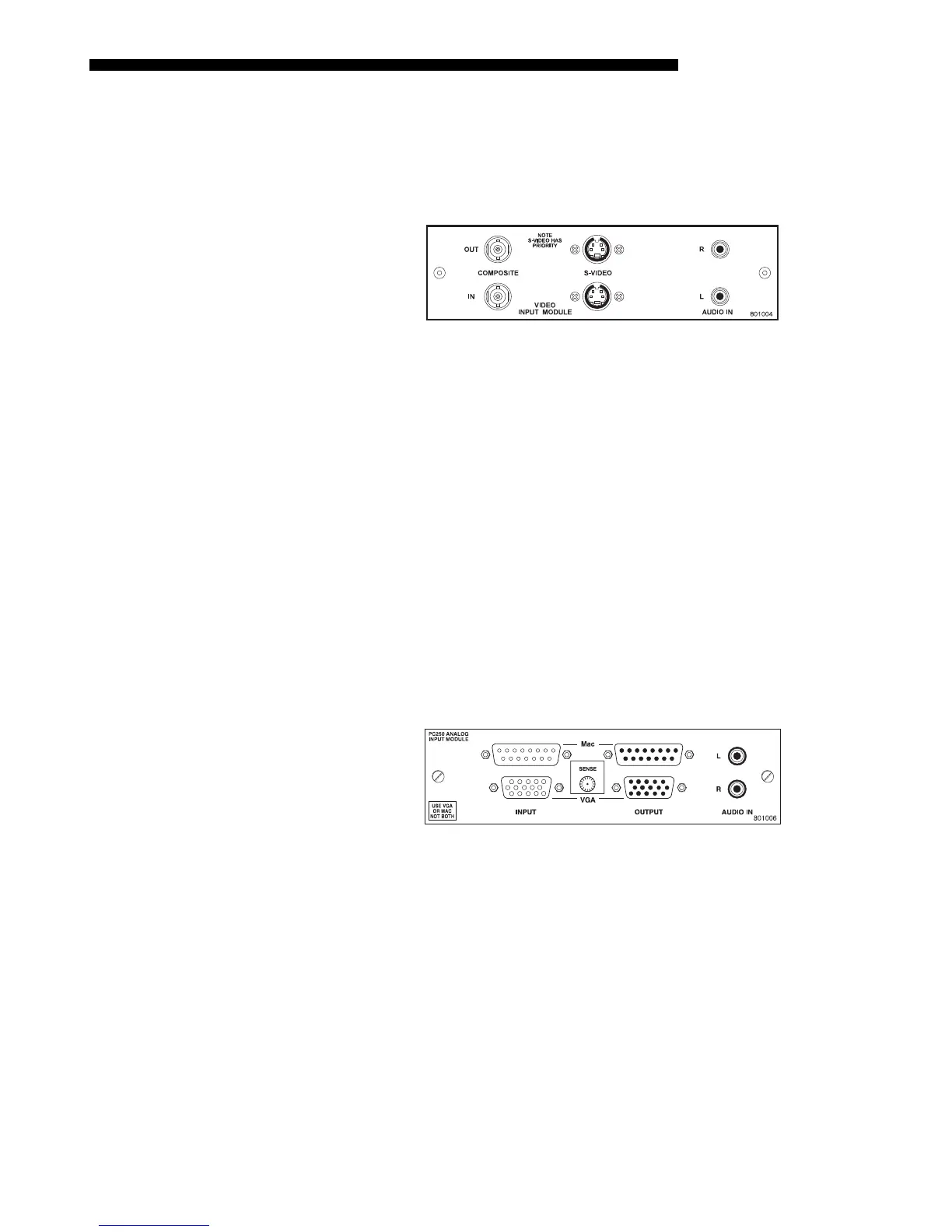
OPTIONAL INPUT MODULES
Mirage 2000/4000/6000 User’s Manual
F-3
The Composite/S-Video Input Module may be installed in this projector, a Marquee
Signal Switcher or a Marquee Case/Power Supply. The module receives either
composite video or S-video input signals from tape or disk players (do not connect
both types of signals simultaneously). Video inputs are 75
S terminated. Video
outputs are provided for buffered loop-through to another display device.
Composite/S-video Features
◊ BNC connectors for composite RGB signals
◊ 4-pin mini-DIN connectors for S-Video signals
◊ buffered loop-through video outputs
NOTES: 1) This interface is not a decoder. NTSC, PAL, or SECAM signals must
connect to the video decoder installed at
INPUT 3
/
INPUT 4
. 2) The audio connectors
are not functional. 3) For use with this projector, do not connect both composite
video and S-video signals to the Composite / S-Video Input Module–connect one or
the other, even when plugged into a switcher.
The PC250 Analog Input Module may be installed in this projector, a Marquee
Signal Switcher or a Marquee Case/Power Supply. The module receives analog RGB
input signals from IBM PC compatibles or Macintosh computers. Video inputs are
75
S
terminated. Video outputs are provided for buffered loop-through to another
display device.
PC250 Analog Features
◊ accepts VGA or MAC RGB video
◊ 15 pin D connectors for video
◊ active loop-through video outputs
NOTES: 1) This interface does not accept VGA and MAC signals simultaneously. 2)
The audio connectors are not functional. 3) Trademarks are the rights of their
respective owners.
Composite / S-Video
'
Input Module
38-804608-xx
PC250 Analog
'
Input Module
38-804609-xx



 To Next Page