INSTALLATION & SETUP
Mirage 2000/4000/6000 User’s Manual
2-15
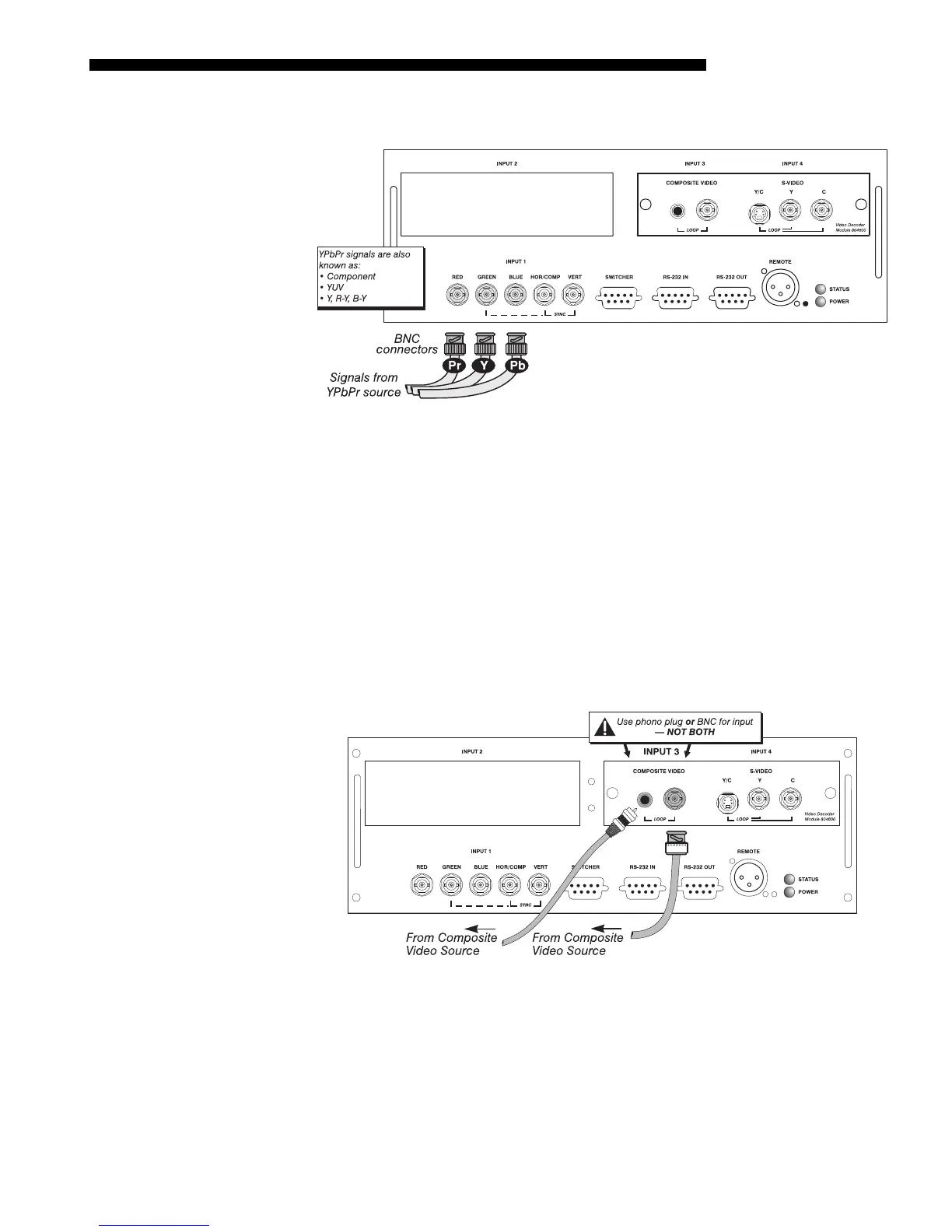
Connect a YPbPr signal (component video) to INPUT 1 as shown in Figure 2.14.
Figure 2.14. Connecting YPbPr Signal
NOTES: 1) If, for some reason, the projector fails to recognize a YPbPr signal,
specify this Color Space option within the Image Settings menu. See 3.6, Adjusting
the Image. 2) Do not connect digital component signals (known as YCbCr) to
INPUT
1. Use the appropriate digital interface installed at INPUT 2..
The video decoder input panel provides simultaneous connection of both a composite
video source (
INPUT 3
) and an S-Video source (
INPUT 4
).
If connecting a composite video source, use the Composite BNC connector or the
RCA phono jack at
INPUT 3–do not use both as inputs. See Figure 2.15.
NOTE: If you want to loop a composite signal through to another projector or
display device, see Video Loop Through later in this section.
Figure 2.15. Connecting Composite Video
YPbPr Signal
'
(COMPONENT VIDEO)
Com
osite Video
'



 To Next Page