FLASH KEY
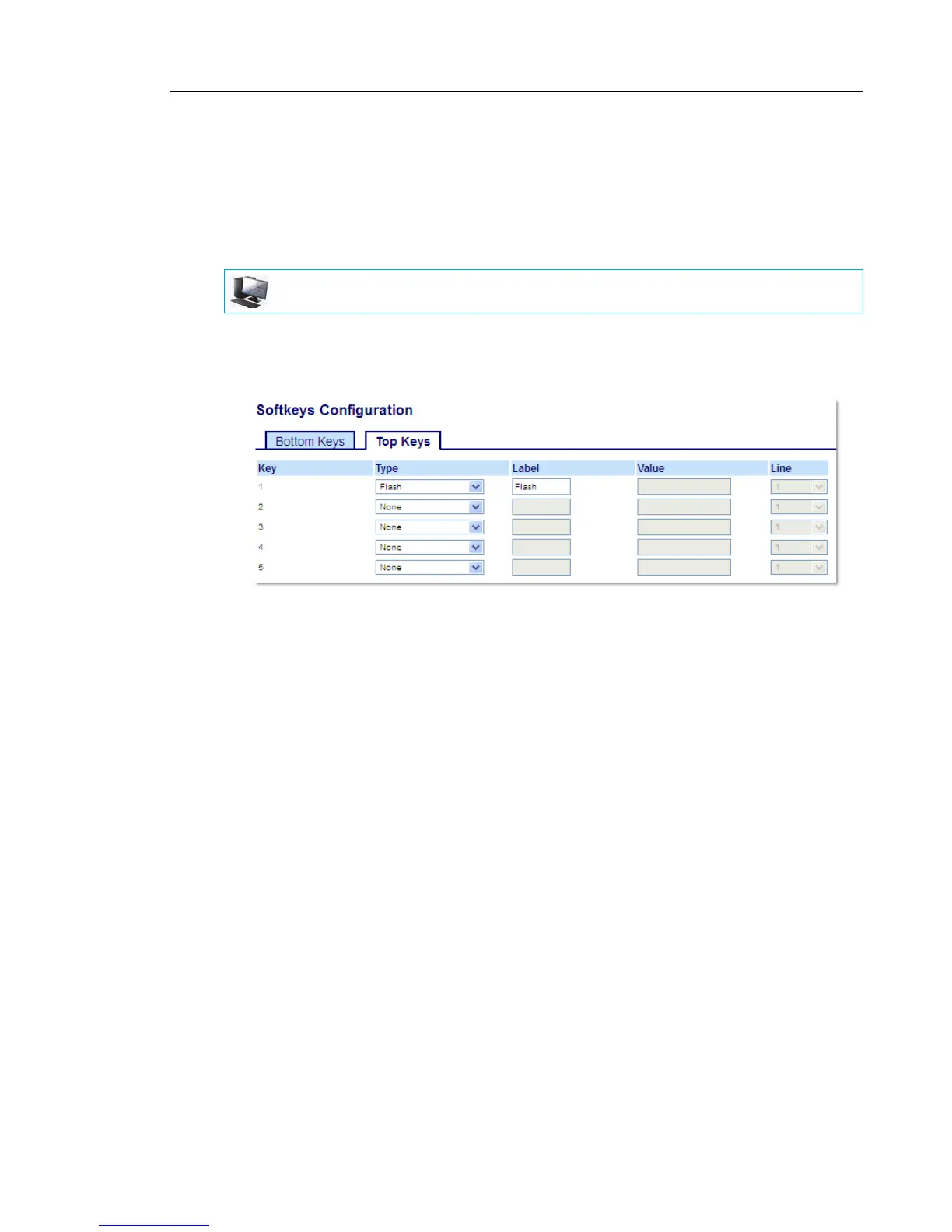
You can set a key to generate a flash event when it is pressed on the 6867i. You do this by
setting the key to Flash. The IP phone generates flash events only when a call is connected
and there is an active RTP stream (for example, when the call is not on hold).
CONFIGURING A FLASH KEY USING THE MITEL WEB UI
1. Click on Operation > Softkeys and XML.
or
Click on Operation > Expansion Module <N>.
Softkeys
2. Select from Key 1 through Key 20 on the Top keys.
or
Select from Key 1 through Key 18 on the Bottom keys.
3. In the Type field, select Flash.
4. In the Label field, enter a label to display on the phone for the key.
Expansion Module Keys
5. Select from Key 1 through Key 16 (M680i) or Key 84 (M685i).
6. In the Type field, select Flash.
7. Click Save Settings.
MITEL WEB UI



 To Next Page