Mitel 6867i SIP Phone Release 4.0.0 SP1 User Guide
DIALING
LIVE DIALPAD
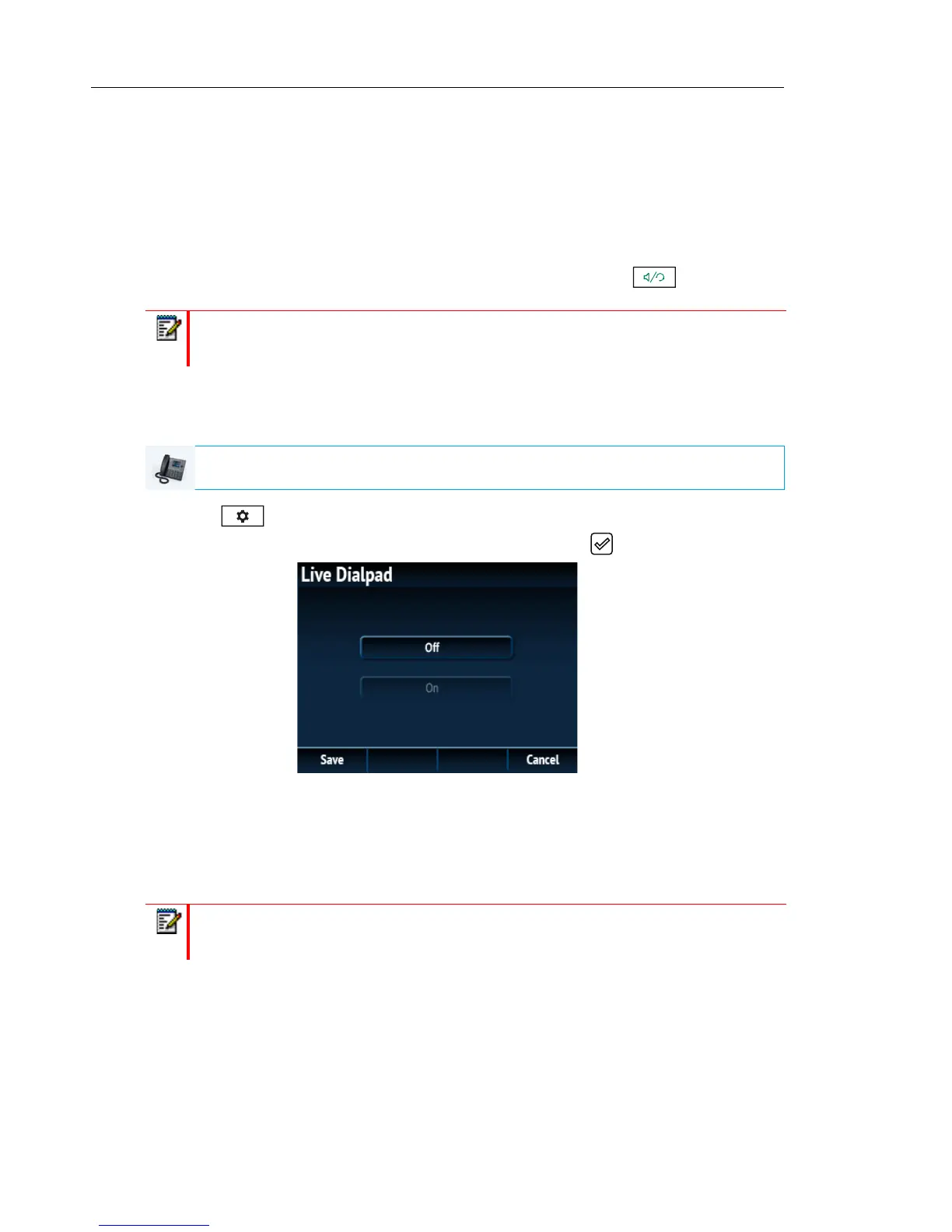
The Live Dialpad option on the IP phone turns the live dialpad mode on or off. With the live
dialpad feature enabled, the 6867i IP phone automatically dials out and turns on handsfree
mode as soon as a dialpad key or softkey is pressed. With live dialpad disabled, if you dial a
number while the phone is on-hook, lifting the receiver or pressing the initiates a call
to that number.
You can enable/disable the live dialpad using the IP phone UI only.
Enabling/Disabling Live Dialpad Using the IP Phone UI
1. Press on the phone to enter the Options List.
2. Navigate to the Dialpad > Live Dialpad option and press the button or Select softkey.
3. Use the 5 and 2 keys to scroll through and enable (On) or disable (Off) the live dialpad
feature.
4. Press the Save softkey to save your changes.
SPEED DIAL EDIT
Note: Availability of this feature is dependant on your phone system or service provider.
IP PHONE UI
Note: For details on speed dial configuration, see “Speed Dial Key” on page 84.



 To Next Page