Mitel 6867i SIP Phone Release 4.0.0 SP1 User Guide
MESSAGE WAITING INDICATOR
You can configure the Message Waiting Indicator (MWI) to illuminate for a specific line or for
all lines. For example, if you configure the MWI LED on Line 2 only, the LED illuminates if a
voicemail is pending on Line 2. If you configure the MWI LED for all lines, the LED illuminates
if a voicemail is pending on any line on the phone (lines 1 through 24).
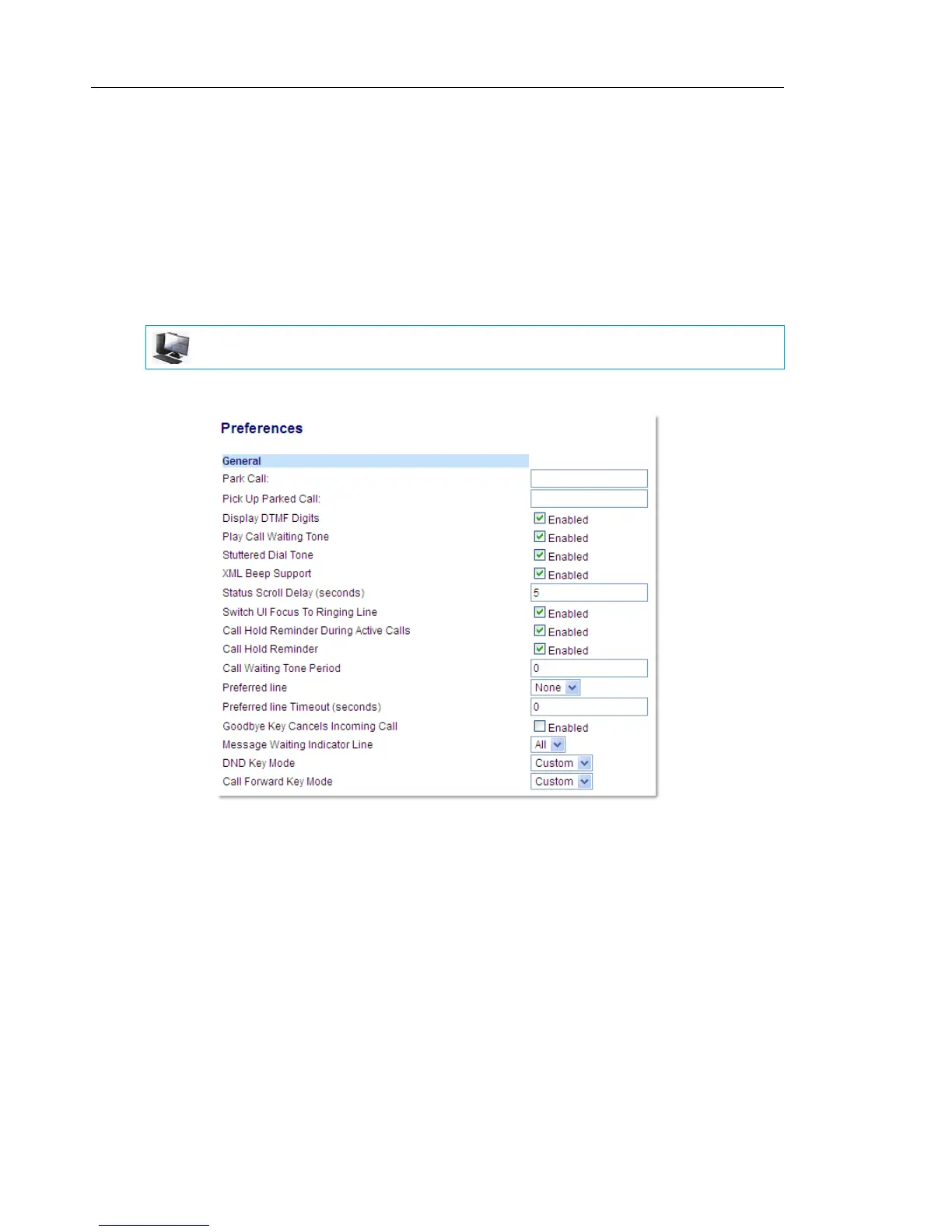
You configure the MWI using the Mitel Web UI.
CONFIGURING MESSAGE WAITING INDICATOR
1. Click on Basic Settings > Preferences > General.
2. The Message Waiting Indicator Line field is set to ALL lines by default. If required, change
the setting to a specific line by selecting a line from the list. Valid values are All and lines
1 through 24.
3. Click Save Settings.
MITEL WEB UI



 To Next Page