Mitel 6867i SIP Phone Release 4.0.0 SP1 User Guide
DISCREET RINGING KEY
You can configure a Discreet Ringing key on the phone that when pressed allows you to toggle
on/off the Discreet Ringing feature. When the Discreet Ringing feature is enabled, if a call is
incoming, the phone will play the configured ring tone once only. All applicable visual indicators
(LED for the corresponding Line key, Message Waiting Indicator [MWI], etc...) will behave
normally.
CONFIGURING A DISCREET RINGING KEY
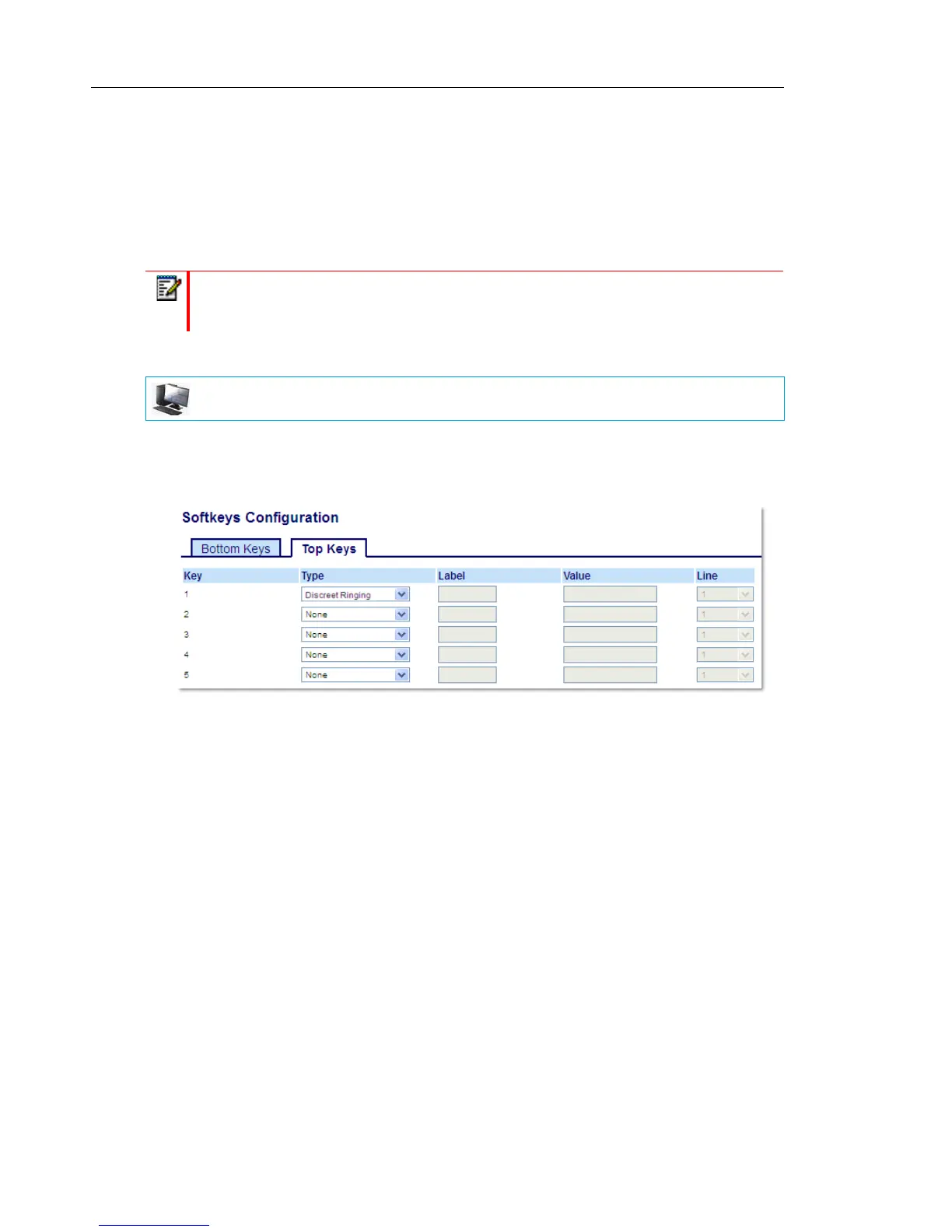
1. Click on Operation > Softkeys and XML.
or
Click on Operation > Expansion Module <N>.
Softkeys
2. Select from Key 1 through Key 20 on the Top keys.
or
Select from Key 1 through Key 18 on the Bottom keys.
3. In the Type field, select Discreet Ringing.
4. Click Save Settings to save your changes.
Expansion Module Keys
5. Select from Key 1 through Key 16 (M680i) or Key 84 (M685i).
6. In the Type field, select Discreet Ringing.
7. Click Save Settings to save your changes.
Note: If a custom ring tone is selected and Discreet Ringing is enabled, the phone will
not play the custom ring tone during an incoming call. Ring tone 1 will be played once
instead.
MITEL WEB UI



 To Next Page